1
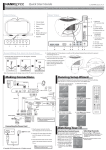
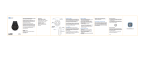
Precautions Do not expose Smart Cap to liquids or moisture. Do not attempt to tamper with the Smart Cap by dropping, dissembling, Opening or crushing, among others. Pull out the Bluetooth module before washing the Smart Cap. Keep the Smart Cap away from fire. Do not store the Smart Cap near acidic or alkaline material. Warranty The Smart Cap has a 1 year warranty, for more information. Washing instruction & removal of electronics Please note you MUST remove the control panel & speakers as shown below before washing your Smart Cap. Removing the control panel & speakers Step 1 The control panel is held in pocket between a double layer inside the hat, You can gently ease the control panel out of its pocket. Step 2 You will see a small opening at the rear of the Smart Cap, Continue to ease the control panel towards this opening. Step 3 Repeat step 1 for the additional speaker located at the opposite side of the Smart Cap. Once the electronics are completely removed: Machine wash cold, air dry flat, Do NOT tumble dry.