1
USO RESTRITO
Easysound Stand-alone User Manual
Common Commands
A/B Input Trim
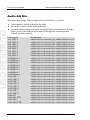
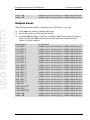
See Output Level above for a full list of options.
VO Input Trim
See Output Level above for a full list of options.
File
The file facility allows you to save the Easysound Standalone configuration
to both a floppy disk and the unit's hard disk. The process saves all the GPI
assignments, the fader enable/disables, the mode setting and system
configuration and can be used to re-instate the settings. Files created by a
diagnostic save are sometimes requested by the Miranda Technologies Ltd
Customer Support staff to aid in resolving customer queries. The following
options are available from the File menu:
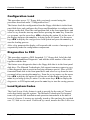
Configuration Save
This procedure requires a DOS formatted, 3½" floppy disk. Label the disk
"Easysound Standalone Configuration" and add the unit's serial number and
location of the unit plus the date.
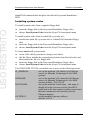
This feature saves the current configuration to both the internal hard disk and
to a floppy disk that is in the front panel disk drive. Place the 3½" disk in the
front panel drive and select set-up from the start-up menu before pressing the
enter key. From the set-up menu, use the arrow keys W X to display the
option file in line two of the display and press the enter key to bring up the
file menu. Use the arrow keys W X to display the configuration save option
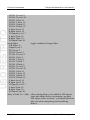
and press the enter key. After a few moments the display will respond with
the following message and the configuration disk will be saved.
Miranda Technologies Ltd
Page 59