1
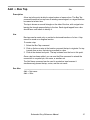
Edit ⇒ Attribute ⇒ Symbol Attribute
Ctrl+A
Nav, Sch (Add)
Description
Assigns values to symbol attributes.
Use
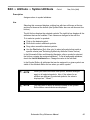
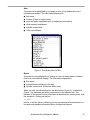
Selecting this command displays a dialog box with two edit boxes at the top
and two list boxes at the bottom (the Symbol Editor has one edit box and one
list box).
The left list box displays the selected symbols.The right list box displays all the
attributes that can be modified. Their values are changed in the edit box.
To to select a symbol or symbols:
■ Click on the desired symbol.
■ Shift-click to select additional symbols.
■ Drag a box around the desired symbols.
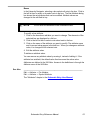
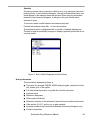
■ Use the Find button (Sch, Nav only) to select all symbols that match a
specific criteria (see "Selecting Symbols by Attribute Criteria" below).
In the Schematic Editor and Hierarchy Navigator, after a symbol is selected,
the list box contains the assigned attributes. To list all assignable attributes,
check the List All Attributes box. Change the value in the edit field.
In the Symbol Editor, all attributes that can be assigned to a given symbol are
visible in the Attribute Editor list box when you edit a symbol.
✍ NOTE
✍ NOTE
When you select more than one symbol, attribute changes
apply to all selected symbols. Also, if the values for an
attribute are different for selected symbols, the value is
displayed as ** Mixed **.
You may need to define a attribute window in the Symbol
Editor before new attributes are displayed.
Schematic Entry Reference Manual
49