1
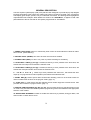
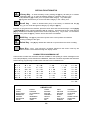
EXTERIOR
FIRE
KITCHEN
LIBRARY
QUITE
ROOM
SMOKE
TAMPER
YARD
ZONE
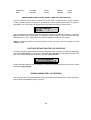
PROGRAMMING THE CONTROL PANEL FROM THE LCD CODE PAD
The LCD code pad can be used to program the control panel. Simply select the "program control"
mode by selecting option 2 on Display 1, as described in the programming instructions on page 4 of
this booklet. The LCD screen will display location and data information as shown below:
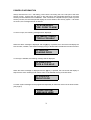
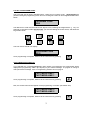
LOCATION=000
DATA=
1
The code pad will then perform programming functions exactly as an FS4597 programmer. Press the
[#] key to advance to the next location. To change the data in a location, press the appropriate key(s)
followed by the [ key. Refer to the control panel installation manual for more detail.
NOTE: In partitioned systems, the code pad will not enter the program mode if any partition is in the
"ARMED" state.
FACTORY DEFAULTING THE LCD CODE PAD
To factory default the LCD code pad, enter the "Program Code" and the LCD code pad will display
the word "PROGRAMMER" on the top line. Then enter [9]-[1]-[0]-[#] which will default the LCD code
pad. If the default attempt was successful, the LCD display will read:
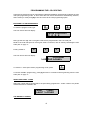
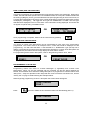
PROGRAMMER
KEYPAD DEFAULTS
NOTE: LCD code pads can also be defaulted by plugging an FS4597 programmer into the PC board
and entering [9]-[1]-[0]-[#].
DOWNLOADING THE LCD CODE PAD
The LCD code pad may be downloaded directly from the download software when used in conjunction
with the DAS Downloadable Security Controls.
11