1
POWER UP INFORMATION
Always disconnect the A.C. and battery power before connecting the LCD code pad to the DAS
security control. Connect the four wires on the code pad to the appropriate terminals on the DAS
Security Control selected for this installation. After connection is complete and upon power-up of the
Security Control, the LCD code pad will display the current status of the security system. If all zones
are secure, the message will look as follows:
SYSTEM READY
TYPE CODE TO ARM
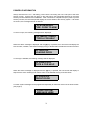
If a zone is open, the following message will be displayed:
SYSTEM NOT READY
TYPE A FOR HELP
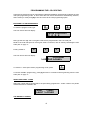
When the above message is displayed and the [A] key is pressed, the LCD screen will display the
zone number, condition, and custom message (if any) of faulted and/or isolated zone as shown below:
03 FAULTED
LOADING DOCK
If a zone(s) is isolated, the following message will be displayed:
02 ZONES ISOL
TYPE A FOR HELP
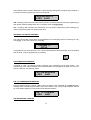
When the above message is displayed and the [A] key is pressed, the LCD screen will display in
sequence the zone number(s) and custom name of the isolated zone(s) as shown below:
01 ISOLATED
FRONT DOOR
A custom system message can be programmed separately for both lines of the LCD as shown below.
(see page 9)
YOUR CUSTOM
MESSAGE HERE
3