1
Using SICL with RS-232
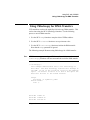
RS-232 is a serial interface that is widely used for instrumentation.
Although it is slow in comparison to GPIB or VXI, its low cost makes it an
attractive solution in many situations. Because SICL uses the built-in RS232 facilities, controlling RS-232 instruments is easy to do.
This chapter explains how to use SICL to communicate over RS-232. In
order to communicate over RS-232, you must have loaded the RS232 fileset
during the I/O Libraries installation. See the I/O Libraries Installation and
Configuration Guide for information. Also note that the RS-232 related
SICL functions have the string SERIAL embedded in the functions’ names.
This chapter describes in detail how to open a communications session and
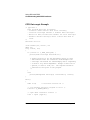
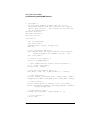
communicate with an instrument over an RS-232 connection. The example
programs shown in this chapter are also provided in the
/opt/sicl/share/examples directory.
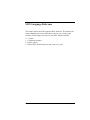
This chapter contains the following sections:
•
Creating a Communications Session with RS-232
•
Communicating with RS-232 Devices
•
Communicating with RS-232 Interfaces
•
Summary of RS-232 Specific Functions
144
Chapter 7