1
VOICECOM USER MANUAL ISSUE 4
Modbus Communication Status – Level 4
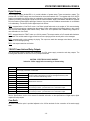
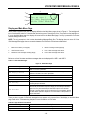
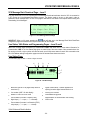
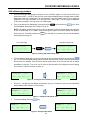
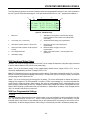
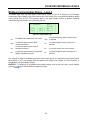
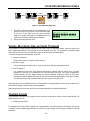
The Modbus page is the only menu page on menu level 4, shown in Figure 22. It displays the VCA’s Modbus
communication status. Modbus is the protocol used on the VCA’s RS-485 port to communicate with Modbus capable
control systems such as PLCs. The information given on this page includes indication of Modbus commands
received and any communication errors detected by the VCA.
4 Modbus
Adr[ 1]
Read[ ]
CRC[ ] NF[ ] Wrt.[ ]
Par[ ] FE[ ] Exc.[ ]
Figure 22 - Modbus Status Page
Adr
The Modbus slave address the VCA is set to
CRC
A solid block appears when a checksum error
is detected
Read
A solid block appears when a READ
command is received
Par
A solid block appears when a parity error is
detected
Wrt.
A solid block appears when a WRITE
command is received
NF
A solid block appears when noise is detected
Exc.
A solid block appears when an unsupported
Modbus command is received
FE
A solid block appears when a framing error is
detected
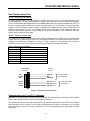
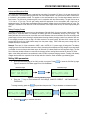
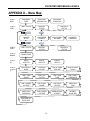
The configuration pages for the Modbus port can be found on menu level 6. On configuration setting allows the baud
rate and parity to set. A second page allows the Modbus slave address to be changed. For more information on
using Modbus, refer to the Modbus Chapter.
SHORTCUT: To change any of the Modbus communication settings, such as baud rate, parity or slave address,
press the ENTER key to view the Modbus configuration settings.
-26-