1
3-3 OUPUT CONNECTIONS
1. Verify that power source to the unit is OFF, locked and tagged according to
OSHA requirements.
CAUTION
Verify that the output voltage as stated on the UPS nameplate matches the actual
output voltage of the unit. Ensure that the intended connected load does not
exceed unit capacity. If the voltage does not match, or the intended applied load
exceeds unit capacity, STOP installation of the UPS and contact Customer
Service at DSPM.
2. Verify that Output cable(s) and conduit(s) are routed correctly and are in position
to connect the unit.
3. Open front doors of UPS.
4. Select desired mounting location and connect the conduit.
5. Pass wires through the mounting hole.
6. Secure conduit fitting to the panel of unit.
7. Connect the output wires to the output phase, neutral and ground terminal
blocks. Note: Ensure that the applied loads wired to the unit are evenly
balanced. Loads to be evenly distributed to all output circuit breakers
provided.
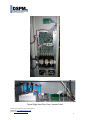
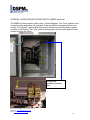
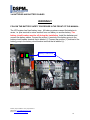
Output Terminal
Blocks (TB2), 3 Phase,
Neutral, Ground
(X1, X2, X3, XO, G)
Note: If output Options where ordered with the unit they will be connected to the Main
Output Terminals.
Phone: (714) 970-2304 Fax: (714) 970-6171
Web Page: www.DSPManufacturing.com
Email: [email protected]
21