1
USING AK8PRO ATTACHMENT SYTEM
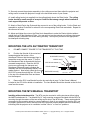
The AK8PRO includes a high performance, rigid, solid steel plate specifically designed to attach to a
properly installed model RPA000 ceiling mount head made by Chief Manufacturing. This may then be
further installed to the ceiling using a variety of Chief components or the RPA Kit offered through
Panamorph. RPA Kits used with Panamorph Systems include the following Chief Manufacturing
components: 1-RPA000 Mount, 1-CMS115 ceiling plate, and 1-CMS003 3” extension pole.
The AK8PRO system mounts all the components on a common platform that does not generally
require additional support. There are, however, certain larger projectors where the use of supporting
chains will be required (these will be noted in the Projector Compatibility List on page 5 and
“ALTERNATE AK8PRO ATTACHMENT METHOD” on Page 6). The RPA and associated
hardware must be installed to structural ceiling members to support at least 250 pounds and
must be extremely rigid. Any play in the RPA mount will result in a rocking of the AK8PRO
assembly as the lens moves in and out of the projector beam and represents a danger to
equipment and personnel.
IMPORTANT CEILING MOUNT LOCATION CONSIDERATIONS
(If your Projector Requires the Alternate Attachment Method with Support Chains Please
Disregard this Step)
For optimum imaging results consult your projector’s instructions for the ceiling mount location to
place the projector’s lens in the horizontal center (i.e. left to right) of your projection screen (even if
your projector has a horizontal lens/image shift capability). In addition, make sure you are not at the
limits of your projector’s zoom capability so that you have some range for image adjustments.
The AK8PRO attachment plate is designed so that the variety of listed projectors and other attached
components form an average center of mass (gravity) approximately located at the center of the
ceiling mount pipe. Therefore, the ideal ceiling mount location will be shifted by the AK8PRO 2”
(50mm) toward the left side of the screen from the ceiling mount location indicated by your
projector’s instructions. If the plate is to be inverted (as directed in the plate diagram list) this shift will
be to the right side of the screen.
If your projector ceiling mount is already installed and you do not wish to move it (or similarly move
the screen in the opposite direction) due to a shift by the AK8PRO system, then you can make fine
horizontal shift adjustments to your projector (if available) combined with turning the projector (only as
necessary) during final setup to compensate for the shift. Some small amount of image distortion
(horizontal key-stoning) may result but in most cases this will not be noticeable since the image
edges will typically be masked by the screen borders.
WARNING!
Use extreme caution and appropriate hardware when installing heavy objects to a
ceiling. Periodically check all fasteners and connection hardware to be sure they are
not coming loose. Improper installation may lead to an increased risk of your
equipment becoming unstable and possibly injuring someone.
Panamorph DC1 User Manual and Installation Guide, Version 1.1, copyright February, 2011. All rights reserved.
Page 3