1
FM Remote Control
System
Pro Max
User Manual
Models:
PROMAX
PROMAX-UA
March 2001 Document No. 500055 Rev. C
Rain Master Irrigation Systems
Pro Max User’s Manual
Table of Contents
1.0 Introduction............................................................................................................. 2
1.1 Pro Max Features................................................................................................... 2
1.2 Ranges and Method of Transmission..................................................................... 3
1.3 Licensing Information ............................................................................................. 4
2.0 Model PROMAX Remote Control System (Rain Master Only)............................. 5
2.1 Using the Receiver with a Rain Master Controller .................................................. 6
2.1.1 Connecting the Receiver to a Rain Master Controller ..................................... 6
2.1.2 Disconnecting the Receiver from a Rain Master Controller ............................. 7
2.2 Permanent Mount Pro Max Receiver ..................................................................... 7
2.3 Keystroke Operation............................................................................................. 10
2.3.1 Evolution DX2 Keystroke Operations ............................................................ 12
3.0 Model PROMAX-UA Remote Control System (Universal) ................................. 13
3.1
3.2
3.3
3.4
3.5
3.6
3.7
3.8
3.9
Using the Promax-UA Universal Adapter with a Non Rain Master Controller....... 14
Installing the PROMAX-UA System...................................................................... 14
Temporary Connector Installation ........................................................................ 16
Disconnecting the PROMAX-UA from a Non-Rain Master Controller .................. 17
Non-Rain Master Controllers Lacking 24 Volts AC............................................... 17
Disconnecting the PROMAX-UA from a Non-Rain Master Controller .................. 17
Non-Rain Master Controllers Lacking 24 Volts AC............................................... 18
Permanent Wire Connections .............................................................................. 18
Keystroke Operation............................................................................................. 18
4.0 Detailed Operation ................................................................................................ 19
4.1 Remote Operation ................................................................................................ 19
4.2 Stations On and Off.............................................................................................. 20
4.3 Auto Up and Auto Down Keys.............................................................................. 20
4.4 On and Off Keys................................................................................................... 21
4.5 Master Valve/Pump Key....................................................................................... 21
4.6 Controller Access Code........................................................................................ 21
4.7 Add Stations......................................................................................................... 22
4.7.1 Add Stations – On Key .................................................................................. 23
4.7.2 Add Stations – Auto Up and Auto Down Keys............................................... 23
4.7.3 Add Stations - Off Key ................................................................................... 23
4.8 Program Function................................................................................................. 23
4.8.1 Program – Off Key......................................................................................... 24
4.8.2 Program – Auto Up Key................................................................................. 24
4.8.3 Program - Sensor Switches........................................................................... 24
4.9 Minutes Function .................................................................................................. 24
4.10
Beeper Operation .......................................................................................... 25
4.10.1 Power On Beeper Operation ......................................................................... 25
4.10.2 Universal Adapter Over-Current Detection Beeper ....................................... 25
4.11
Transmitter Battery Replacement.................................................................. 25
Page ii
Rain Master Irrigation Systems
Pro Max User’s Manual
5.0 Checking Out Electrical Problems ...................................................................... 26
5.1 Field Wiring Shorts, the Receiver, and Rain Master Controllers .......................... 26
5.2 Field Wiring Shorts, the Receiver, and Non Rain Master Controllers ................... 27
5.3 A Note About Solenoids ....................................................................................... 27
6.0 Troubleshooting ................................................................................................... 28
7.0 Pro Max Specifications......................................................................................... 30
7.1
7.2
7.3
7.4
Pro Max Transmitter............................................................................................. 30
Pro Max Receiver................................................................................................. 30
Pro Max Universal Adapter .................................................................................. 30
Pro Max Carrying Case ........................................................................................ 31
8.0 Pro Max Series Parts List..................................................................................... 31
Rain Master Limited Warranty.................................................................................... 33
Table of Figures
Figure 1: Pro Max FM Remote Control System.............................................................. 1
Figure 2: Complete PROMAX System ............................................................................ 5
Figure 3: Pro Max Receiver to Rain Master Controller .................................................... 7
Figure 4: Permanent Mount Pro Max Receiver ............................................................... 8
Figure 5: Pro Max Transmitter (PM-XMTR)..................................................................... 9
Figure 6: Complete PROMAX-UA System .................................................................... 13
Figure 7: Relay (such as Rain Master RLY1) ................................................................ 15
Figure 8: PROMAX-UA Installation to a Non-Rain Master Controller ............................ 17
Figure 9: Non-Rain Master Controller 24 Volts AC........................................................ 18
Figure 10: PROMAX-UA Permanent Connection .......................................................... 19
Figure 11: Battery Replacement.................................................................................... 26
Notice:
Information furnished by Rain Master Irrigation Systems Inc. is believed to be
accurate and reliable. However, Rain Master shall not be liable for errors
contained herein or for incidental or consequential damages in connection with
the furnishing, performance or use of this material.
The information contained in this document is subject to change without notice.
Page ii
Pro Max
Congratulations… you have chosen one of the ultimate weapons to use in keeping
maintenance costs down and satisfaction high – the Rain Master Pro Max Remote
Control System. Rain Master engineers take great pride in all their work, but they are
especially proud of Pro Max. You’ll find it packed with features you’ve been looking for
and it’s extremely easy for everyone to use. Pro Max has been designed to give you
years of dependable service.
To take full advantage of all the ways Pro Max can help you do your job more efficiently
and economically, please take a few minutes and read your User Manual. It won’t be
long before your best friend in the field is Pro Max.
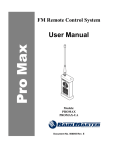
Figure 1: Pro Max FM Remote Control System
Rain Master Irrigation Systems
1.0
Pro Max User’s Manual
Introduction
The Pro Max Remote Control System is designed to save valuable time and energy,
which would have been spent walking back and forth between the controller and the
irrigation field zone location. It makes light work of system checkouts and service work,
providing field personnel with complete control over the irrigation controller.
Controllers may be operated remotely from watering zone sites allowing immediate
evaluation of the irrigation configuration and performance. Using the hand-held battery
operated Pro Max Transmitter from a remote zone location; the operator may turn ON a
single station or any number of stations with the push of a few simple keys.
An access code feature allows independent control of multiple Pro Max receivers
permanently installed in up to 999 controllers. In addition to the maintenance features,
the Pro Max system provides specialized irrigation functions, which are described in
Section 1.1.
The Pro Max remote control system is composed of two model numbers:
1.1
Model No.
PROMAX
Description
Used with Rain Master only controllers. (See Section 2.0)
PROMAX-UA
Used with any manufacturers’ 24-volt AC controller. (See
Section 3.0)
Pro Max Features
Simplicity
•
•
•
•
The industries easiest remote to use.
Fits in shirt or pants pocket or can be attached using the convenient belt clip.
Large dedicated feature keys allow most functions to be performed with a single
key operation.
Auto-up and auto-down station operation.
Flexibility
•
•
•
•
•
•
•
•
Can be used with any manufacturers’ 24-volt AC controller (Model PROMAXUA).
Independent control of the master valve and/or pump.
Single or multi-station capabilities for testing system hydraulics.
Timed station operation selectable from 1 to 60 minutes.
Control up to 999 individual Pro Max receivers from a single Pro Max
transmitter.
Ability to turn a program ON or OFF (when used with RME Sentar, RME Hawk,
or Evolution DX2 controllers).
Small and compact Pro Max receiver design facilities permanent internal
controller mount.
Compatibility with Rain Master RT5/RRAD remote.
Page 2
Rain Master Irrigation Systems
Pro Max User’s Manual
Intelligence
•
•
•
•
•
•
•
•
Detects and provides an audible alert against field wiring short circuits (Model
PROMAX-UA).
No more tripped circuit breakers or blown fuses during installation checkout.
Receiver has built-in safety default to automatically turn station OFF after 60
minutes.
Audible Pro Max transmitter and Pro Max receiver tones verify proper Pro Max
remote control operations at all times.
High tech power saver circuitry means no more battery recharging required (no
down time).
Transmitter has a single replacement lithium battery that can be purchased
locally and field replaced. The battery will last an entire season, under normal
conditions.
Audible low battery alert.
No fuses required.
Durability
•
•
Tough, rugged all metal construction with shock absorbing rubber bumpers.
Hard cover case for carefree transportation.
Reliability
•
1.2
Utilizes three mechanisms to insure reliable, interference-free communications.
- Digital filters
- Factory set coding
- VHF FM communications
Ranges and Method of Transmission
It is not possible to exactly predict the distance over which the Pro Max system will
perform. Several factors may affect the distance and reliability of any radio
transmission:
•
•
•
•
•
Frequency used
Terrain
Building Structures
On channel interference
Antenna types
•
•
•
•
•
Transmission Power
Antenna placement
Weather conditions
Atmospheric disturbances
Mode of operation (AM, FM, etc.)
Your Pro Max system has been designed to operate at distances up to one mile. Under
ideal open field conditions, it can readily operate up to 5 miles.
When attempting to use Pro Max over extended distances, it is important to ensure that
the receiving antenna is properly located. If possible, avoid Pro Max receiver antenna
Page 3
Rain Master Irrigation Systems
Pro Max User’s Manual
locations, which are indoors, especially basements, or structures, which are concrete
and steel. It may be possible to remotely locate an external antenna whenever poor Pro
Max receiver locations exist. Call Rain Master Technical support for assistance,
telephone (805) 527-4498. Moving the Pro Max transmitter to a more favorable location
or usage of optional high gain antennas on both the Pro Max transmitter and Pro Max
receiver may improve operations.
The Pro Max system utilizes VHF/FM communications and the Pro Max receiver/Pro
Max transmitter pair are factory encoded to insure that other services including other
Rain Master remotes, do not interfere or false trigger the Pro Max receiver. Digital
filtering further enhances operation in interference prone environments. FM
transmission is employed for its inherent quality and immunity to atmospheric, static,
and electrical interference which are commonly found in AM types of equipment such as
citizen’s band radio, garage door openers, etc. Usage of FM transmissions also insures
that the stronger signal prevails (capture ratio), meaning that all received signals, which
are weaker than the Pro Max transmission, are completely overridden.
Note:
1.3
Antennas are not just a piece of wire; they are cut for a precise
frequency of operation in order to ensure optimal performance. When
using antennas with the Pro Max system, only utilize Rain Master
specified parts, which are available through your authorized Rain Master
distributor.
Licensing Information
Your Rain Master Pro Max radio operates on FM radio communication frequencies and
is subject to the rules and regulations of the local communications governing agencies.
These agencies may require that all operators using private land mobile or general
mobile radio frequencies obtain a radio license before operating their equipment. The
operator receives a license for use of the radio equipment under a specific eligibility and
ON a particular frequency or set of frequencies. To determine eligibility for use of private
land mobile service frequencies, contact your local communications governing agency.
This agency can supply information required to properly obtain and complete the license
application form.
For U.S. License Applications, contact:
FCC Forms Distribution Center
1 (800) 418-3676
Request form 600 and all schedules and instructions.
For license questions call the FCC at 1 (888) 225-5322.
The following are addresses of communications agencies in North America:
Page 4
Rain Master Irrigation Systems
Pro Max User’s Manual
United States
Canada
Federal Communications
Commission
1270 Fairfield Road
Gettysburg, PA 17325-7245
1-800-322-1117
Department of Communications
1241 Clyde Avenue
Ottawa, Ontario
K2C 143
Mexico
Sectretaria De Comunicaciones
Y Transportes
Direccion General de Politicas Y Normas de Comunicaciones
Av. Eugenia No. 197-5o. Piso
Mexico, D.F. 06700
2.0
Model PROMAX Remote Control System (Rain Master Only)
The PROMAX Pro Max receiver is designed to connect directly to any Rain Master
controller by plugging the 9-pin connector from the Pro Max receiver into the front panel
remote control jack found ON Rain Master controllers.
Figure 2: Complete PROMAX System
Page 5
Rain Master Irrigation Systems
Pro Max User’s Manual
PROMAX Parts List
Part No.
Ref.
Description
PM-XMTR
1
Pro Max Remote radio transmitter
PM-RCVR
2
Pro Max Remote receiver
PM-SER99
3
36” remote cable
500055
4
Pro Max User’s manual
PM-CASE
5
Pro Max carrying case
PM-ANT-XMTR
6
Antenna, BNC
PM-ANT-RCVR
7
Antenna, hinged, BNC
2.1
Using the Receiver with a Rain Master Controller
One of the unique and patented features of Rain Master Controllers is the built-in
capability for remote control. Making the connections between the hand held remote
transmitter and the Pro Max receiver, which is attached to the controller, takes just a
few seconds.
2.1.1 Connecting the Receiver to a Rain Master Controller
Connecting the Pro Max receiver to the controller is a very simple operation. The
following procedure steps are all that is required. Please refer to Figure 3: Pro Max
Receiver to Rain Master Controller.
Step 1 Make sure the controller is in the Automatic mode press the controllers’
QUIT key.
Step 2 Make sure the controller’s Rain Switch, if so equipped, is in the
automatic watering position.
Step 3 Place the Pro Max receiver on top of the controller with the antenna
pointing straight up. Do not allow the antenna to touch any metal objects
or wire.
Step 4 Connect the female end of the PM-SER99 cable to the Pro Max receiver
and secure with lock screws. Hand tighten only. Connect the other end
of the cable to the remote control receptacle on the front panel of the
controller (it is keyed to fit only in one way).
The controller’s display will either go blank or indicate that the remote is
active. The Pro Max receiver will beep to indicate that it is ready for use.
Note:
NEVER operate the Pro Max transmitter without the
CORRECT antenna properly installed.
Page 6
Rain Master Irrigation Systems
Pro Max User’s Manual
Upon Receiver Connection
Beep Response
1 Beep (1/2 sec)
2 Beeps
3 Beeps
Description
Ready
Multi-Pro Max receiver mode:
• Requires corresponding access code
to enable Pro Max receiver operation.
Failed internal diagnostic tests. Contact Rain
Master.
Figure 3: Pro Max Receiver to Rain Master Controller
2.1.2 Disconnecting the Receiver from a Rain Master Controller
To disconnect the Pro Max Pro Max receiver, follow the procedure below.
Step 1 Disconnect the Pro Max receiver’s plug from the controller’s front panel
by grasping the plug housing, not the cable, and pulling straight out. The
controller display should now return to the automatic screen display.
2.2
Permanent Mount Pro Max Receiver
Pro Max Receivers may be permanently installed into any Rain Master controller.
Two items are required for permanent controller installation:
Page 7
Rain Master Irrigation Systems
Pro Max User’s Manual
1. Part No. JACK-IRC
•
•
Factory installed permanent interface.
Factory programmed Pro Max receiver with a programmed access code (1-999).
Access codes are required whenever one Pro Max transmitter controls multiple
Pro Max Pro Max receivers.
2. Part No. PMRKIT
• Permanently mounted Pro Max receiver
• Antenna PROMAX-ANT
• All interconnecting cables and hardware
Note:
Operation of a permanent mount Pro Max receiver requires usage of the
ACCESS CODE feature key. Refer to section 4.6.
Figure 4: Permanent Mount Pro Max Receiver
Page 8
Rain Master Irrigation Systems
Pro Max User’s Manual
Figure 5: Pro Max Transmitter (PM-XMTR)
Page 9
Rain Master Irrigation Systems
2.3
Pro Max User’s Manual
Keystroke Operation
The Pro Max keyboard layout is shown in Figure 4.
Basic Operation
Function
Keystrokes
Increment to next Station
Decrement to next Station
2
1
Turn On Station 12
Turn Off Station 12
Turn On Master Valve/Pump
MV
PUMP
Turn Off Master Valve/Pump
MV
PUMP
Note:
Any prior operating station will turn OFF when an Auto-Up, Auto-Down,
Station On, Station Off key is pressed.
Timed Station Operation (Minutes) *
Function
Turn On Station 1 for 5 minutes
Keystrokes
1
5
MINUTES
Increments To Next Station and
Re-start Timer
Decrement To Next Station and
Re-start Timer
Page 10
Rain Master Irrigation Systems
Pro Max User’s Manual
Multiple Stations On (Add Stations)
Function
Keystrokes
Turn On Multiple
Stations 1, 2, 6,
1
ADD
STATIONS
2
ADD
STATIONS
6
ADD
STATIONS
6
Turn Station 6 OFF
(Station 1, 2 remain)
Turn All Stations OFF
Turn All Stations OFF
and Increment the
stations selected From
Last Station
* When this function is used with the Rain Master RME Sentar, RME Hawk, or Evolution
DX2 controllers, the controller will automatically turn ON the appropriate Master Valve
or Pump.
Program Operation (Program) **
Function
Turn Program 5 On
Keystrokes
PROGRAM
5
Increment to Next Station in
Program
Turn Program 5 Off
Page 11
Rain Master Irrigation Systems
Pro Max User’s Manual
Using Multiple Receivers (Access Code)
Function
Keystrokes
Enable Pro Max Receiver
#15. Controller now accepts
all remote keys.
ACCESS
CODE
1
5
Disable Pro Max Receiver
#15
ACCESS
CODE
1
5
ACCESS
CODE
Disable All Pro Max
Receivers
** This function only works with the following Rain Master controllers: RME Sentar, RME
Hawk, Evolution DX2 controllers. Only one program can be operated at a time.
2.3.1 Evolution DX2 Keystroke Operations
The following operations are only available when using the Pro Max Remote Control
System with the Rain Master Evolution DX2 Controller:
Evolution DX2 Master Valve
Function
Keystrokes
Turn On Master Valve One
MV
PUMP
1
Turn ON Master Valve Two
MV
PUMP
2
MV
PUMP
3
MV
PUMP
3
MV
PUMP
4
Turn On Normally Open
Master Valve
(Closes the normally open
valve)
Turn Off Normally Open
Master Valve
(Valve returns to normally
open state)
Turn On Pump
Page 12
Rain Master Irrigation Systems
3.0
Pro Max User’s Manual
Model PROMAX-UA Remote Control System (Universal)
The PROMAX-UA Universal Adapter Model offers the capability to connect to virtually
any controller, regardless of manufacturer. This system consists of:
Figure 6: Complete PROMAX-UA System
PROMAX-UA Parts List
Part No.
PM-XMTR
PM-RCVR
PM-SER99
PM-UADAPT
32 PC
500055
PM-CASE
PM-ANT-XMTR
PM-ANT-RCVR
Ref.
1
2
3
4
5
6
7
8
9
Description
Pro Max Remote radio transmitter
Pro Max Remote receiver
36” remote cable
Universal adapter
30” permanent connector
Pro Max User Manual
Pro Max carrying case
Antenna, BNC
Antenna, hinged, BNC
The Universal Adapter is equipped with a 35-conductor connection cable RMIS Part
Number 32PC, which must be physically wired to each station of the generic controller.
Page 13
Rain Master Irrigation Systems
Note:
Pro Max User’s Manual
If you have purchased model PROMAX-UA and you need to
connect to a Rain Master controller, the Universal Adapter box (PMUDAPT) is not required. Refer to section 2.0 for installation and
operation.
In cases where the controller does not provide the required 24 Volts AC, a step-down
transformer is employed to convert standard 117 Volts AC or 220 Volts AC to 24 Volts
AC.
3.1
Using the Promax-UA Universal Adapter with a Non Rain Master Controller
The controller serves only two purposes when using the Universal Adapter.
First, it provides 24 Volts AC for the Pro Max receiver. Never allow more than the
“normal” 24 Volts AC (up to 28 Volts AC maximum) to enter the Pro Max receiver
through the wires designated for 24 Volts AC. If the controller runs ON a voltage other
than 24 Volts AC, use a step-down transformer to convert the voltage to 24 Volts AC for
input to the Pro Max receiver. Transformers that convert higher voltages to 24 Volts AC
are available from Rain Master.
Secondly, the controller serves as a point of connection for the field wires and the Pro
Max receiver’s output. Usually the point of connection is the terminal strip or a quick
disconnect within the controller or pedestal. Rain Master offers several types of
connector cables for wiring to the controller. The RMIS Part Number 32PC or RMIS Part
Number 24PC Permanent Connector Cable, which is intended to be permanently
connected to the controller. The other is the RMIS Part Number 32TC Temporary
Connector using alligator clips.
3.2
Installing the PROMAX-UA System
To install a Permanent Connector, follow the instructions below. Prior to installation,
please observe the following precautions:
CAREFUL
WARNING:
CAUTION
DANGER
STOP – PLEASE READ ALL INSTRUCTIONS
AND THE FOLLOWING WARNING MESSAGES
BEFORE OPERATING THIS EQUIPMENT.
Always use with the approved Rain Master cable connector assemblies (RMIS Part
Number 24PC, RMIS Part Number 32PC, RMIS Part Number 32TC, RMIS Part Number
32EX) Use of any other connector will void the warranty and may damage the Pro Max
remote control system.
NEVER allow more than the “normal” 24 Volts AC to enter the Universal Adapter
on any of its wires. If there is any question about a connection voltage, check the
voltages with a voltmeter.
NEVER operate the Pro Max transmitter without the CORRECT antenna properly
installed.
NEVER connect the Universal Adapter to more than one controller at a time.
Page 14
Rain Master Irrigation Systems
Pro Max User’s Manual
Procedure (Refer to Figure 7)
Step 1 Remove power from the controller.
Step 2 Connect a single wire to each station (up to 32) of the RMIS Part
Number 32PC wiring harness at the controller’s terminal strip. The field
wiring should remain connected and in place. Simply add the RMIS Part
Number 32PC wiring to it. Make sure to follow the station color codewiring list illustrated ON the back cover of this manual.
Note:
The chart defines the connections for the following
cables: RMIS Part Number 32PC (supplied with
PROMAX-UA), RMIS Part Number 24PC, 12PC, and
RMIS Part Number 32TC.
Make sure that any unused station wires on the PC cables are insulated
and will not short to any metal object.
If there is a Master Valve and/or Pump in the system, make sure you
understand how they are controlled before hooking up the Master Valve
and/or Pump wire of the Permanent Connector. If there is any doubt find out before connecting it - voltages above the “normal” 24Volts AC
will damage the Pro Max Pro Max receiver unit.
If the Controller Supplies 24 Volts AC to activate the Master
Valve/Pump, then connect the Master Valve/Pump wire of the
Permanent Connector to the controller’s Master Valve/Pump terminal.
If the Controller acts as a switch to activate the Master Valve/Pump
Finding two terminals in the controller associated with the Master
Valve/Pump usually, but not always, indicates that a relay will be
required. The relay is wired such that its coil terminals are activated by
the Master Valve/Pump and COMMON of the PC and its switch contacts
are in parallel with the controller’s two terminals, see Figure 4 below.
From MV/P wire
of the Interface
Cable
To MV/P Switch
Type Terminals
of controller
Common of the
Cable or
Controller
Figure 7: Relay (such as Rain Master RLY1)
Step 3 Connect the wire for the PC Cable COMMON to the COMMON terminal
of the controller.
Step 4 Important! If 24 Volts AC is not available from the controller’s terminal
strip, see Section 3.5 and skip to Step 6 below.
Page 15
Rain Master Irrigation Systems
Pro Max User’s Manual
Step 5 Connect the wire from the PC cables 24 Volts AC to the 24 Volts AC
terminal of the controller. Note that the PC cable has only one wire for 24
Volts AC despite the controller having two 24 Volts AC terminals. This is
because the controller takes one of its 24 Volts AC terminals and
connects it to the COMMON terminal and you have already attached the
PC cables COMMON wire to the controller’s COMMON terminal.
You must find which 24 Volts AC terminal on the controller is NOT
electrically the same as the controller’s COMMON terminal and connect
the PC’s 24 Volt AC wire to it.
Using a voltmeter, power up the controller and set the voltmeter on a 30
Volts or higher AC scale. Place one of the voltmeter leads ON the
controller’s COMMON terminal and use the other lead of the meter to
read each of the 24 Volt AC terminals. Connect the PC cables 24 Volt
AC wire to whichever terminal gives a reading of 24 Volt AC on the
meter.
If the controller does not have any terminals marked 24 Volts AC then
leave one of the voltmeter leads ON the controller’s COMMON and try
the other lead of the meter to measure the low voltage wires ON the
secondary of the controller’s transformer. Connect the PC cables 24
Volts AC wire to whichever terminal provides a reading of 24 Volts AC
ON the meter.
Step 6 Place the Rain switch in the OFF or Rain position.
Step 7 Connect the 9-pin female end of the PM-SER99 cable to the Pro Max
receiver and the male end to the universal adapter. Hand tighten the
screw locks.
Step 8 Align the large connector of the RMIS Part Number 32PC cable with the
connector ON the universal adapter and plug them together.
Step 9 Reconnect power to the controller. Refer to the following table:
Upon Receiver Connection
Beep Response
1 Beep (1/2 sec)
2 Beeps
3 Beeps
No Beeps
3.3
Description
Ready for use.
Multi-Pro Max receiver mode:
• Requires corresponding access code to enable
Pro Max receiver operation.
Failed internal diagnostic tests. Contact Rain Master.
Check the 24 Volts AC and COMMON connections.
Temporary Connector Installation
The RMIS Part Number 32TC Temporary Cable is wired in the exact same fashion as
the Permanent Cable Connector described above except that it uses alligator clips for
connection to the terminal strip within the controller so that it may be easily installed and
Page 16
Rain Master Irrigation Systems
Pro Max User’s Manual
removed. Follow the connection instructions for the permanent connector, be very
careful that the alligator clips are secure and not “shorting” to any metal or each other.
3.4
Disconnecting the PROMAX-UA from a Non-Rain Master Controller
To disconnect the universal adaptor, use the following procedure:
Step 1 Disconnect the large 37 pin connector plug from the universal adaptor by
grasping the plug’s body, not by the cable, and pull straight out.
3.5
Non-Rain Master Controllers Lacking 24 Volts AC
24 Volts AC is required to power the Universal Adapter. If 24 Volts AC is not available
from the controller, use a step-down transformer to convert from the line voltage
(usually 117 or 240 Volts AC) to 24 Volts AC and run the 24 Volts AC wire into the PC
cable to the two wires designated for 24 Volts AC and COMMON. There is no need to
worry about the polarity of these two connections. Additionally, connect the PC cables
COMMON wire to the controller’s COMMON terminal. Do not connect the PC cables 24
Volts AC wire to the controller.
Figure 8: PROMAX-UA Installation to a Non-Rain Master Controller
3.6
Disconnecting the PROMAX-UA from a Non-Rain Master Controller
To disconnect the universal adaptor, use the following procedure:
Page 17
Rain Master Irrigation Systems
Pro Max User’s Manual
Step 1 Disconnect the large 37 pin connector plug from the universal adaptor by
grasping the plug’s body, not by the cable, and pull straight out.
3.7
Non-Rain Master Controllers Lacking 24 Volts AC
24 Volts AC is required to power the Universal Adapter. If 24 Volts AC is not available
from the controller, use a step-down transformer to convert from the line voltage
(usually 117 or 240 Volts AC) to 24 Volts AC and run the 24 Volts AC wire into the PC
cable to the two wires designated for 24 Volts AC and COMMON. There is no need to
worry about the polarity of these two connections. Additionally, connect the PC cables
COMMON wire to the controller’s COMMON terminal. Do not connect the PC cables 24
Volts AC wire to the controller.
Non-Rain Master Controller
without 24 VAC
COMMON
Transformer
High Voltage
Input
COMMON on PC
24 VAC
Output of
Transformer
24 VAC on PC
Figure 9: Non-Rain Master Controller 24 Volts AC
3.8
Permanent Wire Connections
A permanent mount connector can be installed on any controller so that the PROMAXUA can be easily installed and disconnected without having to deal with wiring
connections. Three parts are required (see Figure 9).
1. RMIS Part Number 32PC (or appropriate size cable)
2. RMIS Part Number CMAD (chassis mount adaptor)
3. RMIS Part Number 32EX (48” extension cable)
3.9
Keystroke Operation
Page 18
Rain Master Irrigation Systems
Pro Max User’s Manual
Refer to section 2.3.
32EX
32PC
CMAD
Figure 10: PROMAX-UA Permanent Connection
4.0
Detailed Operation
4.1
Remote Operation
When the remote Pro Max receiver is connected to a Rain Master controller, all running
programs are aborted, any stations and/or any master valves or pumps that are ON will
be turned OFF. During the time the remote is connected, the controller will display the
“Remote” message. Some controllers will blank the display or display additional
information.
When the remote is disconnected, all stations and any Master Valve or Pumps, which
are ON, will be turned OFF. The only exception are programs, their operation remains
unaffected upon disconnection of the Pro Max receiver. (See section 4.8)
The Pro Max Series remote commands are an extended set of the older Rain Master
RT5/RR/RRAD remote control. The user interface for Pro Max remains identical when
performing like functions. The Pro Max remote control system however has several
newer capabilities and features, which will be delimited in subsequent sections.
In general, turning a station ON or OFF is independent of the master valve operation.
That is, turning a station ON will not affect the state of the master valve and vice versa.
The exception to this is timed station operation. Turning a station ON for a certain
period of time will automatically select the proper master valve and/or pump as required
in order to perform irrigation.
With the older Rain Master RT5 series remote system, only one station was allowed to
be on at a time. All remote key operations resulted in the previous station being turned
Page 19
Rain Master Irrigation Systems
Pro Max User’s Manual
off, prior to the next station turning on. This is also true with Pro Max with one
exception. The ADD STATIONS feature has been incorporated so that multiple stations
may be turned on simultaneously.
Each time a key is depressed at the Pro Max transmitter, a confirmation audio beep is
generated. Upon receipt of the command, the Pro Max receiver also generates a
confirmation beep. Consequently, basic Pro Max system performance can be verified
by hitting a key at the Pro Max transmitter while listening for the corresponding beep at
the Pro Max receiver.
4.2
Stations On and Off
When one of the Pro Max transmitter’s keys is pressed, a signal is transmitted and an
audible tone is generated to acknowledge that the signal has been transmitted.
All stations, except the Master Valve/Pump, are turned on by pressing the number of
the station followed by the ON key. To turn off a station, simply press the OFF key. To
turn the station on again, press the ON key. There is no need to press the station’s
number until a new station is desired.
Example: To turn Station 12 on, then off, and then on again.
1
Press:
2
Example: To go to Station 3, there is no need to turn 12 off.
3
Press:
The controller automatically turned Station 12 off prior to turning Station 3 on.
4.3
Auto Up and Auto Down Keys
For convenience and the rapid checkout of a system, pressing Auto Up will turn off the
current station and turn on the next sequential station number. There is no need to enter
the station number.
Note:
If the last station in a Rain Master controller is reached and Auto-Up
is pressed, wrap-around occurs (station 1 turns on). In a PROMAXUA model, wrap-around occurs after station 32 is reached.
Similarly, pressing Auto Down will turn off the current station and turn on the next lower
station number.
Once you find the station you want, you may turn it on and off simply by pressing the
ON and OFF keys. There is no need to know the station number.
Example:
You come to a job site and you know it has a problem but you don’t know
which station has the problem. Simply hook up the Pro Max receiver, go
out to the field and press Auto Up until you find the problem, then use the
ON and OFF keys.
Page 20
Rain Master Irrigation Systems
4.4
Pro Max User’s Manual
On and Off Keys
When the ON key is pressed, the station previously entered will be turned on, any other
station that was on will be turned off.
The previous station may have been entered explicitly by the digit keys or implicitly by
using the AUTO UP or AUTO DOWN keys. When the remote is first connected and the
ON key is pressed, nothing happens because the previous station is undefined.
When Off is pressed, any station that was on will be turned off.
4.5
Master Valve/Pump Key
The Master Valve/Pump may be turned on or off at anytime. Its on/off state is
unaffected, as other valves are turned on or off. Therefore, checkout of an electrical
problem on any valve may be accomplished without actually watering, simply by turning
the Master Valve/Pump off. This assumes the system has a Master Valve and/or Pump.
Example: To turn the Master Valve/Pump on,
Press:
MV
PUMP
To turn it off,
Press:
MV
PUMP
Refer to section 2.3 for additional Master Valve and Pump operations, which are
applicable to the Evolution DX2 controller.
4.6
Controller Access Code
The Access Code key is used to enable/disable the remote control Pro Max receiver.
This allows the user to have numerous Pro Max receivers permanently attached to Rain
Master controllers or (any manufacturer’s controllers) at different geographic sites each
with their own Controller Access Code. One transmitter can be used to address them
individually.
Access codes are factory-defined numbers ranging from 1 - 999. These codes are
factory programmable and should be requested at the time the unit is ordered. You
must know the Controller Access Code of the individual Pro Max receivers. The access
code number of any Pro Max receiver is listed within the Pro Max receiver serial number
on the Pro Max receiver label.
Example: S/N R0302001-002-007
The access code appears as the last 3 digits following the second dash, in this case,
007.
Page 21
Rain Master Irrigation Systems
Pro Max User’s Manual
Example: To enable Pro Max receiver number 7,
Press:
ACCESS
CODE
7
Receiver number 7 is now enabled and responds to all commands.
Example: To disable Pro Max receiver number 7,
Press:
ACCESS
CODE
7
Pro Max receiver number 7 is now disabled and will not respond to any commands. The
attached Rain Master controller returns to its automatic mode and operates as if the
remote has been disconnected.
Note 1: It is possible to have more than one Pro Max receiver enabled simultaneously
(broadcast mode). In this mode, all enabled Pro Max receivers would respond
to commands from the Pro Max transmitter.
Note 2: It is also possible to disable all enabled Pro Max receivers without using their
Controller Access Code by pressing:
ACCESS
CODE
Note 3: The Pro Max receiver will automatically time-out (after 8 hours) if a Pro Max
receiver is left enabled and no remote activity has occurred. The controller
shall then resume its normal operation (return to automatic mode).
4.7
Add Stations
The Add Stations feature allows additional stations to be added to the current operating
station group. Simultaneous station operation is important for testing system hydraulics
and operation of multi-station irrigation systems.
Example: To add a station,
Press:
1
ADD
STATIONS
Station number 1 will operate in addition to any current station, which may be in
operation. If no station is currently in operation, then station 1 will be the only station on.
Example: To turn the added stations off,
Press:
1
Additional stations may be added in the same manner.
Warning:
The use of the Add Stations feature is limited to the maximum
amperage supplied by the controller. Even though the Pro Max
Page 22
Rain Master Irrigation Systems
Pro Max User’s Manual
universal adapter is protected against over-current, it is possible
that non-Rain Master controllers may blow a fuse and/or damage
the controller if excessive current is drawn. Caution should be
exercised when using this feature.
Note:
The Add Stations only allows up to 5 stations and 1 master valve
to be turned ON at the same time. Attempting to turn on a sixth
station will turn the previous 5 stations off. The master valve will
remain unaffected.
4.7.1 Add Stations – On Key
Pressing the ON key during multiple station operation will turn off all stations except the
one corresponding to the current number. The remote will resume standard remote
operation executing only one station at a time.
4.7.2 Add Stations – Auto Up and Auto Down Keys
Pressing AUTO UP or AUTO DOWN during multiple station operation will advance the
previously entered number station accordingly and turn off all other stations. The remote
will resume standard remote operations executing only one station at a time.
4.7.3 Add Stations - Off Key
If the OFF key is pressed during multiple station operations, all stations will be turned
off.
If the OFF key is preceded by digits, then only the entered station number will be turned
off.
4.8
Program Function
The Program feature is designed to be used only with the following Rain Master
products:
• RME Sentar
• RME Hawk
• Evolution DX2 Controllers
The Program feature allows any program currently in the controller to be turned either
on or off. This allows special programs to be executed for testing, evaluation, and
supplemental irrigation cycles.
Example: To start Program 4,
Press:
PROGRAM
4
To turn Program 4 off,
Press:
Page 23
Rain Master Irrigation Systems
Pro Max User’s Manual
Once started, the program will run to completion whether or not the Pro Max receiver
remains connected, whether the Access Code is turned off, or whether 60 minutes have
elapsed.
4.8.1 Program – Off Key
Pressing the OFF key while the program is running will turn the program off and the
controller returns to the Automatic Mode of the operation.
Similarly, when the program is completed, the controller returns to the Automatic Mode
of operation.
4.8.2 Program – Auto Up Key
Pressing the AUTO UP key while the program is running will advance the program to
the next station. If the last station in the program is running, the program will terminate.
4.8.3 Program - Sensor Switches
The position of the Rain Switch will not affect the running of the program. The program
will still run if the Rain Switch is in the “NO WATERING” position.
Programs configured under the control of sensors will continue to operate as
configured. When a sensor detects sufficient watering, the program will shut off
watering.
4.9
Minutes Function
The Minutes feature allows a station to be operated for a specified amount of time up to
60 minutes maximum. A station must first be selected and turned on prior to using the
Minutes key.
Example: To turn on station 15 for 47 minutes,
Press:
1
5
4
7
MINUTES
The station will turn on immediately after pressing the ON key and all other stations will
go off. The time count will start when the Minutes key has been pressed.
Note:
If a station number is not entered, the currently selected station will
be turned on for the specified time of 47 minutes.
The maximum allowable remote control operations time is 60 minutes.
When the selected station is on, the only 3 keys that are recognized are:
1. OFF Key – The OFF key will turn the station, the master valve or the pump off.
The controller will return to the Automatic Mode.
2. AUTO UP - The current station turns off and the next sequential station turns
on. The minute counter automatically re-starts.
3. AUTO DOWN - The current station turns off and the previous sequential
station turns on. The minute counter automatically re-starts.
Page 24
Rain Master Irrigation Systems
Pro Max User’s Manual
When the station run time is complete, either by the operator pressing the OFF key or
the run time as elapsed, the controller will return to the status of a newly connected
remote.
•
•
•
4.10
AUTO UP will turn on station 1
AUTO DOWN will turn on the next sequential station
ADD STATIONS feature will do nothing, as there is no current number defined.
Beeper Operation
Beep tones are used to indicate the operational status of the Pro Max transmitter or Pro
Max receiver. A valid beep occurs when a key is pressed and the Pro Max transmitter
unit acknowledges the key entry by producing a single short tone burst. An invalid
response occurs when a invalid key is pressed, resulting in a series of short tones going
on and off continuously.
The Pro Max receiver will emit a valid beep whenever a valid command is received from
the Pro Max transmitter. An invalid beep will occur whenever an illegal command
sequence is received.
4.10.1 Power On Beeper Operation
When a Pro Max receiver is first powered on, a single beep is emitted for a duration of
approximately 1/2 second. The single beep indicates that the Pro Max receiver is
operational.
If the Pro Max receiver emits two beeps on power up this indicates that the Pro Max
receiver is programmed for access code operation. Refer to section 4.6 for details on
access code operation.
If the Pro Max receiver emits three beeps upon power up or at any other time, this
indicates an invalid condition. Remove power and try again. If the invalid operational
condition continues, contact your local Rain Master distributor.
4.10.2 Universal Adapter Over-Current Detection Beeper
If an over-current condition in the Universal Adapter has been detected, a beep
sequence of once every six seconds will occur. This sequence will repeat until the
power is cycled or the Controller Access Code times out.
4.11
Transmitter Battery Replacement
When the battery is low, the normal “beep” sound, which is emitted when a key is
pressed, will instead be an intermittent fast beep. The battery should be replaced
immediately.
The Pro Max transmitter battery is a 6-volt dual lithium battery pack, GE/Sanyo (CRP2), Duracell (DL223A), Energizer (EL223AP) or equivalent. This battery is available at
most retailers, including Radio Shack, Home Base, Home Depot, or from your local
Rain Master distributor.
Page 25
Rain Master Irrigation Systems
Pro Max User’s Manual
Figure 11: Battery Replacement
To replace the battery refer to Figure 11 and do the following steps:
Step 1 Remove the two screws from the Pro Max transmitter bottom end cap.
Pull the end cap off to expose the battery.
Step 2 Remove the battery from the battery compartment.
Step 3 The battery holder is designed with an extruded tab(s) in the center to
prevent the battery from being installed backwards.
Position the new battery as shown and insert with the battery terminals
facing into the Pro Max transmitter.
Note:
Be sure to push battery all the way in.
Step 4 With the battery contacts properly mated; press the reset button located
at the end of the circuit board, to reset the electronics.
Step 5 Replace the bottom rubber end-cap plate and secure it with the two
screws. This ends the battery replacement procedure.
The Pro Max transmitter has been designed to minimize power consumption, to prolong
battery life. Power is only consumed for a very short duration whenever a key is
depressed.
Due to the various use of the Pro Max transmitter, it is impossible to predict exactly how
long the battery will last. In general, you may expect a battery life of 6 to 12 months.
5.0
Checking Out Electrical Problems
5.1
Field Wiring Shorts, the Receiver, and Rain Master Controllers
If you suspect there is a short circuit in either the wiring or the solenoid of a station, then
it is important to understand what will occur when you transmit a signal, to the controller,
to turn on that station.
Page 26
Rain Master Irrigation Systems
Example:
5.2
Pro Max User’s Manual
If there is a short circuit on station 3 and you send a command to turn on
Station 3, the controller will attempt to turn it on. If the controller has a
built-in over-current detector (standard on the Rain Master RME Sentar,
RME Hawk, and Evolution DX2 controllers), the station will not be allowed
to turn on. The user should isolate/repair the short-circuit and try again.
The Pro Max system will remain fully operational.
Field Wiring Shorts, the Receiver, and Non Rain Master Controllers
The built-in over-current sensing capability of the Pro Max Universal Adapter protects
the unit and controller transformer against damage due to short circuits in solenoids or
field wiring. If you attempt to turn on a valve, which has a wiring problem, the Pro Max
will sense the over-current and turn that station OFF immediately. The Pro Max receiver
will beep every six seconds to indicate that you have attempted to operate a faulty
station. Other stations will operate normally.
Once the problem is fixed, the station can be retried without having to walk back to the
controller.
When you finish your testing and return to the controller, the beeping indicates that you
have a problem with one or more stations. Power down and then up the Pro Max
receiver, this will eliminate the beeping.
5.3
A Note About Solenoids
A solenoid should never be turned ON without a plunger in place. If this is done, the
solenoid may draw from 2 to 5 times its normal electrical current. This will cause a rapid
and dangerous heating cycle and may destroy the solenoid very quickly. Depending
upon the solenoid, this electrical current may be enough to activate the attached
controller’s circuit breaker, pop the fuse, or damage the controller.
Page 27
Rain Master Irrigation Systems
6.0
Pro Max User’s Manual
Troubleshooting
Pro Max System Troubleshooting
Symptom
Action
No beep tone when Pro
Max transmitter key is
pressed.
Replace Battery.
No beep tone when Pro
Max transmitter is
pressed after changing
the battery.
“Rapid beeps” when Pro
Max transmitter key is
pressed.
Remove end cap and press the Pro Max
transmitter-reset button. Ref. Figure 10 Page
33.
Key presses beep at the
Pro Max transmitter but
no valves turn ON at
Rain Master controller.
Replace battery. Rapid beeps indicate low
battery condition.
•
•
•
•
•
•
Receiver beeps once
•
Check
installation
and
antenna
connections.
Remove PM-SER99 cable from the
controller and then re-insert.
Upon re-insertion of the cable listen for a
Pro Max receiver tone(s).
- One tone OK (approximately 1/2
second)
- Two tones OK (see Section 4.6
Access Codes)
- Any other tones (contact factory)
Press the AUTO UP key and listen for a
confirmation beep at the Pro Max
receiver. If no beep heard contact factory.
- The controller display should show
remote station activity as AUTO UP is
pressed. If nothing displayed contact
factory.
Verify water is ON at selected stations. If
no water is available, is a Master
Valve/Pump required? Verify field station
wiring is correct.
Confirm that the remote continues to work
at maximum distance. If not, contact
factory.
The universal adapter has detected an
Page 28
Rain Master Irrigation Systems
Pro Max User’s Manual
every six seconds
continuously. For nonRain Master controller.
(Model PROMAX-UA)
electrical short circuit when attempting to
turn ON a station.
- Check the valve solenoid and replace
if necessary.
- Check the station wiring for short
circuit to common, check for
insulation nicks and exposed wiring in
standing water.
- When field problem is fixed, turn
station back ON.
- Cycle Pro Max receiver power to
reset the unit.
Note: The Pro Max system will continue to
operate normally for non-shorted stations.
Keys beep at Pro Max
transmitter but no valves
turn on at a non Rain
Master controller.
(Model PROMAX-UA)
•
•
•
•
•
•
Check
installation,
and
antenna
connections (see Section 3.2, Figure 8
and Figure 9)
Remove the large 37-pin connector from
the universal adapter assembly and then
re-insert.
Upon re-insertion of the cable listen for
the Pro Max receiver tone(s).
- No tone – check the 24 Volts AC
and common connections.
- One tone, OK (approximately 1/2
second)
- Two tones, OK (see Section 4.6
Access Code)
- Any other tones (contact factory)
Press the AUTO UP key and listen for a
confirmation beep at the Pro Max
receiver. If no beep contact factory.
Verify water is ON at the selected
stations. If no water is available, is a
Master Valve/Pump required? Verify field
station wiring is correct.
Confirm that the remote continues to work
at maximum distance. If not, contact
factory.
Page 29
Rain Master Irrigation Systems
7.0
Pro Max Specifications
7.1
Pro Max Transmitter
Pro Max User’s Manual
Operating
Frequency………….…
Modulation type …………………
Frequency Stability……………....
Power Output…………………….
Power Source……………………
154.600 MHz
Frequency Modulation
.005%
1 Watt nominal
One 6 volt type CR-P2 lithium battery
0 to 60 degrees Celsius (32 to 140 °
Operating Temperature Range… Fahrenheit)
Storage Temperature
-20 to 70 degrees Celsius (-4 to 158 °
Range……
Fahrenheit)
Humidity Range………………….. 0 to 90% non-condensing
Battery……………………………. CR-P2 Lithium 6V (user replaceable)
Battery Life Expectancy………... 1 season (typical)
Dimensions………………………. 3”L x 1 3/8”W x 5 ½”H (less antenna)
Weight…………………………….. 12 oz.
7.2
Pro Max Receiver
Operating Frequency……………. 154.600 MHz
Sensitivity…………………………. 0.4 micro-volt typical
Power Source……………………. 22 – 32 Volts AC 50/60 Hz.
0 to 60 degrees Celsius (32 to 140 °
Operating Temperature Range… Fahrenheit)
-20 to 70 degrees Celsius (-4 to 158 °
Storage Temperature Range…
Fahrenheit)
Humidity Range………………….. 0 to 90% non-condensing
Dimensions……………………….. 6 ¼”L x 3 ¼”W x 1 1/16”H *
Weight…………………………….. 11 oz.
7.3
Pro Max Universal Adapter
Power Source…………………….
22 – 32 Volts AC 50/60 Hz.
0 to 60 degrees Celsius (32 to 140 °
Operating Temperature Range… Fahrenheit)
-20 to 70 degrees Celsius (-4 to 158 °
Storage Temperature Range…
Fahrenheit)
Humidity Range………………….. 0 to 90% non-condensing
Output Capability………………… 1 amp/station, 1.5 amp total
Dimensions……………………….. 6 ¼”L x 3 ¼”W x 1 1/16”H *
Weight…………………………….. 13 oz.
*Connectors not included
Page 30
Rain Master Irrigation Systems
7.4
Pro Max User’s Manual
Pro Max Carrying Case
Dimensions……………………….. 12 ½”L x 7 ½”W x 10”H
8.0
Pro Max Series Parts List
Model
PROMAX
PROMAX-UA
Description
The complete remote set for Rain Master Controllers
The complete remote set for Non-Rain Master
Controllers, include universal adaptor.
Accessories
PMRKIT
Description
Permanent mount remote Pro Max receiver, includes
antenna (PM-PM-ANT) cables & hardware.
Chassis mount access door, gives access to the
permanent connectors through the wall of other
manufacturers controllers.
30” permanent connector cable for 12 stations and
Master Valve/Pump on non-Rain Master controllers.
30” permanent connector cable for 24 stations and
Master Valve/Pump on non-Rain Master controllers.
30” permanent connector for cable 32 stations and
Master Valve/Pump on non-Rain Master controllers.
60” temporary connector with alligator clips, for up to
32 stations and Master Valve/Pump on non-Rain
Master controllers
48” extension cable to connect to Pro Max receiver
and PC or TC cables (Typical use with CMAD)
CMAD
12PC
RMIS Part
Number 24PC
RMIS Part
Number 32PC
RMIS Part
Number 32TC
RMIS Part
Number 32EX
Pro Max
Replacement
Parts
PM-XMTR
PM-RCVR
PM-UADAPT
PM-PM-ANT
PM-RCVR-ANT*
PM-XMTR-ANT*
PM-SER99
417-2013
PM-CASE
Option
Description
Pro Max remote Pro Max transmitter, includes
battery and antenna (PM-XMTR-ANT)
Pro Max remote Pro Max receiver and antenna (PMRCVR-ANT)
Universal adapter (32 station and Master
Valve/Pump output control)
Pro Max permanent mount 16” chassis antenna
Replacement antenna for Pro Max receiver (right
angle)
Replacement antenna for Pro Max transmitter
36” remote cable with a DB9 (9-pin) connector
Receiver connection cable for Rain Master
controllers with rear permanent mount interface.
Pro Max Remote Case
Description
Page 31
Rain Master Irrigation Systems
JACK-IRC
•
Pro Max User’s Manual
Factory installed rear permanent interface RME
Hawk, RME Sentar & Evolution DX2 only. Includes
access code
(Add – T to these parts for telescope high gain version.)
Page 32
Rain Master Irrigation Systems
Pro Max User’s Manual
Rain Master Limited Warranty
Rain Master Irrigation Systems Inc. warrants to the first customer purchaser that this
Rain Master brand product (the “product”), when shipped in its original container, will be
free from defective workmanship, and materials and agrees that it will, at its option,
either repair the defect or replace the defective product or part thereof at no charge to
the purchaser for parts or labor for the time period set forth below.
This warranty does not apply to any appearance items of the product nor to any product
the exterior of which has been altered or modified in design or construction. (See
additional exclusion below). This limited warranty described above is in addition to
whatever implied warranties may be granted to purchasers by law.
This limited warranty does not apply to product failure caused by improper installation or
grounding, improper handling, physical abuse, neglect, whether accidental or malicious,
acts of God, such as lightning and/or power surges, floods, earthquakes, hurricane,
tornados, vandalism etc.
(All implied warranties including the warranty of merchantability, and fit for use are
limited to the period(s) from date of purchase set forth below).
Neither the sales personnel of the seller nor any other person is authorized to make any
warranties other than those described above, or to extend the duration of any
warranties beyond the time period described herein.
The warranties described above shall be the sole and exclusive warranties granted by
Rain Master Irrigation Systems Inc. and shall be the sole and exclusive remedy
available to the purchaser. Correction of defects, in the manner and period of time
described herein, shall constitute complete fulfillment of all liabilities and responsibilities
of Rain Master to the purchaser with respect to the product, and shall constitute full
satisfaction of all claims, whether based on contract, negligence, strict liability or
otherwise.
In no event shall Rain Master be liable or in any way responsible, for any damages or
defects in the product which were caused by repairs or attempted repairs performed by
anyone other than a Rain Master service dealer or center. Nor shall Rain Master be
liable or in any way responsible for an incidental or consequential economic or property
damage. Some states do not allow the exclusion of incidental or consequential
damages, so the above exclusion may not apply to you. The Rain Master Pro Max
series products carry a 2 year limited warranty unless otherwise specified. In order to
enforce the rights of this limited warranty, please follow the directions as described in
the following sections.
SERVICE
Prior to sending your Pro Max system for service:
1. Please refer to the troubleshooting section of the manual for possible solutions.
2. Contact Rain Master Technical Support at (805) 527-4498. Be sure you can
describe your problem(s) and if possible, be able to reproduce your problem(s) while
ON the phone. You will need the serial numbers of both your Pro Max transmitter
and Pro Max receiver.
Page 33
Rain Master Irrigation Systems
Pro Max User’s Manual
3. If required to ship, ensure the unit is properly packaged, preferably in the original
shipping case. Include all cables and components, and make sure adequate
packaging material is used to protect the unit(s) from shipping abuse.
4. Enclose a complete description of the type of problem that is occurring, and be sure
to include your name, address and phone number where you can be reached.
5. Product can be:
A. Sent or take to an authorized Rain Master Distributor. Call Rain Master at (805)
527-4498 for nearest distributor.
B.
Sent or take to:
Rain Master Irrigation Systems
Attn: Service Dept.
3910-B Royal Ave.
Simi Valley, CA 93063
Warning:
This equipment has been tested and found to comply with the limits
for Class A digital device pursuant to part 15 of the FCC Rules.
These limits are designed to provide reasonable protection against
harmful interference when the equipment is operated in a
commercial environment. This equipment generates, uses, and can
radiate radio frequency energy and if not installed and used in
accordance with the instruction manual, may cause interference to
radio communications. Operation of this equipment in a residential
area is likely to cause interference in which case the user will be
required to correct the interference at his own expense.
The user is cautioned that changes and modifications made to the
equipment without approval of the manufacturer could void the
user’s authority to operate this equipment.
Page 34
Rain Master Irrigation Systems
Pro Max User’s Manual
Wiring List for PROMAX-UA
Station
Base Color
st
1 Stripe Color
nd
2
Stripe Color
Cable
1
Black
Large
2
White
Large
3
Red
Large
4
Green
Large
5
Orange
Large
6
Blue
Large
7
White
Black
Large
8
Red
Black
Large
9
Green
Black
Large
10
Orange
Black
Large
11
Blue
Black
Large
12
Black
White
Large
13
Blue
Red
Large
14
Red
Green
Large
15
Orange
Green
Large
16
Black
White
Red
Large
17
White
Black
Red
Large
18
Red
Black
White
Large
19
Green
Black
White
Large
20
Orange
Black
White
Large
21
Blue
Black
White
Large
22
Black
Red
Green
Large
23
White
Red
Green
Large
24
Red
Black
Green
Large
25
Black
Small
26
White
Small
27
Red
Small
28
Green
Small
29
Brown
Small
30
Blue
Small
31
Orange
Small
32
Yellow
MV/P
Green
White
Small
COMMON
Orange
Red
Large
(Standard)
Large
COMMON*
Red
White
Large
24 VAC
Blue
White
Large
*Some cables may use this color scheme for common
3910-B Royal Avenue
Simi Valley, California 93063
Telephone: (805) 527-4498 Fax: (805) 527-2813
www.Rainmaster.com
Page 1