1
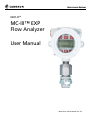
MC-III™ EXP Flow Analyzer
Section 3
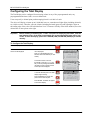
Configuring the Total Display
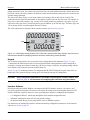
The Total display can be configured for measuring volume in any of five preprogrammed units, any
preprogrammed unit times 1,000, or a user-defined unit.
Users can specify a decimal point position ranging from 0.1 to 0.0001 of a unit.
The device will display volumes up to 10,000,000, however, a maximum of eight digits (including decimals)
are visible at a time. Therefore, once the volume (including decimals) grows beyond eight digits, digits on
the leading edge of the value will be hidden from view. To increase visibility of the whole numbers, move the
decimal one or more places to the right.
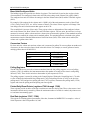
Important: Before enabling or disabling the “× 1000” unit option for displaying flow totals, clear the
total display to zero. If the total is not cleared, the accumulated total display will be inaccurate. To clear the display, press LEFT ARROW (LOG) and ENTER (SAVE) keys simultaneously.
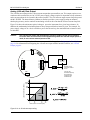
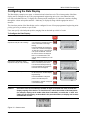
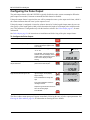
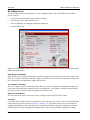
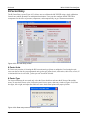
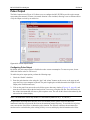
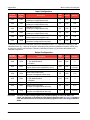
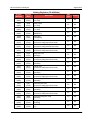
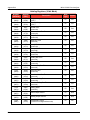
To Configure the Total Display:
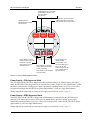
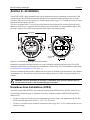
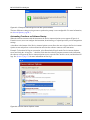
Enter the Display menu.
Press DISPLAY MENU.
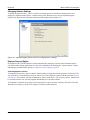
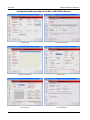
Select the unit of measure in which
volume will be displayed.
Press UP ARROW until the correct
unit is displayed.
Note—If a calculated divisor was
entered, select user-defined (no units
visible).
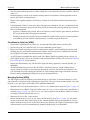
To read the volume in terms of
thousands of units (ex. 1.0 = 1,000
bbl), continue pressing UP ARROW
until both the unit of choice and the
X1000 option are displayed.
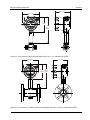
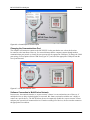
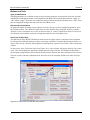
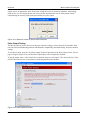
Enter the decimal point position.
Press LEFT ARROW three times,
or until the decimal point in the Total
display begins blinking.
Press UP ARROW to change the
position of the decimal point.
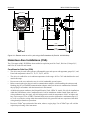
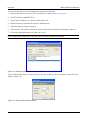
Press ENTER. “SAVING” will appear
in the bottom display.
DISPLAY
MENU
TEST
00000000
STANDARD
M
BBL
GAL
LIT
3
TEST
X1000
000000
STANDARD
3
CF
X1000
CF
X1000
000000
00000000
.
STANDARD
M
BBL
GAL
LIT
3
TEST
X1000
CF
00000000
M
BBL
GAL
LIT
LOG
CF
CF
X1000
CF
X1000
000000
M
BBL
GAL
LIT
3
/SEC
/MIN
/HR
/DAY
M
BBL
GAL
LIT
3
/SEC
/MIN
/HR
/DAY
M
BBL
GAL
LIT
3
/SEC
/MIN
/HR
/DAY
ENTER
SAVE
33