1
Chapter 2: Installation & Access
2.1- System Requirements
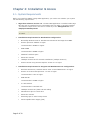
Before you install ‘EZ-GARN’ in Sage Abra application, you need to see whether your system
has the following requirements:
1.
Sage Abra software version 7.X: The EZ-GARN application is installed inside Sage
Abra and can be installed from any workstation that runs Abra or has Abra installed.
This makes it simple for the end-user to install any of the ‘EZ applications’ from
‘Employee Based Systems’
Note: The only requirement is that no user should be inside Abra at the time
of install.
2.
Installation Requirements for Workstation Configuration:
•
Microsoft® Windows 2000 or Windows XP Professional and Sage Abra HRMS
•
Pentium processor 266MHz or higher
Recommended: 400MHz or higher
•
RAM 128MB
Recommended: 256MB or higher
3.
•
500MB of hard disk space
•
SVGA color monitor
•
100Mbps network card for network installations (10Mbps minimum)
•
Internet access using Internet Explorer Version 5.0 or higher
Installation Requirements for Program and Database Server Configuration:
•
Windows 2000 Server, Windows Server 2003 or Novell NetWare 6.5 or higher
•
Pentium or Pentium PRO processor 1.3 GHz or higher
Recommended: 2 GHz or higher
•
RAM 256 MB
Recommended: 512MB or higher
•
4+ GB hard disk
Recommended: 8 GB hard disk
•
100Mbps network card, data hub and cabling
•
CD-ROM drive plus 3.5” disk drive
•
SVGA color monitor
•
Streaming tape or other backup device
•
Uninterruptible Power Supply (UPS)
Page 6 of 30