1
Other useful information
Wireless Modem
DocRocket
Bluetooth
Non-volatile memory
You can connect your Xda II to your PC to
use it as a modem. This will allow you to
get access to the Internet whilst mobile by
using O2’s GPRS network and your Xda II
as the way to connect.
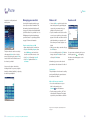
DocRocket is an application which creates
high quality documents and images at a
fraction of their original size. Documents
and images converted into DocRocket
format can be accessed quickly and cost
effectively by mobile workers using the
features provided within the DocRocket
Pocket PC viewing environment.
You can connect your Xda II to your PC
and other devices such as hands-free
headsets using Bluetooth.
Non-volatile memory is permanent
memory that is not lost if the Xda II
battery is fully exhausted. The non-volatile
memory is in a folder called Storage under
the Windows folder in the File explorer
application.
This is an advanced user feature, and
further information can be found by
visiting www.o2.co.uk/xda
Java on your Xda II
It is possible to run Java based applications
on your Xda II, however to do this you will
need to add a JVM first.
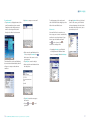
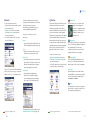
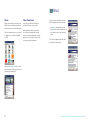
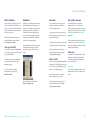
For example below is a full map of Central
London which can easily be stored, and
viewed by zooming in and out on your
Xda II.
You could also use Bluetooth to synchronise
your Xda II with your PC using ActiveSync.
You can save applications here that you do
not want to lose, or use the Backup/Restore
function to back data up to this non-volatile
memory for safe keeping.
This is an advanced user feature, and
further information can be found by
visiting www.o2.co.uk/xda
Hard reset
Wireless LAN
Some Xda II devices may already have a
Java client installed, however initial
shipments may not.
You can connect your Xda II using a Wireless
LAN service. This will allow you to get access
to the Internet or your LAN when you are
mobile, or in a Wireless LAN zone.
To check for the latest software
downloads from O2, please visit
www.o2.co.uk/xda
You will need to purchase a separate
Wireless LAN accessory to do this.
More information is available from
www.o2.co.uk/docrocket
70
By using your Xda II as a modem and O2’s
GPRS network you can gain access to the
Internet whilst mobile.
– Visit www.o2.co.uk/xda to find out how to get the most out of your Xda II
It is possible to completely delete all data
loaded onto your Xda II by holding the
power key, and simultaneously pressing
the soft reset button.
Please note:
This will delete absolutely all the data and
applications that you have loaded on your
Xda II.
This is an advanced user feature, and
further information can be found by
visiting www.o2.co.uk/xda
71