1
APPENDIX A
A1: Twice Panel Programming Details
This section explains the programming capabilities by providing details related to:
•
•
•
•
Tactile Key Functions
Display Messages
Error Codes
Quick Programming Guide
Tactile Key Functions
The tactile Keys on the TWICE Control Panel perform different tasks based upon the Mode that is selected.
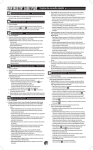
The Table below lists the various functions of the keys depending upon the MODE that the panel set up for.
Key
Automatic Mode
Program Mode
Test Mode
MODE
Change to PROGRAM
Mode
Change to TEST Mode
Change to
AUTOMATIC Mode
UP
No Action
Increment decoder
number
Increment decoder
number
DOWN
No Action
Decrement decoder
number
Decrement decoder
number
ACTIVATE
If not active will clear the
displayed error code
Program decoder to
specific number
• Run test on decoder
number
• Test all decoders if
decoder address is
zero
UP + DOWN
Displays the 2-Wire
Interface Module
version number
Displays the
2-Wire Interface
Module version
number
Displays the
2-Wire Interface
Module version
number
ACTIVATE + UP
Displays the 2 Wire
Interface Module
temperature, in
Centigrade
Displays the 2 Wire
Interface Module
temperature, in
Centigrade
Displays the 2 Wire
Interface Module
temperature, in
Centigrade
RMIS Part No. 500761
Page 10