1
OPS-2000 User’s Guide
Tutorial: Getting Started
This tutorial will cover some of the basic features of the system.
Your first task is to startup the OPS-2000 system. This can be done by typing "ops". This places you in the OPS2000 Operating Environment (OE). This environment is aimed to be the C++ equivalent of a Lisp interpreter. This
environment has shell variables (editor, prompt, ... ), local variables (C++ globals), and program definitions.
The prompt "-->" indicates that the OE is ready to accept keyboard input. In this tutorial this prompt serves as an
indication to you that you should enter into the OE any information appearing immediately after it. The OE begins
processing a statement only after a carriage return has been entered.
The OE treats everything entered at the prompt as a C++ statement. Each entered statement is compiled and then
executed. The OE interpreter views compiled definitions from the outer most program level, which is where global
variables are declared. Consequently global variables can be directly declared and manipulated from the OE prompt.
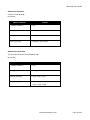
In addition, the OE has a set of shell variables that are used by its internal functions for such values as the OE
prompt string and the current editor name used by function edit(). Shell variables can be displayed using the env()
function, and set using the set() function. A summary of the shell variables is given in env()'s reference manual
description.
Now for our first example.
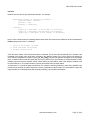
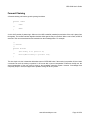
--> printf("Hello World!\n")
The system prints out "Hello World!". Function printf() is the actual "C" printf() function from the standard "C"
input/output library. A semicolon is automatically inserted at the end of each entered statement.
Our next example will show some of the OE's features.
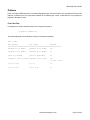
--> fctns()
Function fctns() lists all of the C++ function prototypes for all of the currently loaded C++ functions. Any of these
functions can be directly called from the OE. These functions can either be user or system defined. Function fctns()
is an example of a compiled "C" system function. The user can add as many functions as needed, but the user
cannot specify a function prototype that is already bound to another function definition. This binding (definition) can
either be bound to a compiled or to an interpreted function. This binding is completely transparent to the user.
Function declare() is provided so that declarations can be made at the OE prompt. Let's add three integer variables
to the OE. Variables entered at the OE prompt are treated as C++ globals.
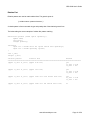
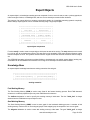
--> declare("int a, b, c;")
Function declare() expects to have complete C++ declarations.
Now let's give these variables some values.
--> a = 10; b = 20; c = a + b;
Let's use printf() to check these variables' values.
--> printf("a = %d; b = %d; c = %d\n", a, b, c);
Now let's try some loop control.
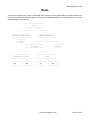
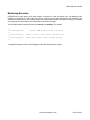
--> for (a = 0; a < 10; a++) printf("OPS-2000 Rules!\n");
www.siliconvalleyone.com
Page 8 of 56