1
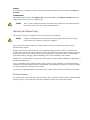
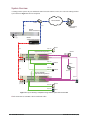
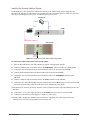
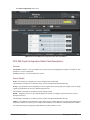
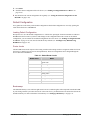
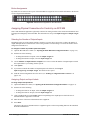
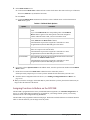
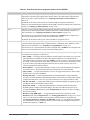
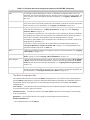
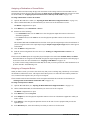
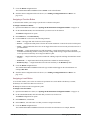
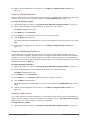
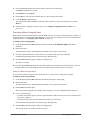
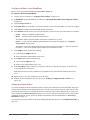
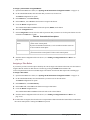
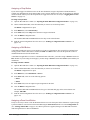
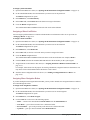
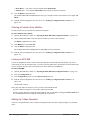
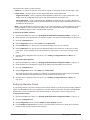
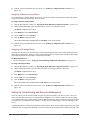
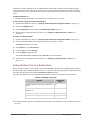
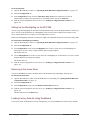
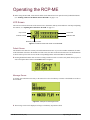
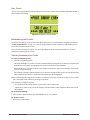
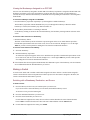
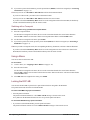
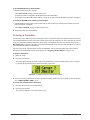
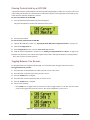
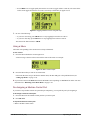
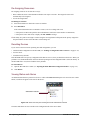
Error Screen An error screen appears briefly when the routing switcher sends a response back to the RCP-ME indicating that it cannot complete the request. Figure 5.4 Examples of an Error Screen Breakaways and Levels Breakaways are made up of one or more levels that are defined as a level mask and then assigned to a button (see “Setting Up Breakaways” on page 4–11). You can assign multiple breakaway buttons to an RCP-ME. You can select only one breakaway for a switch. One level may be assigned to a button. You can assign multiple level buttons to an RCP-ME. You can select multiple level buttons prior to a switch. Selecting Breakaways and Levels To select a breakaway or level: 1. Press the corresponding button. The button illuminates. If you have selected a custom breakaway and separate level buttons are assigned to the RCP-ME, the level buttons corresponding to the levels in the breakaway also illuminate. When a breakaway is selected, the status of the routing switcher shown on the LCD is the status of the lowest router level in the breakaway. If a breakaway warning is indicated on the LCD, it shows the routing switcher status in the current breakaway when compared to the router levels defined in the breakaway in the configuration. You cannot change the configured level mask in a breakaway by pressing a level button. However, the currently active level mask can be added to by pressing a level button. A breakaway warning is caused by: › No response from the routing switcher system on one or more router levels. › A difference in status of any level in the currently selected breakaway when compared with the first level in the breakaway. To de-select a breakaway: • Select another custom breakaway, the default breakaway, or a level button. To de-select a level: • Press the level button again. 5–2 • Operating the RCP-ME RCP-ME User Guide (v01)