1
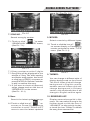
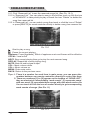
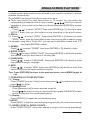
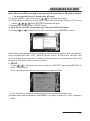
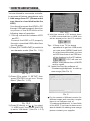
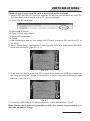
HOW TO ADD UP SONGS You are allowed to use remote controller to access all below operations only. I. Add songs from PC. (Please make sure there is a hard disk inside the KOD) You should connect the KOD to PC through USB cable properly then turn on power of the KOD before the following steps of operation. 1.1 Set up connection between KOD and PC: Connect the KOD to PC properly through a provided USB cable then turn on power. 1) Press [EXIT KARAOKE] to switch to non-karaoke mode.(See Pic. 1.2-1) Pic. 12-3 4) Wait few second, If PC detects there is USB connected then a USB Icon will be displayed on the PC taskbar Tips:If there is no TV for above operations to get into USB mode, you can press [MENU] and hold on a few seconds when you turn on KOD then there is an USB icon will be displayed on the PC taskbar .If PC still can not detect USB please turn off KOD and try again. 1.2. Install and run the software of “Createsonglist&photo” to add up new songs (See Pic. 2) Pic. 12-1 2) Press [5] to select “5. SETUP” then press [ENTER] to get into “Setup Menu”.(See Pic. 1.2-2) Pic. 2 Pic. 12-2 3) Press [3] directly or [ , ] to select “3. USB mode” then press [ENTER] to set to “ON Mode”, (See Pic. 1.2-3) 14 For the reason of different version for different areas and countries, maybe there is no Software tool of “Createsonglist&photo” in hard disk of the KOD, if you want to know more about details of adding new songs please contact your supplier.