1
64
monotone documentation
3.9 Vars
Every monotone database has a set of vars associated with it. Vars are simple configuration
variables that monotone refers to in some circumstances; they are used for configuration
that monotone needs to be able to modify itself, and that should be per-database (rather
than per-user or per-workspace, both of which are supported by monotonerc scripts). Vars
are local to a database, and never transferred by netsync.
A var is a name = value pairing inside a domain. Domains define what the vars inside it
are used for; for instance, one domain might contain database-global settings, and particular
vars inside it would define things like that database’s default netsync server. Another
domain might contain key fingerprints for servers that monotone has interacted with in the
past, to detect man-in-the-middle attacks; the vars inside this domain would map server
names to their fingerprints.
You can set vars with the set command, delete them with the unset command, and see
them with the ls vars command. See the documentation for these specific commands for
more details.
Existing vars
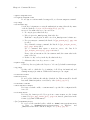
There are several pre-defined domains that monotone knows about:
database
Contains database-global configuration information. Defined names are:
default-include-pattern
The default global branch glob pattern for netsync operations to
use. Automatically set by first use of netsync, and by any netsync
that uses the --set-default option.
default-exclude-pattern
The default global branch exclusion glob pattern for netsync operations to use. Automatically set by first use of netsync, and by any
netsync that uses the --set-default option.
default-server
The default server for netsync operations to use. Automatically set
by first use of netsync, and by any netsync that uses the --setdefault option.
delta-direction
This tells monotone whether to store ‘reverse’ deltas (the default),
‘forward’ deltas, or ‘both’ kinds of deltas for reconstructing versions of files. Reverse deltas are faster when inspecting recent files,
while forward deltas are much faster for sending over the network.
This should probably be set to ‘both’ for a server database, unless disk space is severely limited. Note that as receiving deltas
involves reconstructing the file version that the delta was made
against, a server using a database with only forward deltas will be
somewhat slower at receiving new revisions unless your particular
history graph is highly linear.
Changing this value does not affect deltas that have already been
stored.