1
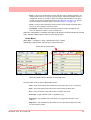
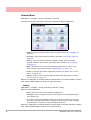
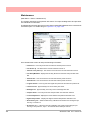
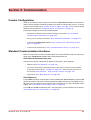
• Modbus - Communications protocol for Ethernet and RS485. See “Modbus” on
page 75.
• Web -Browse your recorder using the web browse feature. See “Web” on page 78.
• Email - Setup email accounts to send alarm and event information. See “Email” on
page 78.
• SNTP - Simple Network Time Protocols is a protocol for synchronising the clock
on the recorder with a Network Server. See “SNTP” on page 80.
• FTP (File Transfer Protocol) - used to transfer data to and from the recorder. See
“FTP (File Transfer Protocol)” on page 81 .
• Peers - Sets up the recorder to be identified on a network (Peer to Peer). See
“Peers” on page 81.
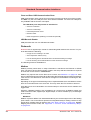
Standard Communication Interfaces
Rear Ethernet Communication Port
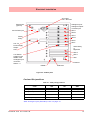
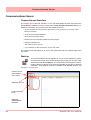
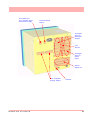
The rear of the recorder is fitted with an Ethernet10/100 port and RS485 port, which supports:
• RS485 Modbus protocol and TCP/IP Modbus.
• Web Browser. See “Web” on page 78
• OPC Server connectivity to third party software. OPC Server connection must be enabled by selecting the OPC option in “Credits” on page 101. For more details on
OPC Servers see “OPC Interface - Open Process Control” on page 233
Rear RS485 Port
(A Comms option card and expansion card are required for the QXe recorder).
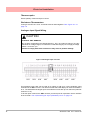
• RS485: 2 wire to support Modbus RTU.
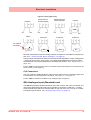
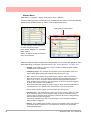
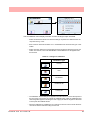
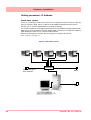
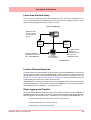
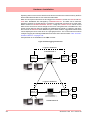
The RS485 connector plugs into the back of the recorder. Recorders can be setup as either
Master or Slave devices. See Figure , “Modbus Master Communications,” on page 75.
Front and Rear USB Communication Ports
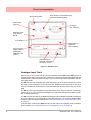
The front and rear of the QX and SX recorders are fitted with a USB communication port.
The QXe recorder has a USB port at the front, as standard and another available at the rear
as an option.
The USB Host ports will provide an interface for:
• Save and Load Data
• Save and Load Setups
• External keyboard & mouse
• Barcode reader
• Mass storage device (USB key)
• Local printer
74
43-TV-25-33 GLO Iss.7 Feb 08 UK