1
•
NOTE:
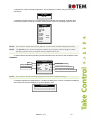
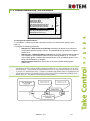
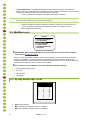
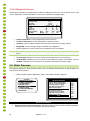
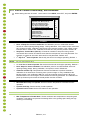
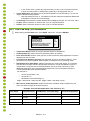
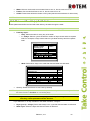
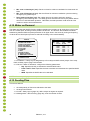
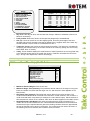
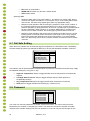
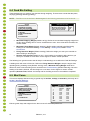
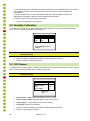
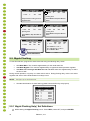
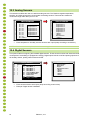
CO2 Treatment By: This parameter designates the method used when CO2 treatment
begins. Normally, this parameter is relevant only when minimum ventilation is running. When
a treatment is required, select one the method to be employed:
o Level: Increases the ventilation level when a treatment is required.
When employing Ventilation by Weight (refer to page 23), the controller increases the cycle
time or the level, depending on the particular settings.
o
o
o
Exhaust: Designate a specific exhaust fan (press a number key to select the fan).
Tunnel: Designate a specific tunnel (press a number key to select the fan).
None: Disables the treatment.
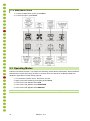
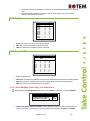
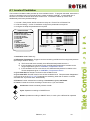
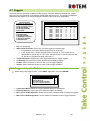
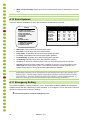
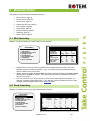
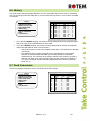
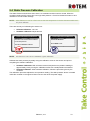
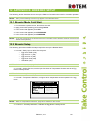
3.5 Min/Max Level
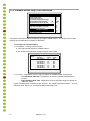
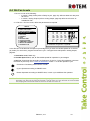
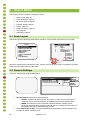
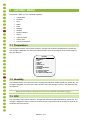
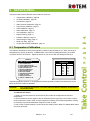
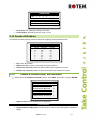
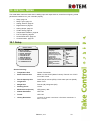
CONTROL
1. TEMPERATURE CURVE
2. HUMIDITY TREATMENT
3. CO2 TREATMENT
4. MIN/MAX LEVEL
5. STATIC PRESSURE
6. CONTROL MODE
7. SYSTEM PARAMETERS
8. EGG ROOM
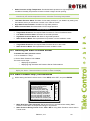
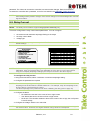
IMPORTANT: Before setting Min/Max level, go through and set up the Device Settings,
especially the ventilation levels.
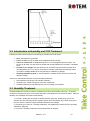
Once you have entered the ventilation levels, use the Min/Max to select the range of levels to
apply to your situation. Typically, Platinum increases the minimum ventilation level as litter
conditions deteriorate and the birds require greater amounts of fresh air. You can also restrict the
maximum level to prevent excess airflow on young birds.
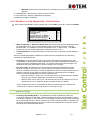
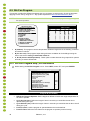
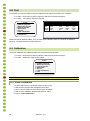
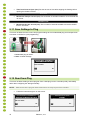
Go to Control > Control Mode to select the minimum ventilation method.
•
•
By Day and By Days Curve
By Time
•
•
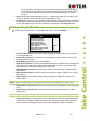
Day Soft Min.
By Weight
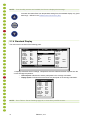
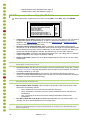
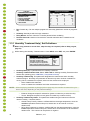
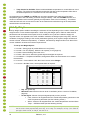
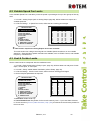
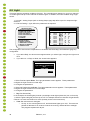
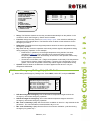
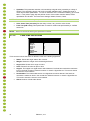
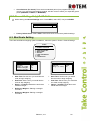
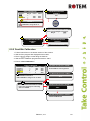
3.5.1 By Day and By Days Curve
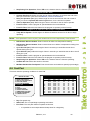
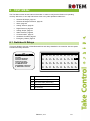
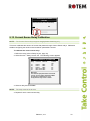
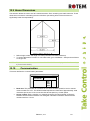
MIN/MAX LEVEL
Day
Min
Max
1
1
16
3
2
16
6
3
16
10
4
16
14
5
21
21
6
21
35
7
21
0
0
0
0
0
0
0
0
0
•
•
•
21
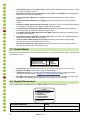
Day: Set growth day
Min: Set minimum ventilation level for controller
Max: Set maximum ventilation level for controller
Platinum | 4.11