1
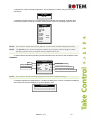
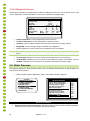
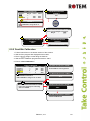
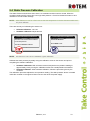
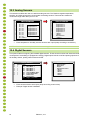
4. The individual at the controller should double-check that you are calibrating the correct sensor.
You might warm/cool the sensor temporarily to see which sensor changes temperature
appropriately.
5. Once you determine the correct temperature and allow approximately one minute for
stabilization in the water, adjust the sensor reading at the controller.
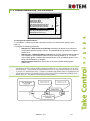
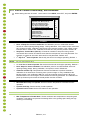
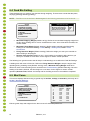
6. Offset the factor using the left/right arrow keys.
•
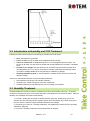
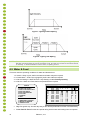
Refer to Temperature Curve, page 14.
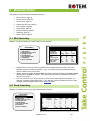
9.2 Humidity Calibration
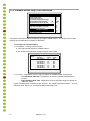
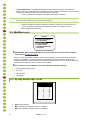
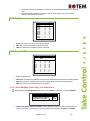
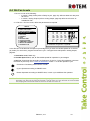
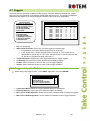
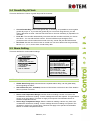
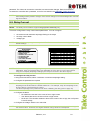
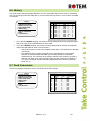
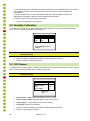
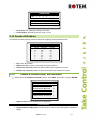
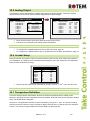
To calibrate the humidity level, obtain a suitable humidity test kit and use the procedures described
there. They are commonly available via the Internet.
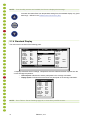
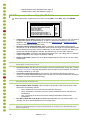
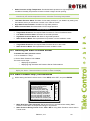
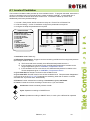
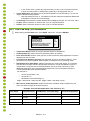
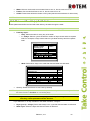
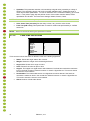
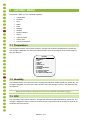
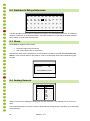
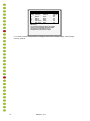
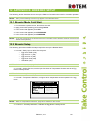
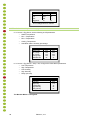
HUMIDITY CALIBRATION
Sensor
Humidity° Factor
In
Out
58.9
N/A
2.3
---
Press Left/Right Arrows to
Calibrate
CAUTION
•
•
Only calibrate the sensors if you have reason to believe that they are producing
inaccurate results.
Adjust the Platinum reading as needed using the left/right arrow keys.
Refer to Humidity Treatment, page 18.
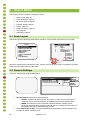
9.3 CO2 Sensor
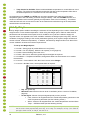
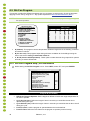
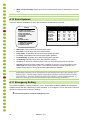
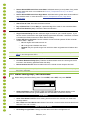
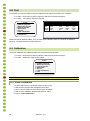
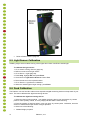
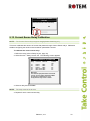
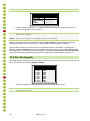
To calibrate the CO2 level, obtain a suitable test kit and use the procedures described in the kit. Ensure
that the house is well ventilated, either naturally or using fans.
CAUTION
Only calibrate the sensors if you have reason to believe that they are producing
inaccurate results.
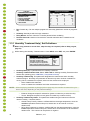
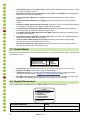
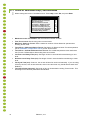
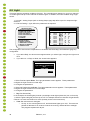
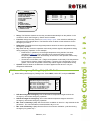
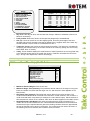
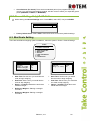
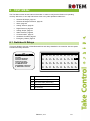
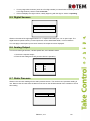
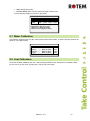
CO2 SENSOR CALIBRATION
Value
PPM at 4 mA/1 VDC
PPM at 20 mA/5
VDC
Factor (PPM)
26
3000
22
CO2 (ppm):
482
69
•
•
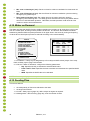
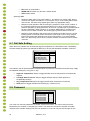
Ppm at 4 mA / 1 VDC: Parts per million for 4 mA or 1 VDC
Ppm at 20 mA / 5 VDC: Parts per million for 20 mA or 5 VDC
•
•
Factor (ppm): (-/+) ppm shift from the current reading
CO2 (ppm): Current CO2 readings
•
•
Adjust the Platinum reading as needed using the left/right arrow keys.
Refer to CO2 Treatment, page 20.
Platinum | 4.11