1
ROCKNA AUDIO
WAVEDREAM Digital to Analog Processor
__________________________________________________________________________________
_
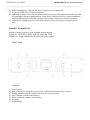
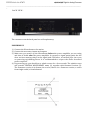
BACK VIEW :
The conenctors on the back panel are self-explanatory.
POWERING UP
1) Connect the Wavedream to the mains.
2) Connect the necessary inputs and outputs.
3) Make sure you power up the Wavedream before the power amplifier you are using
and shut it down after the power amplifier. In respect to signal purity path, the dac
does not have muting relays in the signal path. Therefore, occasional pops can occur
on powering up/shutting down. It is recommended to respect the above described
power sequence.
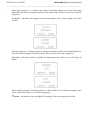
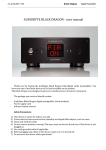
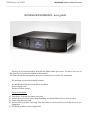
4) On powering up, you should see a splash screen for a few seconds. The splash screen
will contain “ROCKNA WAVEDREAM” name (1) together with firmware version (2).
The firmware version is in format a.bs or a.bx, where a.b = firmware version; s comes
from single ended, x from balanced.