1
User Manual
QuantorDentVet
TM-806-EN
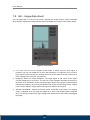
③
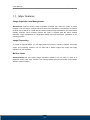
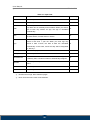
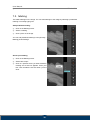
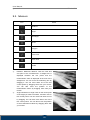
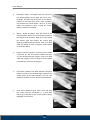
Rectangle: Draws a rectangle. Click the mouse at
the desired position of the upper left corner of the
rectangle, and then drag the mouse to the desired
position of the lower right corner of the rectangle
and release the mouse button. Click on an area
within the rectangle to move it. Drag the control
points to resize the rectangle.
④
Ellipse : Draws an ellipse. Click the mouse at the
desired position where the top and left-most point of
the ellipse would intersect, drag the mouse toward
the bottom right and release the mouse after
reaching a desired size and shape. Click on an area
within the ellipse to move it. Drag the control points
to resize the ellipse.
⑤
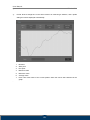
Polygon: Draws a polygon. A control point is added
every time you click the mouse. Double-click when
you are done drawing the polygon. Click on an area
within the polygon to move it. Drag the control points
to change the corners of the polygon.
⑥
Free Draw: Creates a free draw selection. Click and
drag the mouse to the desired shape. Release the
mouse when you are done drawing. You can click
inside the selection to move the free draw selection.
⑦
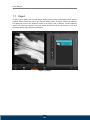
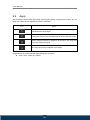
Pixel Value: Measures pixel value. Click and drag
the mouse and the coordinates (x, y) and pixel
values (p) of the pixel at the cursor position will be
displayed on the screen.
52