1
Module Operation in a Remote Chassis
Using RSNetWorx and
RSLogix 5000
F-5
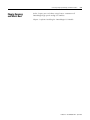
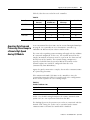
The I/O configuration portion of RSLogix5000 (catalog number
9324-RLD300xxE) generates the configuration data for each high
speed analog I/O module in the control system, whether the module
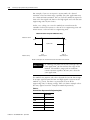
is located in a local or remote chassis. A remote chassis, also known
as networked, contains the module but not the module’s
owner-controller.
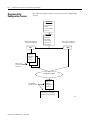
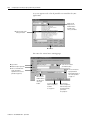
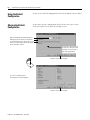
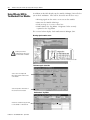
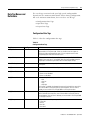
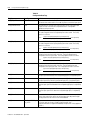
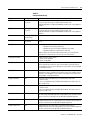
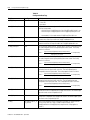
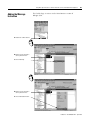
You must use the configuration wizard screens in RSLogix 5000, to
configure the high speed analog module. Configuration data is
transferred to the owner-controller during the program download and
subsequently transferred to the appropriate modules in the local
chassis. However, you must run RSNetWorx (catalog number
9357-ANETL3) to enable modules in the remote chassis.
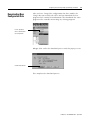
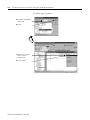
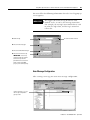
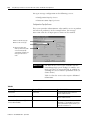
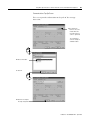
When you run RSNetWorx, the software transfers configuration data to
remote modules and establishes a Network Update Time (NUT) for
ControlNet. The NUT is compliant with the desired communications
options specified for each module during configuration. Anytime a
controller references an I/O module in a remote chassis, you must run
RSNetWorx to configure ControlNet.
Follow these guidelines when configuring high speed analog I/O
modules in a remote chassis:
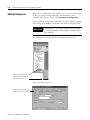
1. Configure all modules for the controller with RSLogix 5000.
2. Download configuration information to the controller.
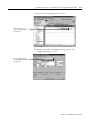
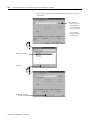
3. Run RSNetWorx.
IMPORTANT
You must run RSNetWorx whenever a new module
is added to a remote chassis. When a module is
permanently removed from a remote chassis, we
recommend that you run RSNetWorx to optimize the
allocation of network bandwidth.
Publication 1756-UM005A-EN-P - April 2002