1
Last Updated 8/1/2007
Morphbank offers a service called delivered uploading that uses this prepared
data entry workbook. Submitters can enter and then deliver to morphbank, the
workbook populated with information.
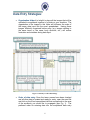
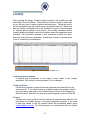
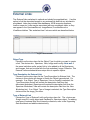
The Data entry workbook is an Excel file which consists of eight worksheets
titled: Image Collection, Images, MyView, Specimen, SpecimenTaxonData,
Locality, External Links and Supporting Data. Their names are correlated with the
names used in the morphbank Database. When a cell in each of the active
columns is selected, a short description of the expected data is given. This guide
will provide a more detailed description for each of the columns and how they
should be populated.
Data Preparation:
Before beginning the process of entering data into the workbook there are
preparation details that will facilitate this process.
Users should only release data into morphbank that is appropriate for world-wide
release. For example, if an image of an endangered or protected specimen
includes annotations as to its specific locality, that information should be masked
before sending the image to morphbank. When propagating the locality section
of that specimen, care should be taken to avoid precise locality details (i.e. enter
the collection county as opposed to the exact area within that county where the
specimen was collected. In these circumstances, users can enter contact
information in the Information Withheld column of the Locality sheet for other
users to obtain the withheld data if needed.
Before entering data into the workbook, the user will need to have available the
following information.
•
It is preferred that a valid morphbank username and password is acquired
prior to submitting the workbook (obtained through the login screen
(upload) at www.morphbank.net or by contacting the morphbank admin.
group at [email protected]). If the user does not have an account
before submitting the workbook, one will be generated at that time.
•
General information about your collection of images to include the
contributor (person with authority to release image), release date,
morphbank user group to which the images should be attributed and a
project link (if one exists) to which the images are related.
3