1
4
Section 3: SFC Programming
Overview of Sequential Function Charts
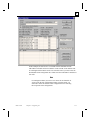
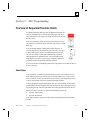
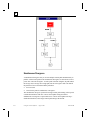
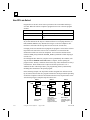
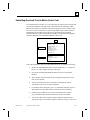
A sequential function chart represents an application program as a
series of sequential steps. You associate control logic with these
steps called actions. The logic in the action executes when the step
becomes active.
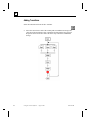
Steps are connected by links and control is passed between steps
via transitions. Transitions can be a Boolean expression or a single
RLL rung.
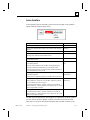
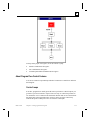
You can manage multiple control paths using divergences. A
select divergence lets you choose one path to be active from two
or more control paths; whereas, a simultaneous divergence lets
you activate multiple control paths simultaneously in parallel.
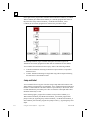
Other program flow capabilities exist. You can include control
loops that let you repeat a series of steps or transfer control flow
to another location using a Jump and Label structure.
You can create SFCs with multiple paths, and it is possible for more than one SFC to
be active at a time.
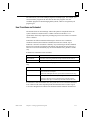
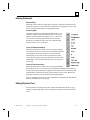
About Steps
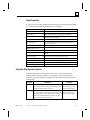
A step represents a condition in which the behavior of the system follows a set of
rules defined by the actions and functions associated with the step. A step is either
active or inactive. At any given moment, the state of the system is defined by the set
of active steps and the values of its internal and output variables.
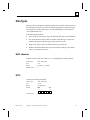
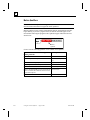
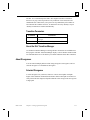
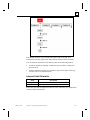
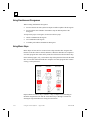
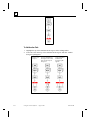
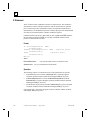
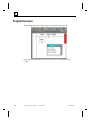
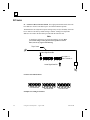
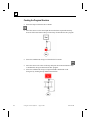
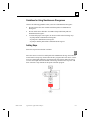
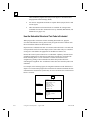
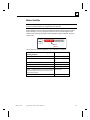
A Step is graphically represented within an SFC as a box containing the Step name,
which identifies the step. Program flow into and out of the Step is through a vertical
line entering the top of the box and another line exiting from the bottom of the box.
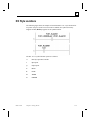
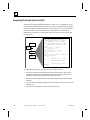
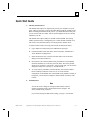
When you create a new SFC, the system automatically generates the:
•
•
first Step, labeled Start,
last Step, labeled End.
You cannot edit these Steps; they simply represent the initiation and termination of
the SFC.
GFK-1424B
Chapter 4 Creating Application Programs
4-41