1
Version 6
Public Library
Basic Training
Manual
Copyright Notice
Copyright ©2012 Schjelderup LTD, All Rights Reserved.
Distributed under license by COMPanion Corporation.
Under the copyright laws, this manual or the software may not be copied, in whole or in part without written consent of Schjelderup LTD, except in the normal use of the software and as described
in the Software License Agreement. The same proprietary and copyright notices must be affixed
to any permitted copies as were affixed to the original.
NOTE: Unauthorized use of these materials can result in civil damages and criminal penalties
.
Trademarks
COMPanion Corp7, Akademus7, Alexandria7, eLunchroom7, Lancaster7, MacLunchroom7,
SmartMARC7, SmartScan7, Textbook Tracker7, Peripheral Vision7 and their associated logos
and icons are registered trademarks of Schjelderup LTD used under license by COMPanion Corporation. Apple, AppleTalk, ImageWriter, and LaserWriter are registered trademarks of Apple
computer, Inc. Macintosh is a registered trademark of Apple Computer, Inc. Other trade names
are the property of their respective corporations.
Updated 1/15/12 - Alexandria version 6.21.0
Printed in the United States of America
Printed by COMPanion7 Corporation
1831 Fort Union Boulevard
Salt Lake City, Utah 84121-3041 USA
(801) 943-7277 Voice, worldwide
(800) 347-6439 Voice — Sales, US & Canada
(800) 347-4942 Voice — Technical Support - US & Canada
(801) 943-7752 FAX, worldwide
email: [email protected]
Web: http://www.companioncorp.com, http://www.goalexandria.com
Listservs: [email protected]
[email protected]
[email protected]
1
Introduction
A. Introductions -- Trainer and Attendees
B. Training Outline and Manual
C. Safe Seven
Table 1:
Single-User
MultiDataStation
Central Union
Hosted
Backup
Librarian
Controller
Manager
Person in
Charge
Host Staff
Archive
Librarian
Librarian
Person in
Charge
Host Staff***
System Maintenance
Librarian
Techs
Techs
Host Staff
Alex Maintenance
Librarian
Librarian
Person in
Charge
Host Staff***
UPS
Librarian
Controller
Manager
Person in
Charge
Host Staff
Security
Librarian
Librarian
Librarian or
Person in
Charge
Librarian or
Person in
Charge
Always Watch Your Screen
Library Staff
Library Staff
Library Staff
Library Staff
Call Tech Support
Library Staff
Library Staff
Library Staff
Library Staff
*** May be changed by Librarian; however, suggest that these be left as set by Host Staff.
1. BACK UP, BACK UP, BACKUP
COMPanion recommends that you keep a minimum of NINE backups at any given time.
Backups are saving complete copies of your Data folder to some external medium be it on CDROM, an external hard drive, a flash drive or a file server. You should keep at least one backup
per day of the week, plus four previous Fridays. We never discourage customers from keeping
additional backups. If you are using the same drive to store all the backups, remember to
rename the Data folder to include the date (i.e. 040092009Data, 04102009Data).
You do not need to back up the software. COMPanion can quickly replace the software if your
library is current on its subscription. What COMPanion cannot replace is your data — so BACK
IT UP!
Alexandria v6 Public Library Basic Training Manual
1
It is strongly recommended that at least one copy of your data be stored off-site (e.g. take the
Friday backup home). Libraries have been burglarized and all computer equipment including
the backup discs have been stolen. Libraries have also burned down and the back ups have
been instrumental in obtaining a quick and settlement from the insurance company.
Central Union Systems: Only one person needs to do the backup.
Alexandria Controller Systems: This can only be done by a person with administrative rights
to Alexandria Controller, so individual librarians will not be able to perform this function.
2. Perform standard machine maintenance.
Ideally, every machine should be scanned each month for viruses and for file damage. Run
either Norton Disk Doctor (Macintosh) or Scandisk (PC) on a frequent basis. On Windows,
Defragmentation of the hard drive should also be done regularly. Alexandria cannot be
expected to run correctly when the operating system or file structure is damaged.
3. Perform Alexandria maintenance.
Twice each month you should run Rebuild on your Databasewhich can take several hours to
run depending on the strength of your machine and the size of your collection. Rebuild checks
that the indexes used for sorting, browsing, and selecting match the data, that the records are
key worded appropriately, and that the status counters are correct. Always archive before running Rebuild or any other major utility or import. Rule of thumb: If it might take longer to correct a problem caused by a bad import or running a utility incorrectly than it will take to run an
Archive, you should archive your data before performing the Rebuild or import.
Alexandria Controller Systems: Scheduling a Rebuild can only be done by a person with
administrative rights to Alexandria Controller; however, there is a Rebuild Now feature
available under File on the menu bar.
Central Union Systems: Rebuild should be done once a week.
NOTE: Alexandria’s Data Station must be running for Rebuild to be run.
2
Alexandria v6 Public Library Basic Training Manual
To set up scheduled Rebuilds:
•
Click on Tools on the menu bar and select Utilities.
•
Click on the Database in the left pane, then, click on the Saved tab in the main (right)
pane.
•
Click on Database Rebuild in the main (right) pane.
•
Click on the Schedule tab.
•
Click on the Calendar icon in the Run next on field and select a date. It is suggested that
you set it for a Friday. Next, set the time of day for a time when no one is likely to be using
Alexandria. Change the Repeat drop-down menu to Weekly and click on Friday. Set the
Every field to the value suggested for your type of system. (Stand-alone -- 4, Central
Union -- 1, and Alexandria Controller -- 2).
•
If you wish to be notified when a Rebuild is run, check the box and fill in your email
address in the Send Email Notification To field. Check the box for Restart after
Rebuild. There is no need to check the Perform Archive Before Running Operation if,
when you schedule your Archive in the next section, you schedule it to run about 10 minutes before the Rebuild.
•
Click on Save All in the upper-right corner of the window.
NOTE: You might want to set your Archive schedule while you are in Utilities.
To set uTo set up scheduled Archives:
•
Click on Tools on the menu bar and select Utilities.
•
Click on the Database in the left pane, then, click on the Saved tab in the main (right)
pane.
•
Click on Database Archive in the main (right) pane.
•
Click on the Schedule tab.
•
Click on the Calendar icon in the Run next on field and select a date. It is suggested that
you set it for a Friday. Next, set the time of day for a time when no one is likely to be using
Alexandria AND a time that is at least 10 minutes before your Rebuild is scheduled to run.
Change the Repeat drop-down menu to Daily.
•
If you wish to be notified when an Archive is run, check the box and fill in your email
address in the Send Email Notification To field. Do not check the box for Perform
Archive Before Running Operation.
•
Click on Save All in the upper-right corner of the window and close the Utilities window.
•
Go to Edit on the menu bar and select System Preferences.
•
In the System Administration section, click on Site Information.
•
Click on the Scheduled Events tab and set the number of Archives to Keep to at least
10.
•
Click on Save All in the upper-right corner of the window.
Alexandria v6 Public Library Basic Training Manual
3
To run a Rebuild immediately.
•
Go to File on the menu bar.
•
Select Rebuild Now.
•
Select both Run an Archive before rebuilding and Restart after a successful rebuild.
Rebuild looks at every record and pointer in Alexandria’s database. If it encounters any problems in the record, Alexandria will do everything possible to correct the problems; however, if
the problems cannot be resolved, the record is deleted. The following procedures are recommended in conjunction with Rebuild:
At the end of the day on which Rebuild will be run:
•
Click on the Special tab in the middle of the Circulation window.
•
Click on the System Info subtab.
•
Write down the first four figures (number of patrons, titles, copies, and transactions) that
are shown in the left pane of the tab.
•
Go home.
The first thing in the morning on the first work day after Rebuild has been run:
•
Click on the Special tab in the middle of the Circulation window.
•
Click on the System Info subtab.
•
If the figures are the same, no problems were found.
•
If the figures are different, there were problems found in your database that could not be
repaired. Call Alexandria Tech Support (1-800-347-4942) and tell them and they will be
able to help you restore from an Archive and bring your data up to date so that you have all
your records.
4. Have a UPS (Uninterruptable Power Supply) or battery backup on the Data Station and
test it.
Alexandria 6 uses TCP/IP technology for its communication and operation procedures. The
server program, called the Data Station, must be running for any clients, also known as workstations, to search, circulate, run reports, etc. For Alexandria, there is one type of workstation
— Alexandria Librarian Workstations. If the Data Station program is not running, NO ONE
can view or change the data. (In case there is an extended power failure over the weekend, it
is essential that you back up your data before leaving on Friday.)
In addition, the Data Station does all the work with the data; the clients simply ask the Data
Station to perform various procedures. As such, the Data Station should be on the best
machine available.
Since the Data Station does all the work, it has the ability to prioritize requests from the clients.
Some procedures will be postponed temporarily while other more pressing procedures are
addressed. The Data Station will, therefore, hold some things in memory to take care of when it
is not so busy. If there is an interruption of power, your data can become corrupt if you do not
have a UPS to protect it.
4
Alexandria v6 Public Library Basic Training Manual
A UPS is an Uninterruptable Power Supply and is only meant to give you enough time to get to
the Data Station, quit Alexandria, and shut down the machine appropriately. Do not connect
unnecessary machines or appliances to a UPS since they will drain critical energy from the UPS.
5. Enable Security.
The Alexandria program comes without any security protocols activated. As such, unless you
install an additional security program or enable security within Alexandria, anyone can launch
Alexandria and have full privileges to add, remove, and change patrons, items, orders, budgets, vendors, subscriptions or routes or to check items in and out, assign and forgive fines,
etc. It is strongly recommended that you enable security within your Alexandria preferences.
In addition, if your Data Station is publicly accessible and without some form of system security, someone could delete, move, or rename your data file. It is, therefore, strongly recommended that you install and enable a system security program. Some operating systems come
with such security built in.
To enable security:
•
Go to Edit on the menu bar and select System Preferences.
•
Click on Operators in the System Administration category.
•
Click on the Add (+) icon at the bottom-left of the window.
•
Fill in the Username and Password. Fill the same password in the confirm Password
field. Enter the Email Address of the user.
•
Set the Group of security using the drop-down menu. The first person entered must be the
Library Administrator or District Administrator group person. More than one person
may be given these groups.
•
If you are in a Central Union system, check the Site ID Codes for which the operator will
be granted privileges.
•
Click on OK.
•
Check the box for Require User Login.
•
Click on Save on the System Preferences window, then, close the System Preferences
window.
Alexandria v6 Public Library Basic Training Manual
5
To customize the privileges of a security group:
•
Go to Edit on the menu bar and select System Preferences.
•
Click on Security in the System Administration category.
•
Click on the Security tab.
•
Click on the Security Group you wish to customize.
•
Using the drop-down menus on all Section tabs, consider the options given and set privileges as you wish for operators with the security level.
•
When finished, click on Save in the upper-right corner of the window.
6. Watch your screen at all times.
Alexandria offers audio clues to alert you to special circulation and program messages, this
function isn’t helpful if, for some reason, the computer sound is not working. Alexandria is also
streamlined for certain procedures based upon assumptions that are often made in the library
environment. Those assumptions may differ from what you desire. ALWAYS, ALWAYS, ALWAYS
watch your screen. Fully read each message and ensure that what you thought you did was
exactly what the program claims you did.
7. When in doubt, contact Technical Support.
If your library is current on its support subscription, when you have a problem or a question,
please contact Technical Support. You may call Technical Support 24 hours a day, 7 days a
week, 365 (or 366) days of the year. Phone number: 1-800-347-4942.
During the busy time of the year (beginning of school, beginning of the calendar year, and
inventory season), you may be asked to leave a voice message. Tech support will contact you
as soon as they are available. The goal is to return these calls in less than an hour.
You can email Technical Support directly from Alexandria 6.0.1. Emailing from the program not
only sends your message or question to Technical Support, but also informs them about your
machine, its hardware, memory, your data, and the version of Alexandria you are running.
To email Technical Support:
•
Click on the Support tab on the middle-right side of the Circulation window.
•
Click on the Email subtab.
•
Type the subject and the desired message in the fields provided on the Email Tech Support tab. If this isn’t the current pane, click on the Letter icon to bring this pane to the
front.
•
Click on Send to send the message.
NOTE: You cannot email Technical Support if you do not have a return email specified in your Site
Information Preferences and if you do not have an Internet connection.
6
Alexandria v6 Public Library Basic Training Manual
D.Alexandria Help
Alexandria provides built in Help documents. These can be accessed in either of two ways.
In the upper-right corner of each Alexandria module window is a ? in a circle. This is the Help
icon. If you click on this icon, it will open the help document associated with that window from
the Alexandria Wiki.
The second method is to view an index of all the help documents at one time. The Alexandria
Help Index gives a list of the help documents grouped in categories. If you would like to view
the help documents in an alphabetical listing, there is a link on the Alexandria Help Index
that will take you to a help index that is in alphabetical order.
To view the Help Index:
•
Click on Help on the menu bar.
•
Select Alexandria Help.
•
Click on the desired Help document.
E. ListServs and Tech Notes
1. Alex-Net
Alex-Net is a friendly forum that allows Alexandria customers to post questions, problems, and
product ideas. Posted messages are then sent by email to the members of Alex-Net. This forum
enables users to help other users, share tips and tricks, or ask and answer questions about
Alexandria.
To subscribe to Alex-Net:
2.
•
Go to Alexandria’s website, http://www.goalexandria.com
•
Click on Support at the top of the web page.
•
Select Librarian’s Corner from the Support drop-down menu.
•
Select Alex-Net & Other ListServs.
•
Check Alex-Net and fill in the form.
•
Click Submit.
Tip of the Week
Tip of the Week is a part of the Alexandria web page that features a new tip for using Alexandria each week. The archives for Tip of the Week are a collection of tips for running Alexandria
more smoothly. These tricks of the trade are written by the Alexandria staff librarians. You may
view them every week both via email or on our website.
To receive the weekly Tip of the Week emails:
•
Go to Alexandria’s website, http://www.goalexandria.com
•
Click on Support at the top of the web page.
Alexandria v6 Public Library Basic Training Manual
7
•
Select Librarian’s Corner from the Support drop-down menu.
•
Select Alex-Net & Other ListServs.
•
Check Tip of the Week and fill in the form.
•
Click Submit.
To view the current and past Tip of the Week documents:
3.
•
Go to Alexandria’s website, http://www.goalexandria.com
•
Click on Support at the top of the web page.
•
Select Librarian’s Corner from the Support drop-down menu.
•
Click on Tip of the Week.
•
The current Tip of the Week is in the main frame of the window.
•
To view previous tips, click on TOTW by Subject in the Tip Archive box on the right side
of the window.
•
Click on the desired Subject.
•
Click on the desired tip in the list.
Tech Notes
Our Tech Support personnel have written many excellent Tech Support documents for your
benefit. These can be found on our Alexandria website.
To view Tech Notes:
8
•
Go to http://www.goalexandria.com
•
Click on Tech Notes under User Favorites on the left side of the window.
•
Select the appropriate Tech Notes group.
•
Select the desired Tech Note document from the list given.
Alexandria v6 Public Library Basic Training Manual
2
Circulation
If the Circulation window is not active, click on Show and select Circulation.
A. Menu Bar
B. Circulation Window
C. Check Out
1. Check out I, too, Sing America (3502) to Camille Arnold (1003).
2. Check out It Happened to Nancy (3064) and Pyramids of Ancient Egypt (3129) to Rebecca
Eckhoff (1032).
To check out an item:
•
Make sure the mode is set to Check Out.
•
ALWAYS bring up the patron first.
•
Set the Override date, if necessary.
•
Type or scan the barcodes of the items to check out.
•
Respond to any Circulation Alert messages.
Alexandria v6 Public Library Basic Training Manual
9
•
If using an override date, clear it by typing a period (.) and pressing <enter>.
D.Override Dates
3. Check out Cities of Blood (3430) and Diane Goode’s American Christmas (3207) to Jami Stark
(1009) until the end of the school year. (Remember to clear override date when no
longer needed.)
To set an override date:
•
First, enter the desired mode.
•
Type .MMDDYY and press <enter>.
To clear an override date:
•
Type a period (.) and press <enter>.
E. Circulation Messages
4. Check out What Have You Lost : Poems (3091) and Stories from the Old Testament (3027) to
Marijane Lou Coots (1036). Choose Yes to check out the item. Note the Transaction Log.
5. Check out 3520, 5645, and 3072 to Joseph Todd Berol (1014). (Choose Override and then
choose Cancel.)
F. Bookdrop Mode (B)
6. Check in 3129.
7. Check in 3013.
8. Check in 3085.
9. Check in 3696.
10. Check in 3430.
To check in a single item:
•
In the Command Line, type B and, then, scan or type the barcode of the item to be
returned. (This will check the item in without changing the Circulation mode.)
To check in multiple items:
•
To enter Bookdrop mode, there are three methods:
In the Command Line, type B and press <enter>.
OR
Choose start Bookdrop from the Circulation menu on the menu bar.
OR
10
Alexandria v6 Public Library Basic Training Manual
Click on the drop-down menu next to the Command Line field and select
Bookdrop.
•
Set the Override date for the date the copies were or should be listed as returned if different from today’s date.
•
Type or scan the barcodes of the copies to check in.
•
Respond to any Circulation Alert messages that appear.
•
When finished using the Override date, clear it by typing a period (.) and pressing
<enter>.
Alexandria v6 Public Library Basic Training Manual
11
NOTES:
•
If patron barcodes are the same as item barcodes, you must always put a P in the Command Line before scanning the patron barcode. (It is recommended that you change
either the patron barcodes or the item barcodes to remove the conflict.)
•
When typing barcodes rather than scanning barcodes, always follow the barcode with an
<enter>.
Let’s Practice
12
•
Check out the item, I Saw Esau (3051) to Michelle Sciera (1026).
•
Check out the item, Camels (3205) to Luann Larimer (1033).
•
Check out the items, The Lost Prince (3351), The Children's Book of Heroes(3087) and The
Brave Deeds (3546), to Derrick Pichon (1006).
Alexandria v6 Public Library Basic Training Manual
3
More Circulation
A. Locate a Patron by Last Name (L)
NOTE: Always put a space between the L and the text for your search. Although the space is
not required, there are other commands such as LM (Lost Mode) and LF (Locate by
First Name) which will cause confusion -- if you type LFRAN, are you searching for a
first name beginning with RAN or a last name beginning with FRAN? Alexandria will consider it to be the LF command instead of a last name search. So, it is recommended
that you use the <space> between the command and the text.
1. Locate Tom Tekippe and make him the Current Patron.
To look up a patron by name:
•
Either click on the Command Help tab and choose Locate Patron or type L.
•
Type as much of the patron’s last name as needed and press <enter>.
•
Click on the correct name to highlight it and then click Select or double click on the correct
name.
B. Locate an Item by Title (T)
Alexandria v6 Public Library Basic Training Manual
13
2. Locate the title, Leonard Nimoy : a Star’s Trek.
To look up an item by title:
•
Click on the Command Help tab and choose Find Title or type T.
•
Type the first part of the title and press <enter>. Click on the correct title to highlight it
and then click on Select or double click on the correct title.
C. Place a Hold on a Title (H)
3. Place a hold on Leonard Nimoy : A Star’s Trek for Tom.
To place a hold:
•
Scan or type in the patron’s barcode to make that person the Current Patron.
•
Type the command, T, and type enough of the title to take you to the correct part of the
title list.
•
Select the title from the list. Double click on the title or click on Select to make the selected
title the Current Item.
•
Type H (for Hold) and = (for the Current Item) (e.g. H=) and press <enter>. You may
also type H and the barcode of the item (e.g. H1234).
To place multiple holds for a single patron:
•
First, scan or type the patron’s barcode to make that patron the Current Patron.
•
Next, type the H command and press <enter> in the command line. This changes the
mode to Hold mode.
•
Now type T and the title. Select the appropriate title.
•
Type = and press <enter>. A hold will be placed on that item record.
NOTE: Instead of the title search and the H= command, you may type H {barcode}.
NOTE: For Central Union customers, the HC commands allows you to place a hold on a particular copy. This ensures the hold is from your collection.
14
Alexandria v6 Public Library Basic Training Manual
D.Place a Reservation on a Specific Copy (G).
4. Create a reservation for Keri Dobbins for the item, Censorship: Opposing Viewpoints (3040)
for the second full week of next month.
To create a forward reservation:
•
Scan or type the patron’s barcode to make the person the Current Patron.
•
Type G (think -- “Get it later”)and type or scan the barcode of the item on which to place
the reservation.
•
Select the desired Month and Year.
•
Click, hold and drag to highlight the dates for the patron’s reservation for that item.
•
Click Save when finished.
E. Renewing an Item (R, RA and Renewal Icon)
5. Renew Diane Goode's American Christmas (3208) by typing R and the barcode.
To renew an item:
•
If the item is present, simply type R for renew, then type or scan the item barcode number.
Alexandria v6 Public Library Basic Training Manual
15
6. In Renewal mode, renew items 4190 and 3167.
To renew multiple items:
•
Type R and press <enter> or select Renew Patron Items from the Circulation menu.
•
Scan the barcodes of the items to be renewed.
•
When you are finished renewing, type a period (.) and press <enter> to return to Check
Out mode.
7. Darla Anderson would like to renew three of her books, but did not bring them with her.
Renew The Man Who Wore All His Clothes, and Almost Home : A Novel and Chicken Soup for the
Pet Lover's Soul using the Renewal window.
To renew items not present:
•
Enter the patron’s barcode number.
•
Click on the Renewal subtab on the Circulation tab.
•
Select the titles to be renewed. (NOTE: You may select individual titles by holding down the
<Cmd> key (Macintosh) or <Ctrl> key (Windows) and clicking on the desired titles.)
•
Click on Renew at the bottom of the window.
•
Respond to any circulation messages that appear.
8. Todd Malta (1013) would like to renew all of his books, but did not bring them with him.
renew them using the RA command.]
To renew all items for a patron:
•
16
Make the patron the Current Patron.
Alexandria v6 Public Library Basic Training Manual
•
Type RA and press <enter>.
patron.
This will automatically renew all items checked out to that
•
Respond to any circulation messages that appear.
NOTE: these same functions may be accomplished using the Renewal window. Simply
click on Renewals on the Circulation tab, then use the buttons at the bottom of
the pane.
F. Declaring a Copy Lost
9. Mark Arias (1002) has lost the book, Young Cam Jansen and the zoo mystery. Declare it lost.
To declare an item lost:
•
In Check Out mode, scan or type the barcode of the patron with the lost item(s). If the
barcode was typed, press <enter>.
•
Click on the Renewal subtab on the Circulation tab to open the Renewal pane.
•
Highlight the item(s) to be marked lost.
•
Click on the Declare Lost button.
•
If you are sure you want to make the selected item lost, click Yes on the dialog window
that opens.
•
Complete the process in the Charges window on which you may forgive a portion or all of
the charge, add an additional charge, take a payment, and print a receipt as desired.
Alexandria v6 Public Library Basic Training Manual
17
This will automatically check the item out to Patron barcode 1, the Lost Copies patron,
and mark the item as lost.
Notice the Transaction Log shows the item was lost and how much the patron was
charged.
When declaring a copy lost by a specific patron, DO NOT check the item in first.
Lost items are not automatically deleted. They show as Lost in the Search Results (if the
only copy) and Lost in the Item Details unless you set your Researcher System Preferences on the Auto-Hide tab.
When you are ready to permanently remove lost copies, use the Remove Lost Copies utility found in Copy Utilities.
NOTES:
18
•
When searching for a patron or item, you only need to type as much of the title or last
name to get to the general area on the Browse window (e.g. And for Anderson). Use the
two More arrow buttons to show you more selections prior to or after your search entry.
•
When using the T command, if you type in a leading article or leading punctuation, Alexandria will search using that article and will not find the title if the # of Non-filing Characters field is set to ignore those characters. To find the title, it might be necessary to try the
search with and without the leading article or punctuation. Leading characters in title tags
other than the 245 tag are ignored based upon MARC record standards. See Alexandria
Help -- Leading Articles for more information.
•
In-stock holds are removed when the copy is checked out. Checking out a different copy of
the same title does not remove the in-stock hold.
•
For Central Union customers, the HC command allows you to place a hold on a particular
copy. This ensures the hold is from your collection.
•
Using the Lost Copies patron tags copies for removal later. This feature enables you to
account at the year’s end for how many copies were lost and the value of those items.
Alexandria v6 Public Library Basic Training Manual
•
You may set your preferences to automatically hide lost and discarded items.
•
Go to Edit on the menu bar and select System Preferences.
•
Click on Researcher in the Management section.
•
Click on the Auto-Hide tab.
•
Click on any of the types of copy status that you do not want to show in the
Researcher.
•
Click on Save.
Let’s Practice
•
Paul Rockwell forgot his library card. Locate his record and check out the item, Monkeys
(3199), to him.
•
Mitchell Miller (1034) wants to know if you have the item, Baseball. Check to see if you
have that item. and check it out to Mitchell.
•
Bill Shelton (1004) called you and really wants the item, Cougar (3520). Place a hold on
that item for Bill.
•
Put a hold on Stories from the Old Testament for Michelle Sciera (1026) .
Alexandria v6 Public Library Basic Training Manual
19
20
•
Keri Dobbins (1020) is teaching a unit on European history next month. She always uses
the item, Brave Deeds : How One Family Saved Many from the Nazis (3456). She wants to
reserve it so that she is sure it will be available for the first full week next month.
•
Renew Young Cam Jansen and the Zoo Mystery (3462).
Alexandria v6 Public Library Basic Training Manual
4
Special Circulation
A. Statistics Mode (Y and Y@)
1. You have just picked up all the books left on the library tables which were used “in
house.” You want to record usage of these books not only to increase your circulation
statistics, but to track usage of these items — Bury Me Not in the Land of Slaves (7818),
Bound for the North Star (7052), and Harriet Tubman (8360). Growing Up in Slavery (6446)
was used 8 times.
To use Statistics mode:
•
Type Y and press <enter>.
•
Scan the barcodes of the item(s).
•
When finished, type a period (.) and press <enter>.
To record multiple statistics for items:
•
Type Y@ and the number of usages to record and press <enter>.
•
Scan the barcodes of the item(s).
•
When finished, type a period (.) and press <enter>.
B. Charging Damages (DL) and Fees (F)
2. Maryjane Lou Coots returned What Have You Lost : Poems (3091) with slight water damage. Charge her $3 for the damage.
To add a new damage code:
•
Go to Edit on the menu bar and select System Preferences.
•
Click on Rules in the Circulation category and then click on the Damage Codes tab.
•
Click on the Add (+) icon in the bottom-left corner of the window.
•
Enter a Damage Code (this must be very short), a Description, and a Fine amount.
Alexandria v6 Public Library Basic Training Manual
21
•
Click on OK, then click on Save.
To edit a damage code:
•
Double click on the Damage Code you wish to edit.
•
Make any changes needed.
•
Click on OK, then click on Save.
To charge for damage:
3.
•
If the item has already been checked in, first, make the patron current by typing or scanning the patron’s barcode or using the L command to locate the patron by last name.
Then, type X and scan the barcode.
•
If the item has not been checked in, bookdrop the item by scanning the barcode. You must
have both the item and patron showing in the Circulation window.
•
Type the DL command either with the appropriate Damage Code or without and press
<enter>. If you have typed the DL command and a Damage Code (i.e DL INK), then the
patron will be charged the assigned amount. If you only type DL and press <enter>, you
may then select one of the pre-defined Damage Codes or select Custom Damage.
•
If you select Custom Damage, then enter a short description of the damage in the Notes
field and the amount in the Fine Amount field. Lastly, click on OK.
Terry Tekippe lost his library card. Charge him $1.00.
To charge a fee using the F command:
•
First, make the patron current by typing or scanning the patron’s barcode or using the L
command to locate the patron by last name.
•
Type the F command (for Fee), then the fee amount, and, lastly, the description of the fee.
Press <enter> when finished. (i.e. F 1 Lost library card)
NOTE: Alexandria saves you key strokes because it recognizes a non-decimal number to represent a dollar amount (e.g. 3 for $3.00) and single decimal figures are converted appropriately (e.g. 3.5 is recognized as $3.50).
To charge a fee using the Charges tab.
•
The patron being charged must be the Current Patron.
•
Click on the Charges tab, then click on the Charge Fee button at the bottom-right corner
of the window.
•
Fill in the Fee Comment and Fee Amount fields. If a payment is being made or a credit is
being applied, fill in the Payment and/or From Credit fields.
•
Click on OK, Cancel, or Charge Fee/Print Receipt at the bottom of the window.
To pay or forgive a fee or fine:
22
•
First, make the patron current by typing or scanning the patron’s barcode or using the L
command to find the patron locate the patron by last name.
•
Click on the Charges tab and make certain that the Charges pane is the one being viewed.
Alexandria v6 Public Library Basic Training Manual
•
Highlight the fee or fine to pay or forgive.
•
Click on the appropriate button — Forgive Charge or Make Payment.
•
If you click on Make Payment, enter the amount the patron is paying, select method of
payment, etc.
•
Click on Process with Receipt or Process (to process without printing a receipt).
To add a note to an item record:
•
The item copy must be the Current Item.
•
Type ++ and then the comment (i.e. ++ Ink writing on p. 75).
•
Press <enter>.
Alexandria v6 Public Library Basic Training Manual
23
C. Discard a Copy (2)
4. You have spent a busy day weeding. The following books are out dated: Morning Glory
Monday (3507) and Life Inside the Air Force (3496). You also found several items that have
been worn out through such heavy use that they must be discarded — Amazing Monkeys
(3604), Grumpier Old Men (5480), and The Moon (4877).
To discard an item:
•
In Check In / Out mode, type 2 and press <enter>.
•
The Discarded Copies patron will be the Current Patron.
•
Scan the barcode of the first item being discarded.
•
Select the reason for discarding the item and then click on Discard and Change Mode.
Use Other to be able to enter specific reasons for discard (i.e. No Use, Out Dated,
Loved to Death, etc.) These reasons will be of great value if you need to reorder or
replace certain titles.
•
Scan the rest of the items being discarded for the same reason.
•
When finished with the items being discarded for that reason, type a period (.) and press
<enter>.
•
Scan first item with a different reason and enter the new reason for discarding the item.
•
Scan the rest of the items being discarded for that reason.
•
When finished discarding, type a period (.) and press <enter>.
•
Type an X to clear the Circulation window.
To permanently remove lost or discarded items:
•
24
Click on Tools on the menu bar and select Utilities.
Alexandria v6 Public Library Basic Training Manual
•
Click on the Copies in the left frame, then, click on either Remove Lost Copies or
Remove Discarded Copies in the main (right) frame.
•
Limit the copies to be removed by using the Starting Date and Ending Date fields.
•
If you want to remove titles for which there are no copies, check the Remove Titles without Copies box.
•
Click on Run. When asked if you want to Archive, the answer is always Yes.
NOTES:
•
Use the Discarded Copies patron to maintain a record of discarded items until the end of
the school year if you must report the numbers of items discarded and the value of the
items discarded.
•
Using the Discarded Copies patron instead of just removing the discarded copies from
each item record is faster and also provides information for reports that can be generated
to assist in reordering items or in ordering more up-to-date items to replace discarded
items. (See Reports chapter.)
•
When discarding a copy that is checked out to a specific patron because of damage to the
item, DO NOT check the item in first. Just check it out to the Discarded Copies patron
and, when the Discarded Copies Charges window opens, charge the patron accordingly
for the cost of the item.
•
Whenever running any utility, run an archive or make a backup prior to running
the utility.
Alexandria v6 Public Library Basic Training Manual
25
26
Alexandria v6 Public Library Basic Training Manual
5
Patrons
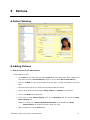
A. Patron Window
B. Adding Patrons
1. Add yourself as a new staff member.
To add a patron record:
•
Go to Show on the menu bar and choose Patrons from the drop-down menu. (TRICK: You
may also click on the Current Patron’s name or on the words, No Current Patron.)
•
Click on the Add (+) icon at the bottom of the left pane. A blank new patron record will
open.
•
Tab from field to field as you enter the information about this patron.
•
Use the drop-down menus to indicate Policy, Status, and Gender for the patron.
•
Click on the Notes tab to add notes.
•
If you wish to keep Patron History, click on the Statistics tab and check the Keep
Patron History box.
NOTE: You can use your Patrons System Preferences to set Alexandria to Keep
Patron History on all patrons if that is what you want.
•
When finished, click on the Save button.
Alexandria v6 Public Library Basic Training Manual
27
C. Modifying Patrons
2. Change Mitchell Miller’s phone number to 253-3534.
To modify a patron record:
•
Go to Show on the menu bar and choose Patrons from the drop-down menu.
•
Click on the Find icon (magnifying glass) at the bottom of the left pane or click on the
Actions icon (gear) and select Find. The window below will open.
•
Make certain that the Sort By drop-down menu is set to Last Name. Type in the Patron’s
last name and press <enter>. Then, select the desired patron from the list in the left pane.
•
Unlock the patron’s record by clicking on the Lock icon or by choosing Unlock Record
from the Patron menu.
•
Make changes to the patron’s record and click on the Save button.
D.Deleting Patrons
3. Delete yourself from your patron list.
To remove a patron record:
•
Go to Show on the menu bar and choose Patrons from the drop-down menu.
•
Locate the patron’s record.
•
Highlight the patron’s name in the left pane and click on the Remove (-) icon at the bottom
of the pane.
NOTE: If the patron has outstanding items or fines, a dialog box will open informing you
of this. Click on OK. Patrons cannot be removed if they have items checked out
or if they owe fines or charges. You must declare any items lost, forgive any
charges or fines and, then, you will be able to remove the patron.
28
Alexandria v6 Public Library Basic Training Manual
NOTES:
•
The only required fields for a patron record are Barcode, Last Name, Policy, Status, and
Gender.
•
Alexandria will fill in the User ID and Password using the patron’s last name as the Password and the barcode for the User ID.
Let’s Practice:
•
Add your favorite movie star as a patron.
•
Assign him/her to the Staff policy.
•
Include an Alert Note that indicates that the patron left a jacket in the library.
•
Go back into the patron record and remove the Alert Note.
•
Remove the patron.
Alexandria v6 Public Library Basic Training Manual
29
30
Alexandria v6 Public Library Basic Training Manual
6
Items
A. Item Window and Item Menu
B. Finding Items
1. Find The 7 Habits of Highly Effective Teens.
To find an item record:
•
Go to Show on the menu bar and choose Items from the drop-down menu.
Alexandria v6 Public Library Basic Training Manual
31
•
Click either the Find icon or the Actions icon at the bottom-left of the window.
dow below will open.
The win-
•
Enter your search information and click on Search in the bottom-right corner of the
Search window.
OR
•
Click on the Actions icon in the bottom-left corner of the window and select either
Advanced Title Search or Advanced Copy Search. Then, enter search text and click on
Search.
•
Your results will be listed in the left pane of the Items management window.
C. Title Assistant/MARC Search
First, you must go to System Preferences to set your MARC Search options and to select the
z39.50 servers that you want to search.
32
Alexandria v6 Public Library Basic Training Manual
To set MARC Search preferences:
•
Go to Edit on the menu bar and select System Preferences.
•
Click on z39.50 Services in the Network Services category of the System Preferences
window.
•
Set the Timeout drop-down menu to the amount of time you want. (5 seconds really is
sufficient!)
•
Set the Max Results drop-down menu to the desired number. (50 is usually more than
sufficient.)
•
If you are not going to be searching for non-book items, take the check mark out of that
box.
•
Click on Save in the upper-right corner of the window.
To select z39.50 addresses to search:
•
Go to Edit on the menu bar and select System Preferences.
Alexandria v6 Public Library Basic Training Manual
33
•
Click on the Address Books in the System Administration category of the System
Preferences, then click on Standard z39.50 Address Book in the left pane of the window.
•
Double click on the server you want to activate and the Edit Address window will open for
that z39.50 address.
•
Change the Availability to Available (will be seen also in Researcher) or Hide in
Researcher (only available for Title Assistant) using the drop-down menu and click on
OK.
•
Repeat the previous step until you have selected all the servers that you want. NOTE:
There is a limit of 20!!!
•
Click on Save in the upper-right corner of the window and close the System Preferences
window.
2. Add the book, Parallel Journeys by Eleanor H. Ayer with one copy.
To catalog using Title Assistant:
34
•
Go to Show on the menu bar and choose Items from the drop-down menu.
•
Click on the Add (+) icon.
Alexandria v6 Public Library Basic Training Manual
•
Enter the ISBN or Title and press <enter>.
Alexandria will search your own database first and show any potential matches. Look at
the titles shown and, if one is a match, highlight that title and click Add Copy to Found
Title.
If there are no matches in your database, Alexandria will go directly to MARC Search.
•
If none of the results from your database are matches, click the MARC Search Results
button.
•
Look at the results that are returned. Highlight the one that matches or best matches your
item and click on Save.
•
Add or modify the Call Number and select the proper Policy for the item from the Policy
drop-down menu.
•
Modify any fields that you wish to modify. When finished, click on the Save button in the
upper-right corner of the window.
Alexandria v6 Public Library Basic Training Manual
35
•
You will be asked if you want to add a copy. If so, click Yes and fill in the fields on the Copy
Information tab’s subtabs.
•
Add or modify the Call Number for and select the proper Policy for the copy if these are
different from the Title Call Number and the title’s Policy.
•
Click Save when finished on both the Copy Information tab and the Title Information
tab’s subtab.
•
When all copies have been added, click on Save in the upper-right corner of the Item window.
D.Cataloging a Website
3. You have found a wonderful website on Japanese-American internment camps that you
want to your database.
To catalog a website:
•
go to Show on the menu bar and select Items from the drop-down menu.
•
Click on the Actions (gear) icon at the bottom of the left pane and select New Record
(Manually) from the drop-down menu.
•
Enter the name of the website in the Title field, change the policy to Web and the medium
to URL.
•
Enter any other information that you desire on the Title Information subtabs (Publication, Subjects, Categories, Notes, and Summary).
•
Click on the Links tab and then click on the Add (+) icon at the bottom of this tab in the
right pane of the window.
•
In the URL Attachment Definition window, enter the name of the website in the URL
Name (Description) field and type or paste the URL in the URL Location field (http://
www.asianamericanmedia.org/jainternment.html). Then, click on OK.
•
Click on Save.
•
When asked if you want add a copy to the title, click on No.
E. Duplicating Copies or Titles.
To duplicate copies:
36
•
Open the item record in the Items management window.
•
Unlock the Item record.
•
Click on the Copy Information tab.
Alexandria v6 Public Library Basic Training Manual
•
Click on Actions icon at the bottom of the left pane and select Duplicate.
•
On the Duplicate window, Duplicate Copy should already be selected.
•
Fill in the Beginning Barcode field and / or enter the number of additional copies you wish
to add in the Number of Volumes field.
•
If duplicating copies, then check any of the boxes that you want to apply.
•
Click OK.
F. Assigning Keywords from Circulation (V)
The V command enables you to quickly and easily add an entry for the same subject, bibliography, curriculum to multiple items.
To assign keyword using the V command:
•
In the command line, type V <space> the letter code for the desired field (such as B for
Bibliography, C for Curriculum, etc.) <space> and the text you want entered in that field
(i. e. V B 8th Grade Summer Reading List 2010) and press <enter>.
•
Scan the barcodes of the items to have this keyword(s) assigned.
•
When finished, type a period (.) and press <enter>.
NOTE: Possible areas to use with this command are:
B — Bibliography
C — Curriculum
I — Interest/Reading Code
S — Subject
R — Study Program
P — Point Count
T — Test Number
H — Holding Code
Alexandria v6 Public Library Basic Training Manual
37
G. Importing Items from a Vendor File
To import item records from a vendor file:
Item records may be imported into Alexandria in MARC, MicroLIF, or tab-delimited formats.
•
Go to Tools on the menu bar and select Import. You may also drag the file from your
desktop on top of Alexandria.
•
Check the Archive First option checked on the Status tab.
•
Click on the Add (+) icon under the File field in order to add a file to the list. If you
dragged and dropped your file, then it should already be showing and you may skip the
next step.
•
Use the window that opens to find and select the file to be added.
click on Open to add it to the list.
•
Click on the Item Settings tab and set your selections for the options on this tab.
•
Click on Start under the File field to begin the item import.
Highlight the file, then
NOTES:
•
38
Minimum fields for an item are Title, Number of Non-filing Characters, Policy and
Medium. All fields except Title will have defaults supplied by the program. The only
required field for a copy added to a title is Barcode.
Alexandria v6 Public Library Basic Training Manual
•
The Title, Author and Series Editor Action (gear) icons are in the bottom-right corner of
the respective entry fields. Using these editors, you can easily enter multiple detailed fields
and add new tags to any item’s MARC record.
•
Clicking the + icon brings up a selection of additional types of title tags that can be added to
the item record.
•
Clicking the a icon brings up fields that can be added to the selected tag. A field can be
changed to another field designation by clicking on the letter of the subfield and typing the
desired field indicator.
•
The - icon removes a tag completely. Leaving a field blank removes that field when the
record is saved. The Q icon allows for quick entry of secondary authors and subject headings; however, use this only when entering information in the _a field.
•
On the Subjects tab and in the various editors, the Up and Down Arrow icons allow you
to move from field to field in each tag.
•
You cannot remove items that have copies checked out until they are declared lost or discarded.
•
Since the MARC record is very particular, it is not recommended for the novice cataloger to
use the MARC Editor when cataloging. All the fields on the simple Item management window are linked to specific MARC record tags. Modifying, adding or removing information
from the simple fields will change the MARC record. A basic rule-of-thumb is that if you
don’t know a 245 from a 600 from a 740, then you should not use the MARC Editor.
•
To learn more about MARC records, tags, and subfields, go to http://www.loc.gov/marc and
click on Bibliographic, then select the desired tag.
Alexandria v6 Public Library Basic Training Manual
39
40
Alexandria v6 Public Library Basic Training Manual
7
Researcher (OPAC)
A. Types of Search Interfaces
B. Search Filters
Alexandria v6 Public Library Basic Training Manual
41
C. Rules of Searching
The four rules of searching Alexandria are:
•
Put a period at the end of the search term. Remember that the “period/dot” command says
“I’m done, this is all I want, get me out of here.” Alexandria is a “begins with search.” Using
the period makes it an exact match search.
1. Search for “cat.”
•
If you can’t spell, use the Browse feature.
2. A student can’t spell civilization. Using Browse, enter civ.
3. Using Browse, search for “brown” -- All Words, Title, Author, etc.
•
Two words typed in the same search field is the equivalent of a Boolean AND search with
both words being exact match searches.
4. You want items about the Civil War.
•
If you are combining Boolean AND and OR searches, the term that has to go with all (the
AND search) goes last.
5. Search for items about Greek or Roman mythology.
To conduct a search:
42
•
Enter search term(s) in the Search field.
•
If you desire to use any filters, click on the Search Filters option and set the desired filters.
•
Click on the appropriate Find icon or just press <enter> to conduct an All Words search.
Alexandria v6 Public Library Basic Training Manual
D.Results Screen
a. Types of Results
b. Ordering Results
c. Results Filters
d. Printing Results
Alexandria v6 Public Library Basic Training Manual
43
e. Temp Basket
6. Search for dogs. Using the Search Results List, select the first 5 titles, then select every
other title from the remaining titles on the list. Add these items to the Temp Basket. Perform a new search for Cats and select 6 items to add to the Temp Basket.
To pick items for the Temp Basket, click, drag and drop on the Temp Basket. You may also click
Add to List in Full view or the Item Results window.
E. Item Record
F. Reviews
a. Preference Settings:
44
•
Go to Edit on the menu bar and select System Preferences.
•
Click on Security in the System Administration category.
•
Double click on a Security Level for which you want to set the ability to Add, Edit or
Remove reviews.
•
Set the Reviews drop-down menu as desired. Click on Save.
•
Repeat for all Security Levels.
•
Click on Show All button in the top-left corner of the window.
•
Click on Rules in the Circulation category.
Alexandria v6 Public Library Basic Training Manual
•
Click on the Rules tab and check the box for Enable Reviews if you wish to allow patrons
to review items.
•
Save and, then, exit System Preferences.
b. Patrons Management
•
Click on Show on the menu bar and select Patrons.
•
Note the check box in the lower-right corner, Can Review Items. if this option is checked,
then that patron can review items.
7. Darla Anderson wants to put a review on A Child Called It. Username: 1001 Password:
Anderson.
For a patron to add a review:
•
Patron must log in in the Researcher.
•
Perform search to locate title.
•
Click on “Stars”, then, click on Add Review.
•
Click on number of stars and fill in text for the review. Click on Submit.
Alexandria v6 Public Library Basic Training Manual
45
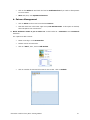
8. As the librarian, review Darla’s review and decide whether to accept it or reject it.
46
•
Log in as an operator in the Web Librarian. (Username: Alex
Password: Alex)
•
Click on the Alexandria symbol and select Review Management.
•
Unlock the Review Management window, select the review, click on the desired action.
•
Save.
Alexandria v6 Public Library Basic Training Manual
G. Researcher Preferences
NOTES:
•
You can move between fields on a Boolean search using the <tab> key.
•
You can change the Boolean operator for an And to an Or, And Not, or Through by clicking on the arrow in the field with the And operator and highlighting the operator of your
choice.
•
Use the Through operator to select a range of search terms such as authors starting with A
- AD or call numbers 500 - 525.
•
Holds and reservations may be made from the list in the Full Results view. When a Brief
Results view list is generated, holds and reservations must be done from the Item
Details window.
Alexandria v6 Public Library Basic Training Manual
47
48
Alexandria v6 Public Library Basic Training Manual
8
Reports
Reports are divided into groups and are accessed by clicking on Tools on the menu bar and
selecting Reports. On the Reports window, click on the category in the left frame which represents the type of report you want. Each category has subcategories that further group the possible report types.
Remember that reports print first to the screen, so you will waste no paper if the resulting
report is not exactly what you want.
To set up a report:
•
Go to Tools on the menu bar and select Reports.
•
Click on the appropriate category in the left frame that represents the type of report you
want.
•
Click on the arrow before the category to view the subcategories in the left frame and select
the one that is the best choice for the report you want to generate.
•
Click on the Name of the report in the main (right) frame.
•
If the Format drop-down menu appears for that report giving you a choice of formats,
select the desired one.
•
Select the Sort By option from that drop-down menu.
•
If you want to narrow the results, from the Select By drop-down menu, select the first
selection option. (If you are in a Central Union system, this should be Site, Library, or
School depending on which option is listed.)
•
If additional selection options are needed, click on the Add Selection button above the
Boolean List area. Set the Boolean Operator drop-down menu as desired and change
the Select By drop-down menu to your second selection choice. Repeat for as many selection options as you need for the report.
•
Click on Print in the bottom-right corner to print and the report will print to the screen in
PDF format. If you click upon the arrow after the Print, you may select to print the report
in VWP format which is an editable format. To print a hard copy of the report, go to File on
the menu bar and click on Print.
•
If the report generated meets your needs and you want to save it for use in the future, click
on the Create New Saved Report in the bottom-right corner of the window or click first
on the Overview tab if you want to mark it as a favorite before clicking the Create New
Saved Report button.
•
Click on OK.
NOTE: We will cover the other tabs in the Report window later in this chapter.
With over 15,000 possible reports, it’s impossible to talk about all of them. The reports highlighted
in this chapter are those we feel will have the most value to libraries.
Alexandria v6.20.2 Public Library Basic Training Manual
47
A. Special Reports
B. Patron Reports
Expired Patrons
48
Alexandria v6.20.2 Public Library Basic Training Manual
C. Items Reports
Weeding List
Barcode Labels
Alexandria v6.20.2 Public Library Basic Training Manual
49
Spine Labels
Reordering Details
50
Alexandria v6.20.2 Public Library Basic Training Manual
Top Circulated Items
Super Summary
Alexandria v6.20.2 Public Library Basic Training Manual
51
D.Circulation Reports
Circulation Letter with Summary
Email Notifications:
With the new feature in available starting with version 6.0.0 that allows you to schedule reports
and send them as email attachments. Setting up these reports to be sent out automatically
52
Alexandria v6.20.2 Public Library Basic Training Manual
makes management of overdue notifications or other reports so simple. Yes, it will take a little
bit of time initially, but the rewards will be endless.
•
After the initial report has been set up, go to the Schedule tab and fill in the date that you
want the report to run next, then, set the Time drop-down menus. We suggest that you set
this for a time of day early in the morning so that it will be there early in the morning when
patrons might check their email.
•
Set the Repeat drop-down menu to Daily.
•
Check the Send Email Notification box and fill in your email address in the field provided.
•
Click on the Overview tab and fill in a Name, Description and Notes (i.e. Weekly Overdue Emails). Check Favorite if you want the report as a favorite.
•
Click on Create New Saved Report, then, click on OK.
Alexandria v6.20.2 Public Library Basic Training Manual
53
E. Statistics Reports
Usage by Period
Usage by Item-Patron Policy
54
Alexandria v6.20.2 Public Library Basic Training Manual
NOTES
Alexandria v6.20.2 Public Library Basic Training Manual
55
9
Policies and Preferences
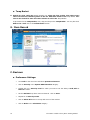
To access policies and preferences, choose Preferences from the Edit drop-down menu.
A. Site Information, Email, Security, Operators.
B. Policies (Patrons, Items, Exceptions) and Call Number
Policy Mapping
1. Set up a Patron Policy for adults from Murray city with a Policy Code of AMC.
To create a new policy:
•
Click on Edit on the menu bar and select System Preferences.
•
In the Circulations category, click on Policies. A Patron Policy is in the left pane and an
Item Policy is in the right pane. Use the drop-down menus at the top-left and top-right to
change to a different policy for that pane.
•
Click on the Add (+) icon at the bottom of the side to which you want to add a policy.
•
In the window that opens (Add Patron Policy or Add Item Policy)
Alexandria v6 Public Library Basic Training Manual
57
2.
•
Give the policy a Policy Name and a Policy Short code in the Policy Name field and the
Policy Short Code field and click on OK.
•
Work your way through each tab and the policy options on each tab making the selections
you want.
•
When finished, click on the Save button in the upper-right corner of the window.
Give those persons on Staff policy a 28 days transaction period for items on Fiction policy, but limit them to only 4 items on that policy.
To make exceptions to the policy for a particular policy:
58
•
Click on Edit on the menu bar and select System Preferences.
•
In the Circulations category, click on Policies. A Patron Policy is in the left pane and an
Item Policy is in the right pane. Use the drop-down menus at the top-left and top-right to
change to a different policy for that pane. Have the patron policy for which the exceptions
will be made showing in the left pane and an item policy to which exceptions will be made
for that patron policy group showing in the right pane. (i.e. Staff on Patron Policy side and
Fiction on the Item Policy side).
•
Click on the Exceptions button in the top-middle of the window. When it turns red, click on
the tab(s) and then the field(s) where you want to make the exception(s) and fill in the new
value.
Alexandria v6 Public Library Basic Training Manual
•
Click Save when finished with that patron-item policy combination. Then click on the
Exceptions button which should then turn yellow. An Alert icon will appear on the tab
where the exceptions have been made, but you will not be able to see the exception without having that tab in focus and clicking on the Exceptions button again. Then the field
with the red outline will mean that that is where the exception is and the exceptions value
is the one showing.
•
Repeat on all patron-item policy combinations until you have made all the exceptions that
you want.
To set call number mapping:
•
Go to Edit on the menu bar and select System Preferences.
•
Click on Cataloging in the Management category.
•
Click on the Policy Mapping tab
•
Click on the Add (+) icon in the bottom-left corner of the window.
•
Fill in the Starting With and Ending With fields with call numbers to represent the range
of the call numbers to be assigned to a certain policy
•
Fill in the Library/Site if you are in a Central Union system.
•
Select the appropriate policy from the drop-down menu at the bottom of the window.
•
Click on Save on the window.
•
Repeat until you have set all call number mappings that you want to set.
•
Click on Save on the System Preferences window.
C. Calendars
Alexandria v6 Public Library Basic Training Manual
59
1. On the Standard Calendar, for next year, close Sunday for the entire year and all holidays
for the year.
To set calendar closed days:
•
Go to Edit on the menu bar and select System Preferences.
•
In the Circulation category, click on Calendars.
•
If you have more than one calendar, select the correct one in the left pane.
•
To close the same day of the week for the whole year:
•
Change the Month drop-down menu to January and the Year drop-down menu to the
desired year.
•
Holding down the <Alt> (Windows) or <Alt/Option> (Macintosh) key, click on the
day label at the top of the calendar.
•
When asked if you want to close the day for the rest of the year, click on Yes.
•
To close consecutive days, click, hold and drag from the first date through the last date.
•
To close one day, click once on the desired date.
•
To set a Period Due Date, click twice on the date.
•
To clear a date, click through the cycle -- once closes the date, second click sets a
Period Due Date, third click clears the date.
•
Click on Save in the upper-right corner of the window to save changes.
D.Circulation Rules, Barcodes
E. Patrons, Items
F. Researcher
NOTES:
60
Alexandria v6 Public Library Basic Training Manual
10 Alexandria Quick Start Checklist
For those who have not set up Alexandria, the following is an ordered checklist of what to do in
the order you should do these things.
A. Install Alexandria
B. Import Items
C. Utilities
a. Set Archives Schedule
b. Set Rebuild Schedule
D.Set System Preferences
a. Site Information
b. Email
c. Security
d. Operators
e. Calendars
f. Policies (Patrons, Items, Exceptions) and Call Number Policy
Mapping
g. Circulation Rules, Barcodes
h. Patrons, Grades, Items
i. Researcher
E. Import Patrons
Alexandria v6 Public Library Basic Training Manual
61
F. Run Utilities
Remember, you must have your policies established before you can run the utility to change
items or patrons to a different policy.
a. Patron utility to put patrons on correct policies
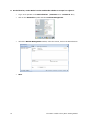
To change patrons to a new policy:
•
Go to Tools on the menu bar and select Utilities.
•
Click on the Patrons in the left frame and, then, click on the Saved tab in the main (right)
tab.
•
Click on Replace Information in the main (right) frame.
•
Set the Replace drop-down menu to Patron Policy, the With drop-down menu to the policy you want used for the selected items.
•
Set Select By drop-down menu to the desired criteria and fill in the Starting With and
Ending With fields with the appropriate information.
•
Click Run.
NOTE: Remember, if you are asked whether or not you want to Archive, the answer is always
Yes.
62
Alexandria v6 Public Library Basic Training Manual
b. Item utilities to put items on correct policies
To change items to a new policy:
•
Go to Tools on the menu bar and select Utilities.
•
Click on Copies in the left frame and, then, click on the Saved tab in the main (right)
frame.
•
Select Replace Information in the main (right) frame.
•
Set the Replace drop-down menu to Copy Policy, the With drop-down menu to the policy
you want used for the selected items. Leave the Modify drop-down menu set to Titles and
Copies.
•
Set Select By drop-down menu to the desired criteria and fill in the Starting With and
Ending With fields with the appropriate information.
•
Click Run.
NOTE: Remember, if you are asked whether or not you want to Archive, the answer is always
Yes.
G. Questions or Problems? — Call Tech Support
Tech Support is available 24 hours a day, 7 days a week, 365 days a year.
Just call 1-800-347-4942.
Alexandria v6 Public Library Basic Training Manual
63
NOTES:
64
Alexandria v6 Public Library Basic Training Manual