1
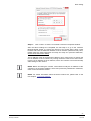
Camera settings Send HTTP notification Check this item, select the destination HTTP address, and specify the parameters for HTTP notifications. When the Tampering Alarm is triggered, the HTTP notifications can be sent to the specified HTTP server. For instance, if the custom parameter is set as “action=1&group=2”, and the HTTP server name is “http://192.168.0.10/admin.php”, the notification will be sent to HTTP server as “http://192.168.0.10/admin.php? action=1&group=2” when alarm is triggered. File Name Enter a file name in the blank, ex. image.jpg. The uploaded image’s file name format can be set in this section. Please select the one that meets the requirements. Add date/time suffix File name: imageYYMMDD_HHNNSS_XX.jpg Y: Year, M: Month, D: Day H: Hour, N: Minute, S: Second X: Sequence Number Add sequence number suffix (no maximum value) File name: imageXXXXXXX.jpg X: Sequence Number Add sequence number suffix up to # and then start over File Name: imageXX.jpg X: Sequence Number The file name suffix will end at the number being set. For example, if the setting is up to “10”, the file name will start from 00, end at 10, and then start all over again. Overwrite The original image in the FTP site will be overwritten by the new uploaded file with a static filename. Save Click on <Save> to save all the settings mentioned above. 51 Siemens AB Security Products 05.2014