1
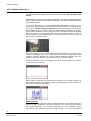
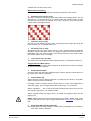
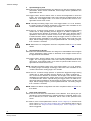
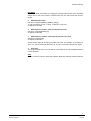
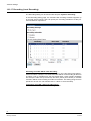
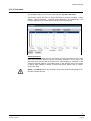
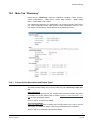
Camera settings 12.4.3 Video ROI The Video ROI setting can be found under this path: Streaming> Video ROI. ROI stands for Region of Interest. This function allows users to select specific monitoring region for H.264-2, H.264-3, H.264-4 and MJPEG streams, instead of showing the full image. NOTE: This function is only available when triple streams or above is selected under <Video Resolution> in Video Format setting. Video ROI Setting Enable H.264-2 ROI Setting Check the box and H.264-2 ROI Window will be displayed. To change the size of H.264-2 ROI Window, move the mouse cursor to the edge of the window and draw it outward / inward. Moving the mouse to the center of the ROI Window can shift the window to the intended location. Enable H.264-3 ROI Setting Check the box and H.264-3 ROI Window will be displayed. To change the size of H.264-3 ROI Window, move the mouse cursor to the edge of the window and draw it outward / inward. Moving the mouse to the center of the ROI Window can shift the window to the intended location. Enable H.264-4 ROI Setting Check the box and H.264-4 ROI Window will be displayed. To change the size of H.264-4 ROI Window, move the mouse cursor to the edge of the window and draw it outward / inward. Moving the mouse to the center of the ROI Window can shift the window to the intended location. NOTE: The H.264-4 ROI setting is only available when H.264 + H.264 + H.264 + H.264 is selected under <Video Resolution> in Video Format Setting. Enable MJPEG ROI Setting Check the box and MJPEG ROI Window will be displayed. To change the size of MJPEG ROI Window, move the mouse cursor to the edge of the window and draw it outward / inward. Moving the mouse to the center of the ROI Window can shift the window to the intended location. NOTE: The MJPEG ROI setting is only available when H.264 + H.264 + H.264 + MJPEG or H.264 + H.264 + MJPEG is selected under <Video Resolution> in Video Format setting. 12.4.4 Video OCX Protocol The Video OCX Protocol setting can be found under this path: Streaming> Video OCX Protocol. In the Video OCX protocol setting page, users can select RTP over UDP, RTP over RTSP (TCP), RTSP over HTTP or MJPEG over HTTP for streaming video over the network. In the case of multicast networking, users can select the Multicast mode. Click on <Save> to confirm the setting. Video OCX protocol setting options include: RTP over UDP / RTP over RTSP(TCP) / RTSP over HTTP / MJPEG over HTTP 62 Siemens AB Security Products 05.2014