1
Camera settings
12.5.7 WDR Function
The WDR Function setting can be found under this path: Camera> WDR Function.
The Wide Dynamic Range (WDR) function is for solving high contrast or changing
light issues so that enhances better video display. Different level options for WDR
include Low, Mid and Hi. Higher level of WDR represents wider dynamic range, so
that the IP Camera can catch a greater scale of brightness. Click on <√ > to confirm the new setting.
12.5.8 Noise Reduction
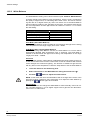
The Noise Reduction setting can be found under this path: Camera> Noise Reduction. .
The IP Camera provides multiple <Noise Reduction> options for delivering optimized image quality especially in extra low-light conditions.
Different level options for 3D Noise Reduction (3DNR) include Low, Mid and High.
Higher level of 3DNR generates relatively enhanced noise reduction.
The proprietary Smart Picture Quality (SPQ) video processing method could drastically minimum motion blur and reduce noise especially in low-light environment.
The combination of SPQ and 3DNR at different level further yields exceptional video performance in various conditions.
The Noise Reduction function is configurable with the following options: 3DNR Low,
3DNR Mid, 3DNR Hi, SPQ, SPQ + 3DNR Low, SPQ + 3DNR Mid, to SPQ + 3DNR
Hi.
Click on < √ > to confirm the new setting.
12.5.9 TV System
The TV System setting can be found under this path: Camera> TV System.
Select the video format that matches the present TV system. Click on < √ > to confirm the new setting.
12.6
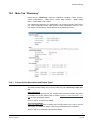
Main Tab “Logout”
Click on the tab <Logout> on the top of the page, and the login window will popup.
This enables login with another username.
69
Siemens AB
Security Products
05.2014