1
J.S. Software (1998) Inc.
Build Shelf Talker Batch Cont.
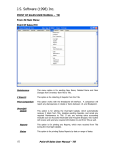
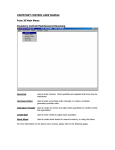
Batch By
Select Option from list to build batch by.
Starting
Select Starting range for your batch. If you selected Mixmatch in the Batch By
field, you would enter the Starting Mixmatch Group number here.
Ending
Select Ending range for your batch. If you selected Mixmatch in the Batch By
field, you would enter the Ending Mixmatch Group number here.
Once you have selected how to build your Shelf Talker Batch, click OK to save. System will
automatically build a batch of all items in the given ranges and generate an Edit List.
After reviewing the Shelf Talker Batch Edit List, you will be given the following options:
Cancel Shelf Talker Batch
Selecting this option will Cancel the Shelf Talker Batch you have
just built.
Save Shelf Talker Batch
Selecting this option will save the Shelf Talker Batch and allow
you to print the required talkers.
After selecting one of the above options, click OK. You will then be returned to the main Shelf
Talker Maintenance screen. If you chose to Save Shelf Talker Batch, you may now click on
Signs, or press F9 to print your Shelf Talkers.
Point Of Sales User Manual – Labels/Talkers
83