1
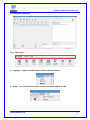
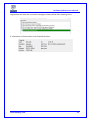
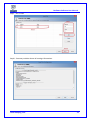
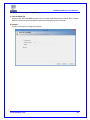
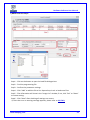
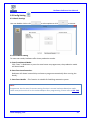
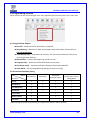
Dediware Software User Manual 6.2 Load Select icon Load to load the file intended for the programmer. According to different IC type, the file settings will divide into normal IC, eMMC and NAND Flash. 6.2.1 Normal IC Programming Settings User can load one or several files at the same time. File Format:The format of programming file. File Checksum:File checksum File Offset:Set the address to start loading to buffer File Path:Shows the path of programming file. Partition Name:If the IC has more than one memory that can be programmed, the partition names can be selected in this drop-down list. (e.g. IC has Flash and OTP memory and the partition name list will have these two options.) StartProgAddr:Select the file to programmer Buffer. When loading several files to the same partition, make sure that the memory address is set well to avoid covering the original date. ProgramLen:The file size. FillUnuseByte:Check the box to assign Unused Byte .The default value is 0xFF. Reset:Clear all programming files in the image list. Del:Delete the selected file in the image list. Add:Add the programming file to the image list. www.dediprog.com 14