1
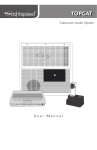
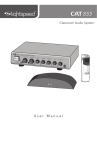
TOPCAT
Classroom Audio System
User Manual
IMPORTANT SAFETY INSTRUCTIONS
1.
Read these instructions.
2.
Keep these instructions.
3.
Heed all warnings.
4.
Follow all instructions.
5.
Do not use the apparatus near
water.
6.
Clean only with dry cloth.
7.
Do not block any ventilation
openings. Install in accordance
with the manufacturer’s
instructions.
8.
Do not install near any heat
sources such as radiators,
heat registers, stoves, or
other apparatus (including
amplifiers) that produce heat.
9.
Do not defeat the safety
purpose of the polarized
or grounding-type plug.
A polarized plug has two
blades with one wider than
the other. A grounding- type
plug has two blades and a
third grounding prong. The
wide blade or the third prong
is provided for your safety. If
the provided plug does not
fit into your outlet, consult an
electrician for replacement of
the obsolete outlet.
10. Protect the power cord
from being walked on or
pinched particularly at plugs,
convenience receptacles, and
the point where they exit from
the apparatus.
11. Only use attachments/
accessories specified by the
manufacturer.
2
12. Use only with a cart, stand,
tripod, bracket or table
specified by the manufacturer,
or sold with the apparatus.
When a cart is used, use
caution when moving the cart/
apparatus combination to
avoid injury from tip-over.
13. Unplug this apparatus during
lightning storms or when
unused for long periods of
time.
14. Refer all servicing to qualified
service personnel. Servicing is
required when the apparatus
has been damaged in any way,
such as power-supply cord or
plug is damaged, liquid has
been spilled or objects have
fallen into the apparatus, the
apparatus has been exposed
to rain or moisture, does not
operate normally, or has been
dropped.
15. When the mains plug or
appliance coupler is used as
the disconnect device, it shall
remain readily accessible.
16. Please keep the unit in a good
ventilation environment.
17. Warning: To reduce the risk of
fire or electric shock, do not
expose this apparatus to rain
or moisture.
18. Apparatus shall not be
exposed to dripping or
splashing and no objects
filled with liquids, such as
vases, shall be placed on the
apparatus.
IMPORTANT SAFETY INSTRUCTIONS CONT’D
To avoid potential equipment damage and/or serious injury, READ AND
FOLLOW all safety precautions when installing the TOPCAT. WARNINGS are
included throughout the procedural steps in this guide, and are repeated below
for emphasis.
• USE A LICENSED ELECTRICIAN FOR POWER CONNECTIONS. The
TOPCAT system uses standard 100 – 240VAC power. Obtain the services of
a licensed electrician when supplying and connecting power to the ceiling
enclosure. BE SURE electrical installation complies with local building
codes. Improperly installing and/or connecting power to the system may
result in EQUIPMENT DAMAGE, serious INJURY and/or DEATH.
• DO NOT INSTALL ALONE. The ceiling enclosure weighs approximately 20
lbs (9 kg), and requires at least two people to install. DO NOT install alone.
• USE SUITABLE LADDERS. use proper ladders or support platforms when
installing the TOPCAT enclosure. DO NOT stand on chairs, tables, or other
unsuitable surfaces.
• SUPPORT THE CEILING ENCLOSURE PROPERLY. DO NOT allow the
full weight of the ceiling enclosure to rest on the tile grid of the ceiling.
The ceiling enclosure is designed to be suspended at TWO POINTS by
suspension wires (secured to rafters or other suitable building structure) and
to rest LIGHTLY on the tile grid.
3
TABLE OF CONTENTS
SECTION 1:
Overview
2
6
7
9
10
12
13
SECTION 2:
Daily Operation
SECTION 3:
Daily Operation
14
15
16
17
18
19
20
21
22
22
23
24
SECTION 4:
Troubleshooting
SECTION 5:
Warranty, Safety
& Specifications
Important Safety Instructions
System Components and Unpacking
Optional Components
Controls & Connections
TOPCAT Side Panel
Media Connector
REDMIKE VC
Cradle Charger
1.Turn the System On
2.Operating the REDMIKE VC
3.Charging the REDMIKE VC
4.Using the Media Connector
5.Audio Integration
6.Tips to Obtain Optimum Audio
Performance
REDMIKE Share
Controls & Connectios
Charging
Initial Set-up
PageFirst Interface
Amplifying External Audio Equipment
Output to Assistive Listening Device (ALD)
25
26
Common Problems and Solutions
TOPCAT and Media Connector Registration
27
Set-up and Operation of the REDMIKE VC
and TOPCAT
28
29
30
31
32
Five-Year Limited Warranty
Safety Warnings & Certifications
Précautions de Sécurité et Certifications
Declarations of Conformity
System Specifications
5. Warranty, Safety
& Specifications
OVERVIEW
SYSTEM COMPONENTS AND UNPACKING
The standard configuration of the TOPCAT® will contain:
3. Optional
Accessories
4. Troubleshooting
SECTION 1:
1. Overview
2. Daily Operation
TOPCAT
Media Connector
and Power Supply
Cradle Charger and
Power Supply
REDMIKE® VC
Volume Control
Microphone
6
Hardware for optional
wall-mounting of
Media Connector
and ISR
OPTIONAL COMPONENTS
Optional equipment which may be part of your TOPCAT system:
REDMIKE® Share
Handheld Mic &
Charger Cable
5. Warranty, Safety
& Specifications
4. Troubleshooting
3. Optional
Accessories
Audio Cable Kit
2. Daily Operation
CONT’D
1. Overview
SYSTEM COMPONENTS AND UNPACKING
DC Extension Cable
7
5. Warranty, Safety
& Specifications
4. Troubleshooting
3. Optional
Accessories
2. Daily Operation
1. Overview
8
SYSTEM COMPONENTS
Equipment which may be part of your TOPCAT:
Standard Components (U.S. and Canada)
TC
TOPCAT all-in-one ceiling mount system
24V-2.5-NA
24V/2.5A power supply for TOPCAT
RMV
REDMIKE VC microphone with battery
NH2A27
AA NiMH rechargeable sensing battery for REDMIKE
AC-RMLC2
REDMIKE lavaliere cord
RMCC
REDMIKE cradle charger
5V-1.0-NA
5V/1.0A power supply
MC
Media Connector with power supply
MSC3535
3.5mm to 3.5mm stereo audio cable
CA-AD-RCA2-35
Dual RCA jack – 3.5mm stereo plug adapter
Standard Components (Outside U.S. and Canada)
TC-1881
TOPCAT all-in-one ceiling mount system
24V-2.5-__
24V/2.5A power supply for TOPCAT (specify country)
RMV
REDMIKE VC microphone with battery
NH2A27
AA NiMH rechargeable sensing battery for REDMIKE
AC-RMLC2
REDMIKE lavaliere cord
RMCC-INT
REDMIKE cradle charger (universal plug attachments)
5V-1.0-INT
5V/1.0A power supply (universal plug attachments)
MC-1881
Media Connector with power supply
MSC3535
3.5mm to 3.5mm stereo audio cable
CA-AD-RCA2-35
Dual RCA jack – 3.5mm stereo plug adapter
Optional Accessories
RMS
REDMIKE Share handheld microphone w/battery pack
NH2APK
AA Rechargeable battery (REDMIKE Share)
TK250M
Noise-canceling headset microphone
TCC7
Charging cable for REDMIKE Share
RCA6
6’ dual RCA audio cable
RCA24
24’ dual RCA audio cable
MMC2535
Audio patch cable (2.5 mm mono to 3.5 mm mono)
DCPEX-__
50’ plenum rated DC Power cable kit (specify country)
SIDE VIEW
3. Optional
Accessories
2. CH B VOLUME: Controls the
volume level for microphone set
to channel B. It is preset at the
factory to its 11 o’clock position.
Turn clockwise to increase volume
or counter clockwise to decrease
volume.
2. Daily Operation
3. AUX POWER INPUT
CONNECTOR (OPTIONAL):
For use during installations where
AC power is not available in the
ceiling. Accepts 24VDC, 2.5A
connector from an external power
supply.
1. Overview
4. PAGEFIRST INPUT AND ADJUST:
Connect the input from optional
PageFirst sensor when interfacing
with the building’s paging system.
Use the ADJ control to adjust the
sensitivity if needed.
3
2
1
Paging
Input
Microphone
ADJ CH B CH A Registration
4
24V 2.5A
5. REGISTRATION BUTTON: This
button is used to synchronize
the TOPCAT with the Media
Connector.
5. Warranty, Safety
& Specifications
1. CH A VOLUME: Controls the
volume level for microphone set
to channel A. It is preset at the
factory to its 11 o’clock position.
Turn clockwise to increase volume
or counter clockwise to decrease
volume.
4. Troubleshooting
TOPCAT SIDE PANEL CONTROLS AND
CONNECTIONS
5
9
5. Warranty, Safety
& Specifications
4. Troubleshooting
MEDIA CONNECTOR CONTROLS
AND CONNECTIONS
AUDIO
1
AUDIO
2
AUDIO
3
1.0A
1
2
1. Overview
2. Daily Operation
3. Optional
Accessories
5V
1. POWER CABLE INPUT: Plug the
power supply (5V/1.0A) into this
jack.
2. FOUR AUDIO INPUTS: Connect
standard audio devices to any
of the 3.5mm stereo inputs. A
provided cable allows connectivity
to RCA stereo outputs common on
DVD players and televisions
3. VOLUME CONTROL: Controls
the output volume of the media
connector.
10
AUDIO
4
AUDIO
IN
VOLUME
4
3. Optional
Accessories
4. Troubleshooting
5. Warranty, Safety
& Specifications
MEDIA CONNECTOR CONTROLS
AND CONNECTIONS CONT’D
2
7
2
RA
TI
D
ST
AL
3
4
1. SYSTEM POWER SWITCH:
System power is turned on or off
with this pushbutton. When power
is on, the blue power LED lights.
4. ALD AUDIO VOLUME
CONTROL: Adjusts the audio
signal level output through the
ALD audio output connector.
2. REGISTRATION PUSHBUTTON:
Pushing the registration button in
conjunction with the registration
button on the TOPCAT module
will cause the two modules to
synchronize as an operating
system. Refer to the Registration
Procedure in this manual.
5. RF LINK LED: This LED is lit
anytime the RF link is established
between Media Connector and the
TOPCAT. This LED will glow green
while the system modules remain
linked.
3. ALD AUDIO OUTPUT: 3.5mm
stereo jack sends audio signal
to external equipment such as a
recorder or an assistive listening
device like Lightspeed’s 370
Personal FM System.
2. Daily Operation
2
6
1. Overview
2
5
GI
RI
PA
I
W
PO
1
RE
ER
NG
O
N
LINK REGISTR POWER
6. REGISTRATION LED: The amber
LED blinks when a link is being
established. The registration LED
goes out and the link LED is solid
green when the link is established.
7. POWER LED: This LED glows blue
when the system is powered on.
11
1
4
Slide battery door o
p
Remove tab before en
us e
5. Warranty, Safety
& Specifications
4. Troubleshooting
REDMIKE VC (Volume Control) CONTROLS
AND CONNECTIONS
5
3. Optional
Accessories
6
2
7
2. Daily Operation
3
1. Overview
8
1. POWER/MUTE BUTTON
2. POWER/LOW BATTERY
INDICATOR: A blue light
indicates the REDMIKE VC is on
and fully charged. A red light
indicates a charge is needed.
3. BATTERY COMPARTMENT: To
open, slide the door downward.
The battery should only be
replaced by a Lightspeed AA
rechargeable sensing battery (part
#NH2A27).
4. YELLOW PROTECTIVE TAB:
Slide the battery compartment
door and remove this disposable
protective tab before use.
5. AUDIO/MICROPHONE INPUT:
Use this input to plug in a laptop,
MP3 player or other audio
12
source to wirelessly transmit
audio to be played through the
system. Alternatively, an external
microphone can be connected.
6. CHANNEL SELECT SWITCH (CH
A/B): Use this to choose channel
A or B. If you are using a single
microphone, we recommend using
channel A.
7. VOLUME CONTROLS (UP DOWN)
8. CHARGER CONTACTS (+ -):
These contacts interface with the
charging tabs when the REDMIKE
VC is placed in the RMCC cradle
charger.
2
3
1. CHARGE INDICATORS: The light
glows red while the REDMIKE is
charging. When fully charged, the
light will glow green. A blinking
red light indicates that no battery
is sensed, (REDMIKE Yellow
Protective Tab may not have been
completely removed—see page
12, item 4.) A blinking green LED
means a non-Lightspeed battery
has been installed (possibly an
alkaline battery).
2. DC POWER PORT: Connect the
DC power cord here.
1. Overview
1
2. Daily Operation
3. Optional
Accessories
4. Troubleshooting
5. Warranty, Safety
& Specifications
CRADLE CHARGER CONTROLS AND
CONNECTIONS
3. OPTIONAL CHARGING PORT:
Plug the charging cord for
the optional REDMIKE Share
microphone here.
13
DAILY
OPERATION
1. Overview
2. Daily Operation
3. Optional
Accessories
4. Troubleshooting
5. Warranty, Safety
& Specifications
SECTION 2:
1. TURN THE SYSTEM ON
Press the POWER button on the Media Connector. The blue LED will glow.
NOTE: since the TOPCAT is mounted in the ceiling, the Media Connector is used
to remotely power the system on and off.
14
AL
D
G
IN
IS
TR
AT
IO
RE
G
PA
IR
PO
W
ER
N
LINK REGISTR POWER
3. Slip the REDMIKE VC with lanyard
around the neck and position the
top of the microphone just below
the collarbone. NOTE: Positioning
of the REDMIKE VC is critical for
proper volume adjustment.
4. Speak using a conversational level
and TOPCAT will evenly distribute
your voice throughout the room.
5. The TOPCAT has been set-up to
provide optimum volume level
during installation.
REMEMBER: This equipment
supplements the user’s voice
so they are able to speak in a
conversational tone. Having the
volume set too high will result in
feedback and listener fatigue.
5. Warranty, Safety
& Specifications
4. Troubleshooting
2. Remove the REDMIKE VC from the
cradle charger and turn it on.
3. Optional
Accessories
1. Ensure the REDMIKE VC is fully
charged. The charger LED will
glow green.
2. Daily Operation
2. OPERATING THE REDMIKE VC
NOTE: the REDMIKE VC has 4
volume levels up and 4 levels
down from the mid point (9 levels
total).
1. Overview
6. To fine-tune the volume, use the
up/down buttons on the back of
the REDMIKE VC.
7. If a second REDMIKE VC was
purchased, repeat these steps.
This microphone will be marked
with a “CH. B” sticker on the back,
indicating it is preset to channel B.
8. To use the REDMIKE VC as
a handheld pass-around
microphone:
a. unclip the lanyard,
b. hold the lower portion of the
microphone,
c. ensure the IR emitter is facing
outward,
d. position the top of the
microphone at about
collarbone height.
15
5. Warranty, Safety
& Specifications
4. Troubleshooting
Before use, the REDMIKE VC should be charged. It will take 8-9 hours for the
REDMIKE VC to obtain a full charge. A fully charged REDMIKE VC will last for
over 7 hours of use. If microphones are used daily, they should be kept in the
cradle – microphones can be left in a cradle charger constantly for up to 2 weeks
without causing degradation to battery life.
A red light on the charging cradle indicates the REDMIKE VC is charging.
A green light indicates that charging is complete and a full charge has
been reached. A blinking light indicates a charging or sensing error. See
Troubleshooting section for more information.
REDMIKE VC incorporates alkaline protection into the microphone design.
Always use a Lightspeed rechargeable sensing battery. Replacement AA NiMH
batteries may only be purchased through Lightspeed Technologies (part #
NH2A27).
1. Plug power cord into the cradle
charger and then plug the AC end
into an electrical outlet.
1. Overview
2. Daily Operation
3. Optional
Accessories
3. CHARGING THE REDMIKE VC
2. Place the REDMIKE VC into the
cradle. The LED on the cradle
will glow red indicating charging
has started. When the REDMIKE
VC is fully charged, the LED on
the cradle charger will change to
green.
16
The Media Connector can be used as the primary volume control for the audio
sources you’ve connected.
1. Connect the audio source(s) to the Media Connector using the 3.5mm cables
provided.
2. Set the audio source volume
to provide sound through the
TOPCAT.
AUDIO
1
5V
1.0A
AUDIO
2
USB
POWER
AUDIO
3
AUDIO
4
AUDIO
IN
VOLUME
3. Optional
Accessories
3. Use the Media Connector volume
control to increase or decrease
the sound level.
5. Warranty, Safety
& Specifications
(For setup instructions, refer to the installation guide)
4. Troubleshooting
4. USING THE MEDIA CONNECTOR
1. Connect the multimedia audio sources to the Media Connector using the
3.5mm cables provided.
2. Set the master volume control on the Media Connector to its center position.
3. Turn on an audio source that does not have an accessible audio level control.
(DVD, VCR player)
1. Overview
Use the Media Connector as the master audio volume control for the classroom.
When two or more audio sources are connected, you will need to normalize
volume settings by setting all connected audio sources to the same sound level
while leaving the Media Connector volume control set to its center setting. The
Media Connector is an audio mixer using a master volume control to adjust the
volume of all audio sources at once. Use the following procedure to set audio
source volumes:
2. Daily Operation
NORMALIZING AUDIO SOURCE VOLUME LEVELS
4. Adjust the Media Connector master volume control so the audio level playing
through the speaker is appropriate for the classroom.
5. Turn off the first audio source.
6. Turn on the second audio source. Use its volume control to balance the audio
output to the same audio level played through the speaker as the first source.
7. Repeat steps 5 and 6 for the remaining audio sources.
8. Now, the Media Connector’s master volume can be used to increase or
decrease the volume level for all audio sources as desired.
17
5. Warranty, Safety
& Specifications
The Media Connector is designed to integrate multiple audio sources quickly
and easily.
TOPCAT
2. Daily Operation
3. Optional
Accessories
4. Troubleshooting
5. AUDIO INTEGRATION
AUDIO
1
1. Overview
5V
18
1.0A
AUDIO
2
AUDIO
3
AUDIO
4
AUDIO
IN
VOLUME
5. Warranty, Safety
& Specifications
• Speak in a natural voice. A normal
conversational speech level will
provide an adequate signal.
It is not necessary to increase
the intensity of your voice—the
audio system provides adequate
amplification (approximately 5 – 10
dB) above ambient room noises.
4. Troubleshooting
6. TIPS TO OBTAIN OPTIMUM AUDIO
PERFORMANCE
2. Daily Operation
• Recharge microphone(s) each
night. When recharged nightly,
the microphone will last through a
typical school day.
1. Overview
• Turn the REDMIKE VC off during
private conversations with a
student, parent, or other classroom
visitor. You can also cover the LED
lens on top of the REDMIKE VC to
block the signal.
3. Optional
Accessories
• Avoid wearing jewelry that may rub
or bump against the microphone.
19
5. Warranty, Safety
& Specifications
OPTIONAL
ACCESSORIES
REDMIKE SHARE: CONTROLS AND
CONNECTIONS
3. Optional
Accessories
4. Troubleshooting
SECTION 3:
3
1
4
1. Overview
2. Daily Operation
2
5
1. POWER SWITCH: slide switch up
for on and down for off.
audio signal to be played through
the system.
2. POWER/CHARGE INDICATOR:
this light glows blue when turned
on and turns off to indicate low
battery level. When charging, the
light glows red.
4. CHANNEL SELECT SWITCH
(CH A/B): Located in the battery
compartment, this switch is set to
channel B at the factory.
3. AUDIO INPUT: plug a laptop, MP3
player or other audio device into
this jack to wirelessly transmit the
20
5. CHARGER INPUT: Plug the
charging cable from the REDMIKE
cradle charger into this jack.
1. Ensure that the REDMIKE Share is
turned off.
4. The LED on the microphone will
glow red to indicate charging.
2. Make sure the cradle charger
is plugged into a wall outlet.
Connect one end of the charging
cable into the jack labeled
CHARGER on the bottom of the
REDMIKE Share.
5. Leave the REDMIKE Share
plugged in overnight (8-10 hours)
to obtain a full charge.
6. When charging is complete, the
LED will blink red.
5. Warranty, Safety
& Specifications
4. Troubleshooting
Before use, the REDMIKE Share should be charged. It will take 8-10 hours for
the REDMIKE Share to obtain a full charge. A fully charged REDMIKE Share
will last for over 7 hours of use. If the microphone is used daily, it should be
kept plugged into the charging cradle - REDMIKE Share can be left connected
to a cradle charger for up two weeks without causing degradation to battery
life.
3. Optional
Accessories
REDMIKE SHARE: CHARGING
1. Overview
2. Daily Operation
3. Plug the other end into the
charging jack on the back of the
cradle charger.
21
5. Warranty, Safety
& Specifications
4. Troubleshooting
3. Optional
Accessories
2. Daily Operation
1. Overview
REDMIKE SHARE: INITIAL SET-UP
1. Ensure the TOPCAT is on. The
blue LED on the Media Connector
will glow.
2. Turn on the REDMIKE Share
by sliding the switch to the up
position.
3. Grip the barrel in the center
section. Avoid covering the
infrared emitters just below the
microphone grille. This could
interrupt signal transmission.
4. Use a flat blade screwdriver
to slowly adjust the channel B
volume on the TOPCAT so that
the user can barely hear their
own voice while speaking into the
microphone.
REMEMBER: This equipment is designed to supplement and distribute the user’s
voice so they are able to speak in a conversational tone. Having the volume set
too high will result in feedback and listener fatigue.
PAGEFIRST INTERFACE
This optional feature interfaces with an independent classroom paging system.
When the page is broadcast, all audio from the system is muted, ensuring
important and even emergency school-wide messages are never missed.
How it works:
1. PageFirst sensor clip is
hung around the lead wires
attached to the classroom
paging speaker.
4. When the page is over, the
audio from the TOPCAT
returns to normal volume
level.
(For full installation details, refer to the TOPCAT Installation Guide.)
22
Paging
Input
Microphone
ADJ CH B CH A Registration
3. As a page is broadcast, the
sensor clip detects the audio
signal through induction
and immediately mutes the
TOPCAT.
24V 2.5A
2. The clip is connected to the
TOPCAT.
If your system includes two REDMIKE VCs, we recommend using channel B
(student mike) to amplify the external audio equipment so the teacher’s volume
on the channel A (teacher mike) does not have to be adjusted.
2. Plug your external audio equipment
(for example, laptop), into the input
on the REDMIKE VC labeled “INPUT”
using a 3.5mm patch cable.
AUDIO
OUTPUT
AUDIO
INPUT
1. Overview
1. Adjust the volume of your laptop
or MP3 device to about 25% of
maximum.
2. Daily Operation
3. Optional
Accessories
To determine which REDMIKE VC is set to channel B, you can look at the label or
switch on the back of the microphone.
5. Warranty, Safety
& Specifications
The REDMIKE VC includes a 3.5mm audio input jack to connect to an audio
source like a laptop or MP3 player. The REDMIKE VC will transmit the audio
signal to be played through the system.
4. Troubleshooting
USING THE REDMIKE VC TO AMPLIFY
EXTERNAL AUDIO EQUIPMENT
2. Adjust the volume of the REDMIKE
VC or audio source to achieve desired
loudness.
NOTE: turning up the volume too
high on the audio source can cause
excessive distortion in the audio.
23
5. Warranty, Safety
& Specifications
4. Troubleshooting
1. Turn the ALD (Assistive Listening
Device) volume control on the
Media Connector front panel all
way the down.
2. Determine the size and type of
audio input jack on the device as
many manufacturers’ products
differ in connector size and shape.
The Lightspeed 370 Personal FM
System requires a 3.5mm to 3.5mm
patch cable (part# MMC3535).
4. With the TOPCAT and ALD turned
on, speak into the REDMIKE VC
and slowly adjust the ALD
volume control on the Media
Connector until the appropriate
audio level is attained in the ALD’s
receiver headphones.
5. It may be necessary to adjust
the volume on the Personal FM
receiver to achieve appropriate
volume level.
3. Connect a patch cable from the
ALD’s microphone jack or AUX
input to the 3.5mm audio jack
labeled “ALD OUT” on the front of
the Media Connector.
1. Overview
2. Daily Operation
3. Optional
Accessories
OUTPUT TO ASSISTIVE LISTENING
DEVICE (ALD)
D
AL
G
TR
IN
GIS
RE
PA
IR
PO
W
ER
AT
IO
N
LINK REGISTR POWER
ALD Receiver
ALD Transmitter
24
ALL PROBLEMS: most problems are
related to low battery power.
SOLUTION: battery check
• Confirm the Power LED is blue.
• Confirm batteries are charged
each night.
PROBLEM: low volume or feedback
SOLUTION: follow these steps to
eliminate low volume or feedback.
• Ensure microphone is positioned
appropriately, just below the collar
bone.
• Confirm proper batteries are used.
The REDMIKE VC requires the
Lightspeed NH2A27 rechargeable
sensing battery for proper
charging. The REDMIKE Share
uses the NH2APK rechargeable
battery pack.
• Check volume level on the
REDMIKE VC. If the volume is too
high, feedback will occur. Adjust
accordingly.
• Make sure the microphones are
turned off while charging so a full
charge is attained. Full charge will
last eight hours.
• Turn the Media Connector on.
Confirm that the POWER light
located on the top panel switch
is on.
• Inspect the battery contacts. Clean
and adjust if necessary.
• Confirm signal is being received
at the ISR on the TOPCAT. The IR
signal light will be red (green for
channel B) indicating a signal is
being received.
PROBLEM: hearing static
SOLUTION: follow these steps to
eliminate static.
PROBLEM: no sound from speaker
SOLUTION: Follow these steps to
produce sound from speakers.
• Ensure sensor is in optimum
location (refer to sensor placement
in Installation Guide). A single
sensor will cover a 1600 sq. ft. (150
sq. meters) enclosed classroom
with a ceiling height of 12 ft. (3.5
m) or less.
• Confirm that REDMIKE VC is
turned on. There will be a blue
LED on the microphone to indicate
it is powered on.
• Ensure that no other REDMIKE
VC/REDMIKE Share is operating
on the same channel. Check the
channel switch setting on the
back of the REDMIKE VC or in
the battery compartment of the
REDMIKE Share.
• Ensure that TOPCAT is not
installed too close to ceiling light
fixtures.
5. Warranty, Safety
& Specifications
4. Troubleshooting
Note: Most problems are directly related to low battery power. Please run
through the “Battery Check” items first. For remaining troubleshooting, use
known good, fully-charged batteries.
3. Optional
Accessories
COMMON PROBLEMS AND SOLUTIONS
2. Daily Operation
TROUBLESHOOTING
1. Overview
SECTION 4:
PROBLEM: drop out
SOLUTION: follow these steps to
eliminate drop out.
• If using PageFirst feature, decrease
sensitivity to approximately 8:00.
If you review these instructions and still have questions, write down the
serial number and model number of your system and call Lightspeed
Technical Services at 800.732.8999, 5 a.m. – 5 p.m., PST. Customers outside
of the U.S. should contact their local reseller.
25
5. Warranty, Safety
& Specifications
4. Troubleshooting
3. Optional
Accessories
The TOPCAT and Media Connector must be registered or synchronized with
each other before they will operate together. (These components come
pre-registered from the factory.) On occasion, one of these modules may be
replaced so the registration process will be needed.
Use the following table to determine if your TOPCAT and Media Connector are
registered.
MC Power
MC LINK LED
Status
OFF
All LEDs Off
Turn MC Power on Blue
LED is LIT
ON/
Blinking Green
Not Linked - Needs to be
registered
Continuous Green
Linked to TOPCAT
Unregistered
ON
NOTE: If the link LED on the Media Connector is continuous green, the
following procedure does not need to be done.
To register TOPCAT with its Media Connector:
1. Locate the registration buttons on the TOPCAT and Media Connector.
TOPCAT
24V 2.5A
1. Overview
2. Daily Operation
TOPCAT AND MEDIA CONNECTOR
REGISTRATION
Paging
Input
Microphone
ADJ CH B CH A Registration
Registration Buttons
Media Connector
2. Start the procedure by pushing
the registration button on the
TOPCAT. An amber LED will light.
You will have 20 seconds to push the
corresponding registration button
on the Media Connector.
3. Push the registration button on the
Media Connector. The amber LED
will begin to blink. When registration
is complete, the link LED will glow
green and the amber LED will go off.
26
NOTE: If after pushing the
Registration button on TOPCAT the
corresponding button on the Media
Connector is not pushed within 20
sec., the amber LED will go from
a slow blinking to a fast blinking.
This means the registration process
has timed out. Wait until the amber
LED stops blinking to start the
registration again.
2. Remove the REDMIKE VC from the
cradle charger and turn it on.
3. Slip the REDMIKE VC with lanyard
around the neck and position the
top of the microphone just below
the collarbone. NOTE: Positioning
of the REDMIKE VC is critical for
proper volume adjustment.
4. Set the REDMIKE VC volume to
its midpoint. Push the up arrow
button 9 times followed by
pushing the down arrow button 4
times. The REDMIKE VC is at its
midpoint.
5. Use a flat blade screwdriver to
slowly adjust the volume of the
corresponding channel (A or B) on
the TOPCAT so that the user can
barely hear their own voice while
speaking into the microphone.
Each REDMIKE VC has its channel
pre-set to either A or B, as
indicated on the back of the Mic.
REMEMBER: This equipment
supplements the user’s voice
so they are able to speak in a
conversational tone. Having the
volume set too high will result in
feedback and listener fatigue.
6. Once initial volume level is set,
walk around the room and listen
for audio dropout and overall
audio quality.
7. The teacher can now use the
controls on the REDMIKE VC
to adjust the volume level from
anywhere in the room. The
microphone volume control has 4
steps up and 4 steps down from
the mid point (9 levels total).
8. If a second REDMIKE VC was
purchased, repeat steps 2-5.
5. Warranty, Safety
& Specifications
1. Overview
1. Turn the TOPCAT power on. The
blue LED on the Media Connector
will glow.
4. Troubleshooting
NOTE: This procedure is easier with two people.
3. Optional
Accessories
Once the REDMIKE is charged, follow these steps to set it up for use.
2. Daily Operation
SETUP AND OPERATION OF THE
REDMIKE VC AND TOPCAT
24V 2.5A
24V 2.5A
Paging
Input
Microphone
ADJ CH B CH A Registration
Paging
Input
Microphone
ADJ CH B CH A Registration
27
5. Warranty, Safety
& Specifications
4. Troubleshooting
3. Optional
Accessories
2. Daily Operation
SECTION 5:
WARRANTY, SAFETY &
SPECIFICATIONS
FIVE-YEAR LIMITED WARRANTY
Lightspeed Classroom Audio Systems are guaranteed against malfunction due to
defects in materials and workmanship for a period of FIVE (5) YEARS, beginning
at the date of the purchase invoice. If such malfunction occurs, the product
will be repaired or replaced (at Lightspeed’s option) without charge during the
warranty period.
Lightspeed’s Warranty Exchange Program applies to all infrared systems within
the five (5) year warranty period. If an infrared product or component has an issue
that requires service, a refurbished replacement will immediately be sent to the
customer to minimize downtime. Customers will receive the exchange product(s)
or component(s) within 2-3 days. A prepaid return label will be included with
exchanged products so original malfunctioned equipment can be returned to
Lightspeed. Any exchanged equipment will remain covered under the original
five (5) year warranty.
1. Warranty on infrared microphones is FIVE (5) YEARS.
1. Overview
2. Warranty on Lightspeed NiMH rechargeable batteries is one (1) year.
3. Prepaid shipping label provided by Lightspeed for warranty repairs within the
U.S. Customers outside the U.S. should contact their local reseller for warranty
repair instructions.
4. Warranty does not extend to finish, appearance items, or malfunctions due
to abuse or operation other than specified conditions, nor does it extend
to incidental or consequential damages. Repair by other than Lightspeed
or its authorized service agencies will void this guarantee. Information on
authorized service agencies is available from Lightspeed Technologies, Inc.
Our Service Department (800.732.8999, 5 a.m. – 5 p.m., PST) will handle all your
repair/replacement needs. Customers outside the U.S. should contact their local
reseller for service repair/replacement needs.
28
USE A LIGHTSPEED
SUPPLIED BATTERY ONLY
5. Warranty, Safety
& Specifications
!
4. Troubleshooting
SAFETY WARNINGS AND CERTIFICATIONS
CAUTION
CERTIFICATIONS
3. Optional
Accessories
RISK OF ELECTRICAL SHOCK
DO NOT OPEN
Lightspeed Technologies launched a formal product recycle
program in Europe that complies with the European Union
Directive 2002/96/EC on Waste Electrical and Electronic
Equipment (“WEEE Directive”). Please visit our website at
www.Lightspeed-tek.com for contact information.
This product is manufactured using lead-free processes and is
free of other materials harmful to the environment. It conforms
to the most stringent new European guidelines for consumer
products (RoHS).
1. Overview
This product conforms with the essential requirements of the
following European Union Directives: 89/336/EEC, 92/31/EEC,
93/68/EED, and 2004/108/EC Electromagnetic Compatibility
Directives.
2. Daily Operation
This product is listed to UL standards and requirements for
electrical safety by Underwriters Laboratories Inc.
This device complies with part 15 of the FCC Rules. Operation is subject to the following two conditions: (1) This
device may not cause harmful interference, and (2) this device must accept any interference received, including
interference that may cause undesired operation.
Changes or modifications not expressly approved by the party responsible for compliance could void the user’s
authority to operate this equipment.
This equipment has been tested and found to comply with the limits of a Class B Digital Device, pursuant to Part
15 of the FCC Rules. These limits are designed to provide reasonable protection against harmful interference in a
residential installation.
This equipment generates, uses and can radiate radio frequency energy and, if not installed and used in
accordance with the instruction may cause harmful interference to radio communication. However, there is no
guarantee that interference will not occur in a particular installation.
However, there is no guarantee that interference will not occur in a particular installation. If this equipment does
cause interference to radio or television reception, which can be determined by turning the equipment off and on,
the user is encouraged to try to correct the interference by one or more of the following measures:
•
•
•
•
Reorient or relocate the receiving antenna
Increase the separation between the equipment and the receiver
Connect the equipment into an outlet on a circuit different from that to which the receiver is connected
Consult the dealer or an experienced radio/TV technician for help
Caution: To maintain the compliance with the FCC’s RF exposure guideline, place Media Connector & TOPCAT at
least 20 cm from nearby persons.
29
ATTENTION
RISQUE D'ÉLECTROCUTION
NE PAS OUVRIR
CONFORMÉMENT AUX NORMES D'INSTALLATION APPLICABLES,
CE PRODUIT DOIT ÊTRE INSTALLÉ PAR UNE PERSONNE FAMILIARISÉE AVEC LA CONCEPTION ET LE FONCTIONNEMENT DU PRODUIT
ET CONSCIENTE DES RISQUES ENCOURUS.
4. Troubleshooting
5. Warranty, Safety
& Specifications
PRÉCAUTIONS DE SÉCURITÉ ET
CERTIFICATIONS
UTILISEZ UNIQUEMENT LA BATTERIE
LIGHTSPEED FOURNIE
3. Optional
Accessories
CERTIFICATIONS
Ce produit est certifié conforme aux normes et aux exigences
UL en matière de sécurité électrique par Underwriters
Laboratories Inc.
2. Daily Operation
Ce produit est conforme aux principales exigences des
directives de l’Union Européenne suivantes : 89/336/
CEE, 92/31/CEE, 93/68/DEE, et 2004/108/CE relatives à la
compatibilité électromagnétique.
Lightspeed Technologies a lancé un programme de recyclage
de produits en Europe conformément à la directive de l’Union
Européenne 2002/96/CE relative aux déchets d’équipements
électriques et électroniques (directive « DEEE »). Veuillez
visiter notre page Web www.Lightspeed-tek.com pour plus de
renseignements.
1. Overview
Ce produit est fabriqué en utilisant des processus sans plomb
ni aucune autre matière nuisible à l’environnement. Il est
conforme aux nouvelles règles européennes les plus strictes
en matière de biens de consommation (RoHS).
Ce dispositif est conforme à l’article 15 de la réglementation FCC. Le fonctionnement est soumis aux deux
conditions suivantes : (1) ce dispositif ne peut pas causer d’interférence nuisible et (2) ce dispositif doit accepter
toute interférence reçue, notamment les interférences pouvant occasionner un fonctionnement non souhaité.
Tout changement ou modification n’ayant pas fait l’objet d’une autorisation expresse émanant de la partie
responsable de la conformité pourraient entraîner la perte du droit d’usage de l’équipement par l’utilisateur.
Cet équipement a été testé et certifié conforme aux restrictions pour les appareils numériques de Classe B,
conformément à l’article 15 de la réglementation FCC. Ces restrictions visent à assurer une protection raisonnable
contre les interférences nuisibles dans les installations résidentielles.
Cet équipement produit, utilise et peut émettre de l’énergie de fréquence radio et, s’il n’est pas installé et utilisé
conformément aux instructions, peut causer des interférences nuisibles aux communications radio. Toutefois, rien
ne garantit l’absence d’interférences dans une installation particulière.
Toutefois, rien ne garantit l’absence d’interférences dans une installation particulière Si cet équipement provoque
des interférences avec la réception radio ou télévision - ce qui peut être déterminé en éteignant et en rallumant
l’équipement - il est recommandé à l’utilisateur d’essayer de corriger les interférences par l’un des moyens
suivants :
•
•
•
•
En réorientant ou en réinstallant l’antenne de réception
En augmentant la distance entre l’équipement et le récepteur
En branchant l’équipement à un circuit autre que celui où le récepteur est branché
En contactant le revendeur ou un technicien expérimenté en radio/télévision
Attention : afin d’assurer la conformité aux exigences de la FCC en matière d’exposition aux RF, placez le Media
Connector et le TOPCAT à une distance de 20 cm minimum des personnes les plus proches.
30
11509 SW Herman Rd,
Tualatin, Oregon 97062
We Herewith declare, that the following system complies with the appropriate basic safety and health
requirements of the Directive based on its design and type, as brought into circulation by us. ln case of
alteration of the system, not agreed upon by us, this declaration will lose its validity.
Product: TOPCAT SERIES
Model Number(s): TopCAT (TC1881), Media Connector (MC1881)
Conforms to the following EU Directives and the standards stated:
Low Voltage Directive: 73/23/EEC and amendments; UL/lEC 60065, CB Certificate
EMC Directives: 89/336/EEC, 92/31/EEC, 93/68/EEC, 2004/108/EC, EN 55022:2006+A1,
ETSI EN 301406V2.1.1 (2009-07), ETSI EN 301 489-6 V1.3.1 (2008-08), EN55024:1998+A1:2001+A2:2003,
EN61000-3 & -4 – Generic Immunity Standard,
AS/NZS CISPR 22: 2009, Class A – Radiated and Conducted Emissions from Audio
Equipment. Including: EN 301 489-1:2008
EN 61000-3-3:2008
EN 61000-4-2:2001: 1998+A1+A2
EN 61000-4-3:2002: 1998+A1+A2
EN 61000-4-4:2008
EN 61000-4-5:2008
EN 61000-4-6:2008
EN 61000-4-8:2008
EN 61000-4-11:2008
The Technical Construction File is available to proper authorities and the product is CE marked.
5. Warranty, Safety
& Specifications
Lightspeed Technologies,lnc.
Address: 4. Troubleshooting
Manufacturer: 3. Optional
Accessories
ACCORDING TO EC LVD DIRECTIVE 2006/42/EC
2. Daily Operation
DECLARATION OF CONFORMITY
12/5/2011
John Chabot, Compliance Engineer
Dave Squire, VP of Engineering
Date
1. Overview
LST Representatives:
31
5. Warranty, Safety
& Specifications
4. Troubleshooting
SYSTEM SPECIFICATIONS
OVERALL SPECIFICATIONS
TOPCAT Specifications
Description
Panel Size
Frequency Response
Impedance
Power Handling
Power Input
2. Daily Operation
3. Optional
Accessories
Enclosure
Weight
RECEIVER/TRANSMITTER SPECIFICATIONS
Media Connector Module
Frequency Response
Signal-to-noise Ratio
Audio Distortion
Audio Inputs
Audio Outputs
DC Power Input
Mounting
Dimensions (L x W x H)
1. Overview
Two-way hybrid speaker system with exciter
technology sound panel and low frequency
cone driver
16.25” x 8.25”
60 Hz - 18 kHz @ 10dB
4 Ohms
20W RMS
AC: 100-240V ~ 50/60Hz 1.5A
DC: 24V / 2.5A
24” x 24” x 4” plenum-rated enclosure (UL
2043) / 595mm x 595mm x 101.6mm
22 lbs / 10 kg
80 Hz to 10 kHz ±3 dB
>70 dB
<1%
Four (4) 3.5mm stereo jack
One (1) 3.5mm stereo jack with volume
control
5 V / 1.0 Amp, 0.65mm coaxial barrel DC
power jack
Wall or table-top
5.75” x 8.75” x 10” / 146mm x 222.3 x
254mm
TRANSMITTER SPECIFICATIONS
REDMIKE VC
Audio Distortion
<1%
Built-in Microphone
Unidirectional Electret
Battery Power (1-year warranty) 1 AA NiMH rechargeable
sensing battery
Audio Input
Dimensions (W x D x H)
Weight
3.5 mm (x1)
0.9” x 1.0” x 3.5” / 22.86mm x 25.4mm x 88.9mm
2.1 oz. / 59.53 g
REDMIKE Share
Audio Distortion
Built-in Microphone
Battery Power (1-year warranty)
Dimensions (W x D x H)
Weight
32
<1%
Unidirectional electret
2 AA NiMH rechargeable battery pack
1.25” x 1.25” x 8.25”/ 31.75mm x 31.75mm x
209.55mm
7.36 oz. / 208.65 g
Mounting
Receiving Diodes
From TOPCAT
Rooms up to 1200 sq ft / 110 m2 (ceiling 12ft
/ 3.66 or less)
Integrated on TOPCAT ceiling clip / wall
bracket
32
5. Warranty, Safety
& Specifications
4. Troubleshooting
Power
Reception Coverage
3. Optional
Accessories
INTEGRATED SENSOR / RECEIVER (ISR)
2. Daily Operation
INFRARED SENSOR
1. Overview
SYSTEM SPECIFICATIONS CONT’D
33
LIGHTSPEED TECH NOL OG I E S
11 509 SW HERM AN R O A D / TUA L ATIN , O R 9 7 0 6 2
T O LL FREE: 800.73 2 .8 9 9 9 / PHO N E : 5 0 3 .6 8 4 .5 5 3 8 / FAX : 503. 684. 3197
LI GHTS PEED-TEK.C O M
MN0375US01-7