1
AiM User Manual
Logging on Process
AiM supports authenticated user access, meaning that the system verifies your
credentials and you are given access to the system based on your assigned security.
To use AiM as an authenticated user, you must successfully logon by providing your
credentials: MyNMSU Username and Password.
AiM can be accessed from any Internet browser such as Internet Explorer, Netscape, or
Mozilla Firefox.
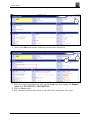
1. Type http://fms-prod.nmsu.edu/fmax in the address bar of your web browser
and press Enter.
The logon splash page will be displayed.
1
2
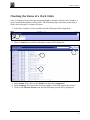
2. Enter your User Name and Password in the field boxes.
3. Click on the Login button.
You can create a bookmark in your browser for quick access to the AiM system.
November 2010
7