1
6. Events
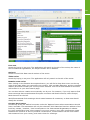
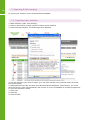
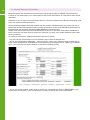
When you are in Series and decide you wish to make an Events search, you do not have to go
to the Main Page and select Events. You only have to click on the Events button, top left.
You can also move from Events to Series with one button click.
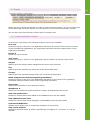
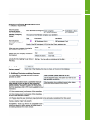
6.1. Events selection criteria
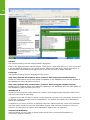
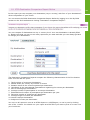
To build your own search, the following selection criteria are available:
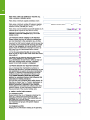
Free text
Search by keying in any text. The application will search in the title of the event, the name
of the international organisation, the organising committee and the contact person of the
organising committee.
Events #
Search by event number.
Title event
Search by keying in any text. The application will only search in the title of the event.
Subject
Options give the subject matter categories the event must deal with.
City
Options give the required city where the event should take place.
Country
Options give the required country where the event should take place.
Name Congress secretariat/Organising Committee
Search by keying in any text. The application will search in the name of the organising
committee and the contact person of the organising committee.
Date event
Specify the event date or time period of search.
Attendance #
Search for the minimum and/or maximum number of attendants of the event.
Only new events since
Search for events which were added to the Database since the last update.
Only updated events since
Search for events which were changed in the Database since the last update.
Commercial Exhibition
Selects events which have a commercial exhibition in conjunction.
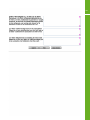
Only events without:
Search for planned events of which a specific type of supplier is: “unknown” or “not yet
decided”.
13