1
Global Conditions
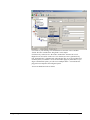
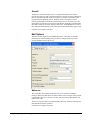
Global Conditions apply to the rule as whole. They are automatically combined with
a logical “AND” with the conditions in the filter tree.
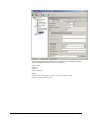
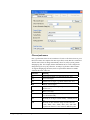
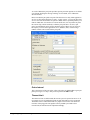
Fire only if Event occurs
This is kind of the opposite of the “Minimum Wait Time”. Here, multiple events
must come in before a rule fires. Take another example. This time, we use a ping
probe. Ping is not a very reliable protocol, so a single ping might be lost. Thus, it
may not be the best idea to restart some processes just because a single ping failed. It
would be much better to wait for repetitive pings to fail before doing so.
Exactly this is why the “Fire only if Event Occurs” filter condition is made for. It
waits until a configured amount of the same events occurs within a period. Only if
the count is reached, the filter condition matches and the rule can fire.
If you used previous versions of the product, you might remember a filter called
“Occurrences”. This has just been renamed.
Minimum Wait Time
This filter condition can be used to prevent rules from firing to often. For example, a
rule might be created to check the status of a port probe event. The port probe probes
an SMTP server. If the event is fired and the rule detects it, it will spawn a process
that tries to restart the service. This process will take some time. Maybe the SMTP
gateway need some more time to fully start up so that the port probe might fail again
while the problem is already taken care of. The port probe as such will generate an
additional event. Setting a minimum wait time will prevent this second port probe
event to fire again if it is – let’s say – within 5 minutes from the original one. In this
case, the minimum wait time is not yet reached and as such, the rule will not match.
If, however, the same event is generated 5 hours later (with the mail gateway failing
again), the rule will once again fire and corrective action taken.
Operations
In general, Operations describes how Filter conditions are linked together. The
following Operations can be used.
AND
All filters below must be true. Only then AND will return true.
OR
Even if one filter below OR is true, OR will return true.
NOT
Only one Filter can below NOT operation, and if the filter evaluation is true, NOT
will return false.
XOR
Only one to two Filters are possible in the XOR Operation.
TRUE
Useful for debugging, will just return TRUE.
MonitorWareAgent 1.3 User Manual
Configuring MonitorWare Agent • 65