1
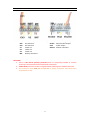
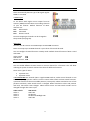
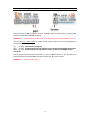
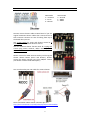
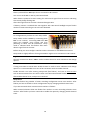
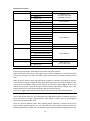
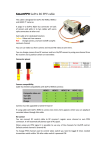
VIDEO SWITCH Connect video sources (video camera, photo camera …) to video input connectors V1-V3. Connect video transmitter to video output Vout. You can use 3 state switch to switch between all 3 video sources or 2 state switch to select between 2 video sources. Video source is selected based on video control channel value: 0% (1.0ms) V1 50% (1.5ms) V3 100% (2.0ms) V2 Video inputs and video output connector middle “power” pins are connected together so you can feed power for your video camera or video transmitter to one connector and have powered other connected video devices. You can also choose to power cameras and/or video transmitter by soldering jumpers in bottom of board. That will connect according power source to video connector “power” pins: 5V – 5V from RC receiver Bat – voltage from battery connector Please read video camera and video transmitter manuals to find voltage needed to power them. WARNNG! Do not solder together both jumpers 5V and Bat if battery connected to Bat connector. If video cable 3 pin servo style connector middle pin is dedicated for audio, or it needs different voltage than other video devices connected to RCCC, then remove middle pin and leave only GND and video pins. 5