1
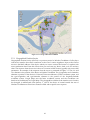
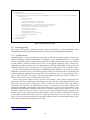
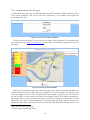
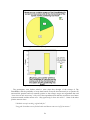
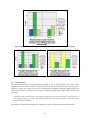
friend has a green background it means that the friend’s device is connected to Wireless Trondheim,
and that its location is nearby the location of the logged in user’s device. Nearby is within an area of
approximately 200 metres. Friends with yellow background are connected to Wireless Trondheim,
but are positioned on a location that is not within the nearby boundary. In this particular example,
Eva is the only friend close enough to be marked as nearby. Lena is not shown on the map as a
consequence of that either she or the logged in user (or both) has chosen the ‘nearby’ privacy setting
in their friendship. If Lena had been nearby, she would have had a green background as any other
user. The other three friends that are currently connected to Wireless Trondheim are shown with a
pin on the map, because both parts in the friendship have chosen ‘map’ as the friendship’s privacy
setting. If a logged in user not are possible to locate in Wireless Trondheim, the user will see all her
friends with red background, and the map will not be shown.
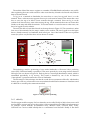
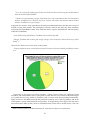
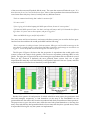
Figure 5.6 also gives an impression of how the user interface of the system is designed. The lefttop- and right-menu is the same in every display when a user is logged in. The top-menu works as a
normal menu, which allows users to navigate through the different pages. The right-menu shows
the number of new messages and friend requests the user has received. The friend requests and
messages can be clicked and the user is taken to the friend acceptance display or to the message
inbox respectively. The left-menu works as a friend-list and shows every user that is friend of the
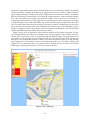
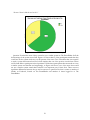
logged in user as mentioned above. If a friend’s name is clicked, the user is taken to the friend’s
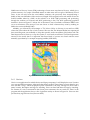
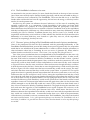
profile page, as displayed in Figure 5.7 where Eva’s name is clicked.
Figure 5.7: Eva's profile page
35