1
After opening TreePlan.xla in Excel, the command "Decision Tree" appears at the bottom of the Tools
menu (or, if you have a customized main menu, at the bottom of the sixth main menu item).
Building a Decision Tree in TreePlan
You can start TreePlan either by choosing Tools | Decision Tree from the menu bar or by pressing
Ctrl+t (hold down the Ctrl key and press t). If the worksheet doesn't have a decision tree, TreePlan
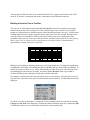
prompts you with a dialog box with three options; choose New Tree to begin a new tree. TreePlan draws
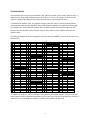
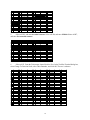
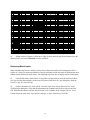
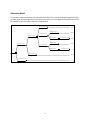
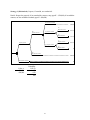
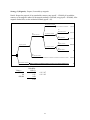
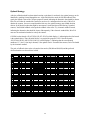
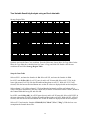
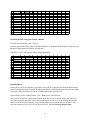
a default initial decision tree with its upper left corner at the selected cell. For example, the figure below
shows the initial tree when $B$2 is selected. (Note that TreePlan writes over existing values in the
spreadsheet: begin your tree to the right of the area where your data is stored, and do not subsequently
add or delete rows or columns in the tree-diagram area.) In Excel 5 and 95 a terminal node is
represented by a triangle instead of a vertical bar.
A
1
2
3
4
5
6
7
8
9
10
11
B
C
D
E
F
G
H
I
Decision 1
0
0
0
1
0
Decision 2
0
0
0
Build up a tree by adding or modifying branches or nodes in the default tree. To change the branch labels
or probabilities, click on the cell containing the label or probability and type the new label or probability. To
modify the structure of the tree (e.g., add or delete branches or nodes in the tree), select the node or the
cell containing the node in the tree to modify, and choose Tools | Decision Tree or press Ctrl+t.
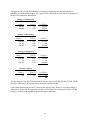
TreePlan will then present a dialog box showing the available commands.
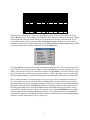
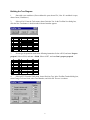
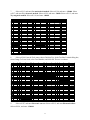
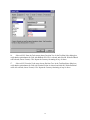
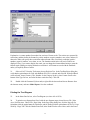
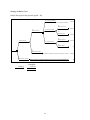
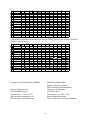
For example, to add an event node to the top branch of the tree shown above, select the square cell (cell
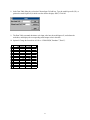
G4) next to the vertical line at the end of a terminal branch and press Ctrl+t.. TreePlan then presents this
dialog box.
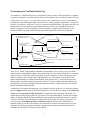
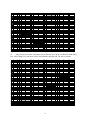
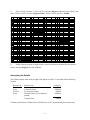
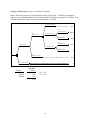
To add an event node to the branch, we change the selected terminal node to an event node by selecting
Change to event node in the dialog box, selecting the number of branches (here two), and pressing OK.
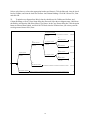
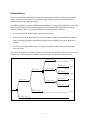
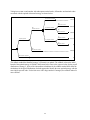
TreePlan then redraws the tree with a chance node in place of the terminal node.
3