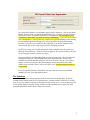
1
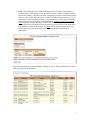
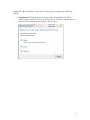
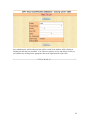
The log in panel has several options: Remember me? - If you checked the box associated with this option, the system would remember your User ID and password the next time you log in. It would pre-fill the two log in boxes for you, thus saving you time and possible headache. Change Password – At any time that you feel a need to change your existing password, click on this link. You are expected to know your current password in order to use this feature. Lost Password – In the event that you forgot your password, you can click this link, which would prompt you for your “registered” email address in the system. After verification that the email address you provided matches one in the system, it would send you your password that you can use for logging in. Admin – If available, this link is for authorized web site and system administrator’s use only. This is the place where administrators can add, modify and/or delete users of the system. New User Registration All CEA-level users MUST register using the "New User Registration" form. District, regional and statewide-level administrators have an initial password of “xxxxxxxxxx” to be assigned by the Project Coordinator. On login, the system would tell them that the password has expired so they would be forced to change password. Strong password policy, similar to that of TExAS, will be enforced with the following requirements: a. All User ID (email) must contain "tamu.edu" domain extension (turned off) b. Minimum 8 characters (combined letters, number and special characters) c. No. of numeric digits: 1 d. At least 1 capital letter e. At least 1 special character (!@#$%^&*()_-) (turned off) f. No maximum length required g. Required 6 months password renewal; email notification will be sent several days before expiration 2