1
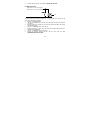
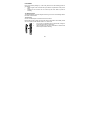
SET key
•
Press to enter manual setting modes: LCD contrast, Manual time setting, 12/24
hour time display, Calendar setting, ºC/ ºF temperature unit, Wind speed unit,
Rainfall unit, Pressure unit, Relative pressure reference setting, Weather
tendency threshold setting, Storm warning threshold setting and Storm Alarm
On/ Off setting
•
In normal display mode, press and hold to switch on/ off the Buzzer
•
In the weather alarm setting mode, press and hold to adjust different alarm
value and switch the alarm On/ Off
•
Press to activate the reset mode when max or min record is shown
•
Stop the alarm during the time alarm or weather alarm ringing
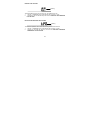
+ key
•
•
•
•
Press to change the calendar display to the preset alarm time, date, weekday +
date or second in the time display
Press to adjust (increase) the level of different settings
Stop the alarm during the time alarm or weather alarm ringing
Press to confirm to reset the max/min record
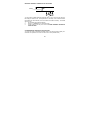
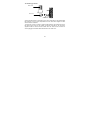
HISTORY key
•
Press to display the weather data history records
•
Stop the alarm during the time alarm or weather alarm ringing
•
Press to exit manual setting mode and alarm setting mode
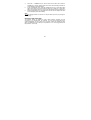
ALARM key
Press to enter the time alarm and weather alarm setting mode
Confirm particular alarm setting
•
•
11