1
0102.
0304.
05.
05.
07.
08.
09.
10.
11.
12.
13.
74.
15.
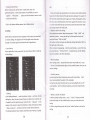
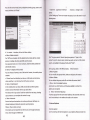
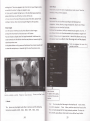
4,Put the slM card with metal. gide connect to the phone with metal
dome, show as the below picture in the middle .
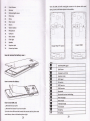
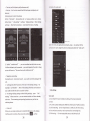
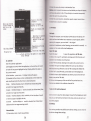
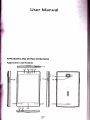
Frmt CameE
Receirer
r
Disbnce/Lightsensor
Pilot lamp
Menu
f:o
Main sreen
Return
Volume button
Micrcphone
USB
port
Rear camera
Flash
light
Speaker
Earphonejack
lnse* SIM
lnsert tho ?F card
Power key button
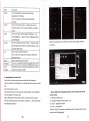
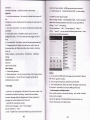
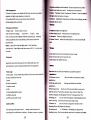
How to remove the battery cover :
!
E
I
I
E
How to remove the battery:
IE
E!
It
I
I
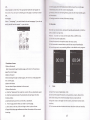
How to insert SIM
L, Remove
E
E
erd:
the back coven
2, Remove the battery if you have install
it
3,Put the micro SIM card with metal side connect to the phone with
metal dome, show as the below picture right.
28
I
I
E
&
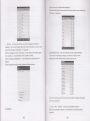
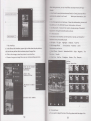
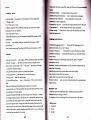
GSM/WcDMA Sisnal
GSM Roam
EmerPencv call only
Airplane mode
Wifi sisnal
3G sewice
GPRS
service
EDGE
seruice
Bluetooth
Bluetooth devices interlinking
New messages
New emails
Vibration mode
Clock alarm
Charging
3G
talking
29