1
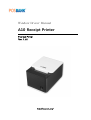
A10 MiniPrinter
1. Manual Information
This window Driver Installation Manual provides information on installation, detailed specifications,
and usage of the printer`s Window Driver according to PC operating system(Window OS)
We at POSBANK maintain ongoing efforts to enhance and upgrade the functions and quality of all
our products. In following product specifications and/or user manual content may be changed
without prior notice.
2. Operating System(OS) environment
The operating system below are supported for usage.
Microsoft Windows 2000
Microsoft Windows XP (32bit/64bit)
Microsoft Windows Embedded For Point Of Service
Microsoft Windows Vista(32bit/64bit)
Microsoft Windows 7(32bit/64bit)
3. Windows Driver Preparation
Latest version can be downloaded from POSBANK`s download web server.(http://easyset.org/)
If downloading from our server, firstly download A10_MiniPrinter_v1.5.x_x86_xx.zip file or
A10_MiniPrinter_v1.5.x_x64_xx.kzip file, and then unzip, run A10_MiniPrinter_v1.5.x_x86_xx.exe or
A10_MiniPrinter_v1.5.x_x64_xx.exe.
4. Windows Driver Installation
4-1 Installing on Windows 2000
4-1-1 Via Serial or Parallel port
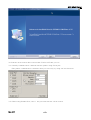
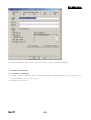
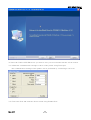
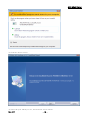
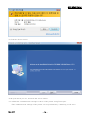
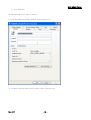
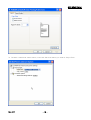
1) Double click the Windows Driver Installation file(A10_MiniPrinter_v1.5.x_x86_xx.exe)
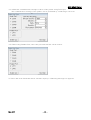
2) Click the “Next” button.
Rev. 1.5
-3-