1
CUI - CHOOSE RMS CUSTOMER SCREEN
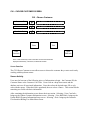
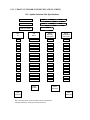
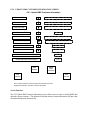
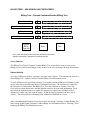
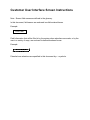
CUI - Choose Rate Management System (RMS) Customer
Customer ID
number to be selected
Customer Name
number to be selected
Cust Colo Code
name to be selected
Enter
View
Cust Info
Exit
View
RMS Info
Note: Fields that already contain information will have that information
displayed automatically. Otherwise, the fields will be blank.
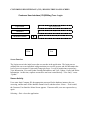
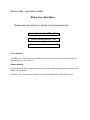
Screen Function
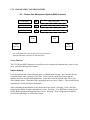
The CUI Choose RMS Customer screen allows users to choose the customer they want to work
on by working with drop-down menus.
Screen Activity
Users need at least one of the following pieces of information to begin – the Customer ID, the
Customer Name or the Customer Colo Code. Users click on a drop-down arrow and the
database retrieves all associated information. Users then select the desired name, ID or colo
code with the mouse. When the field is populated, the user selects <Enter>. This action fills the
remaining two fields with basic information.
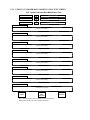
After examining the information, users choose their next action. Selecting <View Cust Info>
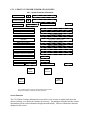
brings up the Update Customer Information screen. Selecting <View RMS Info> brings up the
Update RMS Customer Information Setup screen. Selecting < Exit> brings up the Customer
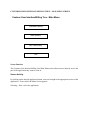
User Interface/Billing Tree Main Menu screen.