1
DIO24, Linux Device Driver, User Manual
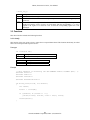
tar –xzvf dio24.tar.gz
2.5. Removal
Follow the below steps to remove the driver and its related files. This includes the device driver, the documentation
source code, and the sample application.
1.
Shutdown the driver as described in following paragraphs.
2.
Change to the directory where the driver archive was installed. This should be
/usr/src/linux/drivers. (The path name may vary among distributions and kernel versions.)
3.
Issue the below command to remove the driver archive and all of the installed driver files.
rm –rf dio24.tar.gz dio24
4.
Issue the below command to remove all of the installed device nodes.
rm –rf /dev/dio24*
5.
If the automated startup procedure was adopted (described in following paragraphs), then edit the
system startup script rc.local and remove the line that invokes the dio24_start script. The file
rc.local should be located in the /etc/rc.d directory.
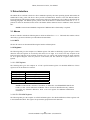
2.6. The Driver
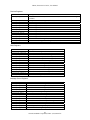
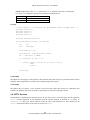
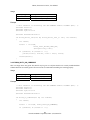
This driver and its related files are contained in the archive file dio24.tar.gz. The archive’s device driver files
are listed below. The paragraphs that follow give installation, build and startup instructions.
File
*.c
*.h
dio24.h
dio24.ko *
dio24_start
makefile
makefile.dep
Description
The driver source files.
The driver header files.
A driver header file. This header should be included by DIO24 applications.
The driver executable.
Shell script to install the driver executable and device nodes.
The driver make file.
An automatically generated make dependency file.
* The file name extension for the pre-built driver executable is .ko, which is the convention for the 2.6 kernel. The
2.6 build of the driver executable is included in the release as the final release is built using the 2.6 kernel. The
convention for the 2.2 and 2.4 kernels is an extension of .o. The driver build procedure produces the
appropriately named file.
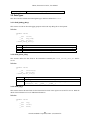
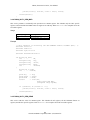
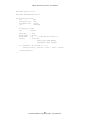
2.6.1. Build
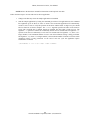
NOTE: Building the driver requires installation of the kernel sources.
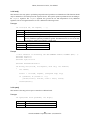
Follow the below steps to build the driver.
1.
Change to the directory where the driver and its sources were installed. This should be
/usr/src/linux/drivers/dio24/driver.
2.
Remove all existing build targets by issuing the below command.
9
General Standards Corporation, Phone: (256) 880-8787