1
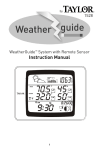
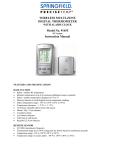
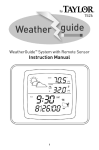
BATTERY INSTALLATION AND SET-UP Notes: Always replace all batteries at the same time; do not mix old and new batteries. Do not mix alkaline, standard (carbon-zinc) or rechargeable (ni-cad, ni-mh, etc.) batteries. For maximum performance in normal conditions we recommend using good quality alkaline batteries. When temperatures are near or below freezing (32°F / 0°C), alkaline batteries can lose power resulting in a loss of remote transmission. If you reside in an area that experiences frequent temperatures near or below freezing, we recommend using lithium batteries to minimize the loss of transmission. (See additional notes in Locating the Base Station and Remote Sensor below.) NOTE: please recycle or dispose of batteries per local regulations. WARNING: Batteries may pose a choking hazard. Do not let children handle batteries. PRECAUTION: Do not dispose of batteries in fire. Batteries may explode or leak. Remove the batteries if the thermometer or remote sensor will not be used for a long period of time. Base Station Battery Installation Remove the printed static cling label from the LCD screen of the base station. Position the remote sensor near the base station. Open the battery compartment on the back of the base station and insert (2) AAA batteries according to the polarity markings. Replace the battery compartment cover. Within a short time the RF signal icon (located near the outdoor humidity reading) will start flashing. This indicates that the base station is ready to pick up the RF signal from the remote sensor. It will continue to flash for 3 minutes or until the signal from the remote sensor is detected. Register the Remote Sensor Open the battery compartment on the back of the remote sensor and slide the channel selector switch to your desired channel. For the first remote you may select any channel, for additional remotes select any unusual channels. Insert (2) AAA batteries according to the polarity markings. Be sure to install the batteries in the remote within the time that the RF signal icon is flashing on the base station. If the icon is not showing, press and hold CHANNEL for 3-4 seconds until the icon is showing. Press the ºC/ºF button inside the remote sensor battery compartment to display the temperature in ºC or ºF. Once you see the outdoor readings on the base station the set-up is complete. Replace the battery compartment cover. Press the UP/C/F button at the back of the base station to display the temperature in ºC or ºF. Press CHANNEL to select the remote channel you want displayed permanently on the base station or keep pressing CHANNEL until you observe a circular arrow © on the base station LCD screen under the channel number. The unit will then auto-scroll, continually changing from channel to channel. Occasionally you may experience interference on a particular channel; if your base station has trouble picking up the RF signal, remove the batteries from the remote sensor, slide the channel selector switch to another channel and reinstall the batteries. Note: The TX button inside the remote sensor battery compartment is for factory testing; you will not need to use it.