1
Retail Expert Software Private Limited
Retail Expert Software Private Limited
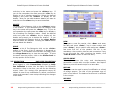
NEW
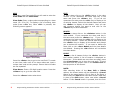
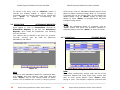
To create a new Class code/ID you will need to enter the
Class Code and the Class Name
EDIT
To edit a class click on the <Edit> button in the class
module. If you remember the class code key in the
same and press the <Enter> key.
If you do not
remember the code press the <F4> key to display a list
of existing classes. Select the desired classes and press
the <Enter> to display all the details. Now you can
edit whatever details you want to and click on the
<Save> key to save the details.
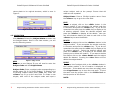
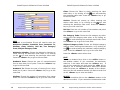
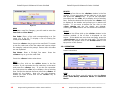
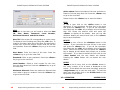
Class Code: Enter a class code corresponding to a class
name (Ex. 9 for IX). To display a list of existing class
codes press <F4> key. Once <F4> is pressed, the
following screen appears.
DELETE
To Delete a class click on the <Delete> button in the
class module. If you remember the class code key in
the same and press the <Enter> key. If you do not
remember the code press the <F4> key to display a list
of existing classes. Select the desired class and press
the <Enter> key to display all the details and prompt
you to delete the location. If you want to delete the
class click on the <Yes> Button and the class details
are deleted. Pressing the <No> Button will not delete
the class details.
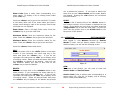
PRINT
To print a list of classes click on the <Print> button in
the Location module. A list of Location is displayed on
the screen. If the details are more than one page, press
the <Page Down> key to view the next page. To print
the same onto the printer click on the Printer Icon on
the top portion of the Screen.
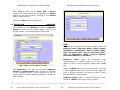
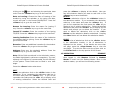
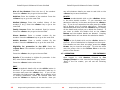
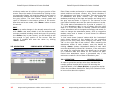
Figure 3 Class Listing
Press the <Enter> key to go to the next field. To create
a new class, take note of the class codes and input a
unique class code at the prompt. Ensure that old codes
are not repeated.
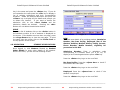
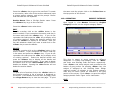
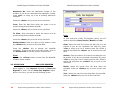
NOTE:
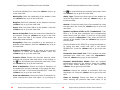
After selecting either of the New, Edit or Delete
options, the chosen button will be replaced by a Cancel
button at the same location. This is seen in the figure 4
below where the Edit button has been chosen. Note that
in place of the Edit button, there now exists a Cancel
button. If this Cancel button is pressed, then the form
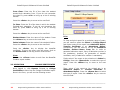
Class Name: Enter a 20-digit Location name. Press the
<Enter> key to go to the next field.
Press the <Save> button when done.
-------------------------------------------------------------------------------------------------------------------------5
Empowering Customer with a Future Vision
6
Empowering Customer with a Future Vision