1
DINplayer User Manual v.2.1
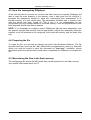
5
Operation with logical inputs (MPLL=0)
5.1 Introduction to the logical input operation mode
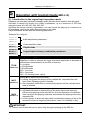
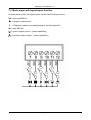
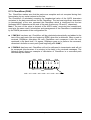
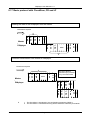
DINplayer can also play individual (message) audio files with direct selection from six inputs.
Activation is carried out directly or in binary combination, up to a maximum of 255 files,
using the inputs IN1, IN2, IN3, IN4, IN5, IN6.
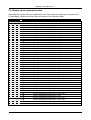
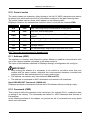
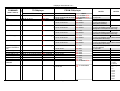
Activating the inputs in binary combination, one can launch the playing of a maximum of
63 messages, naming the audio files as shown on the table.
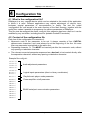
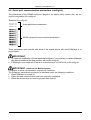
Player modalities are set with the following parameters:
Example file config.txt:
LLOU=10
LTRE=14
LBAS=10
MOMD=0
Audio adjustment parameters
Power amplifier mode
MPLL=0
Playlist mode
TPCM=10
MICP=1
MIRS=0
Logical inputs in binary combination parameters.
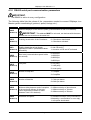
Mnemonic
Description of timing parameter
Setting the persistence time of the input command (time to wait before
DINplayer is able to interpret the input command) expressed in decimals of
milliseconds (value between 0 and 255 in decimal).
0 = no delay
TPCM
1 =10mSeconds
(DEFAULT=10)
2 =20mSeconds
100 = 1 second
200 = 2 seconds
250 = 2,5 seconds (max. value)
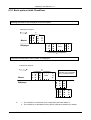
Setting Mode Input Continuous Play
0 = having terminated the playing of the codified file, requested from the
MICP
input code, DINplayer goes in standby.
(DEFAULT=1)
MIRS
(DEFAULT=1)
•
1 = the requested codified file is continuously played until the relevant input
code is inserted.
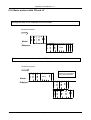
Setting Mode Input ReStart
0 = repeated activation or deactivating of the same input code does not
influence the playing of the relevant file. Only the activation of a different
code can block the playing underway and activate the playing of the new
requested file.
1 = in the moment in which an input code is enabled the playing of the of the
relevant file from its beginning takes place, even if it is already in play.
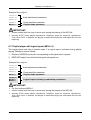
IMPORTANT:
volume control with the keys is active only during the playing of the MP3 file.
Page 20