1
XT3/XS Servers - Version 11.01 – Multicam Operating Manual
EVS Broadcast Equipment SA – April 2012
Issue
11.01.B
13.4.2 How to Name a Remote Clip
To name a remote clip, proceed as follows:
1. Select the Clip mode in the Network menu.
2. Select the Remote LSM in the list.
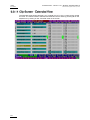
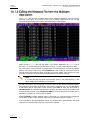
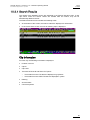
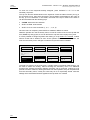
3. Go to the Clip screen on the VGA, all banks of remote system are now displayed.
4. Select the clip to name.
5. Type the desired name on the keyboard.
6. Press F1 to name the remote clip.
→ In CAM mode, only the camera where the cursor is located is named
→ In CLIP mode, all cameras of the clip where the cursor is located are named.
Note
To be able to rename a clip on a remote server, the Clip Edit by Network
parameter must be enabled in the Setup menu.
13.4.3 How to Modify IN/OUT Points of a Remote Clip
To modify IN/OUT points of a remote clip, proceed as follows:
1. Recall the desired clip.
2. Browse inside the clip until you reach the desired frame.
3. Press IN / OUT to mark a new Short IN / Short OUT points.
Note
To be able to trim a clip on a remote server, the Clip Edit by Network
parameter must be enabled in the Setup menu of the remote machine.
151