1
XT3/XS Servers - Version 11.01 – Multicam Operating Manual
EVS Broadcast Equipment SA – April 2012
Issue
11.01.B
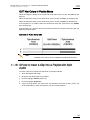
9.2.2 Storing a Clip
How to Store a Clip
To store a clip on a given location, proceed as follows:
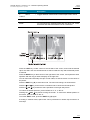
1. Define a clip by marking the IN and/or OUT points
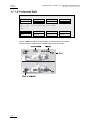
2. Select the page where the clip will be stored by pressing SHIFT+PAGE+F_ key
corresponding to the page.
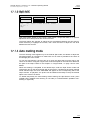
Page 1 contains clips 110 to 199. Page 2 contains clip 210 to 299, and so on.
3. Select the bank where the clip will be stored by pressing SHIFT+F_ key
corresponding to the bank, using key F1 to F9. The F10 key is reserved for the
playlist bank available on each page.
4. Select the location of the clip to store by pressing the corresponding F_ key.
The clip is created on the specified location. The primary timecode of the clip is the
primary timecode defined on the train where and when the clip has been created.
Example
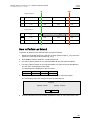
To create the clip on the position n°212 (page 2, bank 1, clip location 2):
1. Press SHIFT+PAGE+F2 to select page 2.
2. Press SHIFT+F1 to select bank n°1.
3. Press F2 to select location n°2 on the selected page and bank.
Important
The AUTO-SAVE process automatically saves clips and playlists at least every
minute. Exiting the software (ALT+Q) will also save the clips and playlists.
39